
Most safety teams know their risk assessment process could be faster. The hard part is changing it without losing the habits that keep people safe. This guide walks through a seven-step approach that has worked for teams from five to five hundred people.
1. Audit what you have
Before choosing any tool, list every risk assessment currently in use, who owns it, when it was last reviewed and where it lives. Most organisations find a mix of Word documents, spreadsheets and printed forms, often with several versions of the same assessment.
- Count the assessments per site and per activity
- Note which ones are overdue for review
- Record who signs them off today
2. Standardise the template
Agree one structure: hazard, who is at risk, existing controls, risk rating, additional controls, owner and review date. A shared template makes reports comparable across sites and is the foundation for any digital system.
Choosing a risk matrix
A 5×5 likelihood-by-severity matrix is the most common. If your industry uses something different, make sure the software can reproduce it rather than forcing a change.
Unique risk matrix? No problem
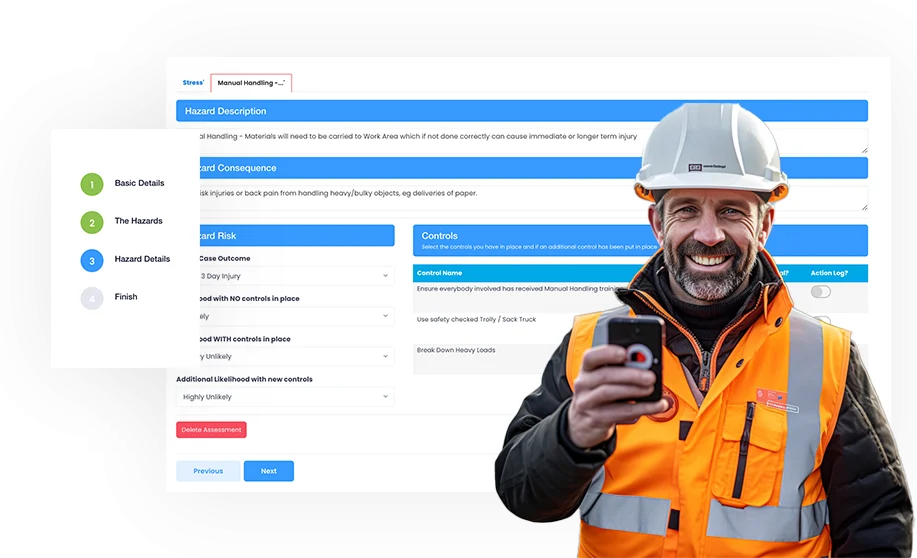
Evalu-8 EHS lets you standardise risk assessments across the company while keeping the matrix your teams already understand.
- Standardise risk assessments across your company
- Easily manage, share and report
3. Pilot with one team
Pick a team that is busy but open to change. Migrate their assessments first, run both systems for a fortnight, and collect what got in the way. Fix those issues before the wider roll-out.
Our onsite safety professionals have experienced a significant reduction in RAM preparation time.
Roy Scott, EHS Lead, Turmec
4. Move the sign-off online
Digital signatures remove the printing-and-scanning loop entirely and give you an audit trail of who approved what and when.
5. Set review reminders
Every assessment needs an owner and a review date. Automatic reminders turn an annual scramble into a steady trickle of small tasks.
A simple roll-out plan
Week 1–2: pilot team live
Migrate the pilot team and run both systems in parallel.
Week 3–4: fix and document
Resolve blockers, write the one-page how-to guide.
Week 5+: site by site
Roll out one site at a time with a named champion on each.
6. Link assessments to method statements
Once assessments are digital, RAMS can pull from them automatically, which is where most of the time saving appears.
7. Measure and share
Report on assessments completed, overdue reviews and actions closed. Sharing the numbers with the wider business keeps momentum after the initial launch.
Frequently asked questions
Do we have to migrate every historic assessment?
No. Migrate live assessments first; archive the rest as PDFs and import them only if you need them searchable.
How long does a typical migration take?
Most teams complete a pilot in two weeks and a full roll-out within a quarter.
See risk assessments in Evalu-8 EHS
Book a demo with an EHS specialist or take the guided tour.