
Safety Audit & Inspection Software
Safety inspection & audit software
Build and schedule workplace audits, inspections and routine checks, complete them on mobile even without signal, and keep every failed question connected to the evidence, owner and action that follows.
You are in good company. Trusted by H&S teams from companies like






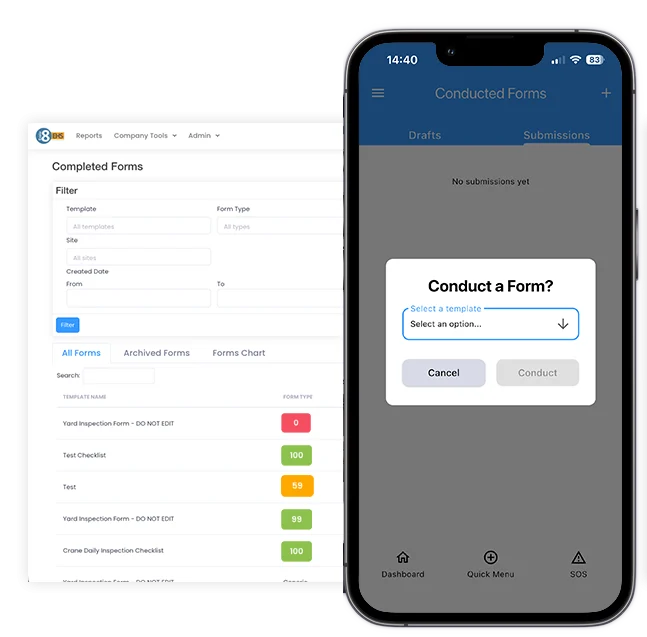
Safety Audits & inspections in Evalu-8 EHS
Keep the checklist, the finding and the follow-up in the same process.
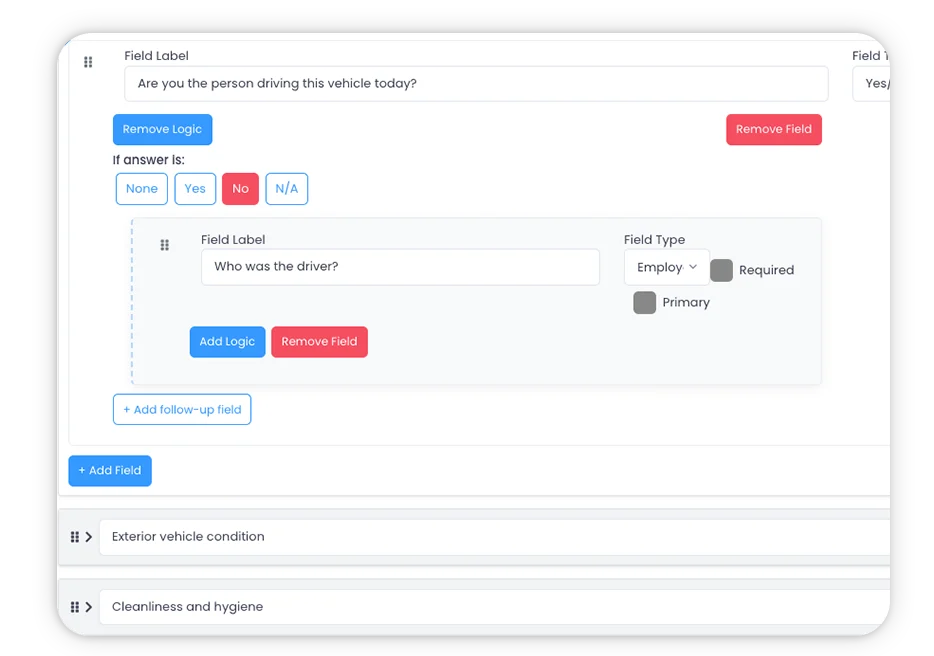
Make the standard clear before the inspection starts.
Create approved templates with the questions, guidance, scoring and evidence rules the person completing the check actually needs.
- Different templates for different risks, assets, locations and activities.
- Guidance notes
- Mandatory fields and evidence rules
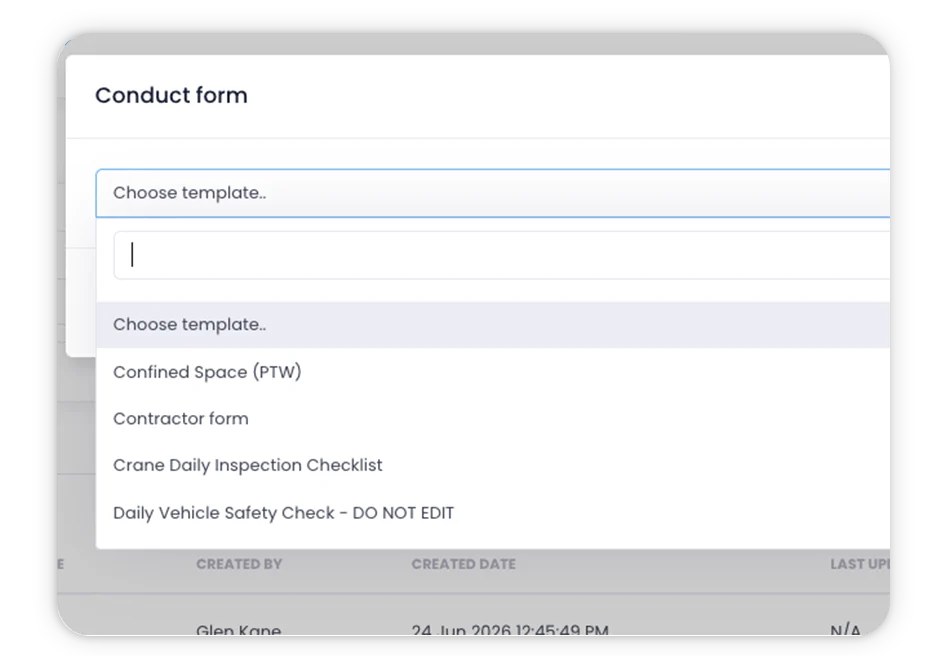
See which checks are due before they quietly become overdue.
Set recurring inspections by location, asset, risk or frequency and make the owner and due date visible.
- Daily, weekly, monthly or periodic checks.
- Assign the responsible person or team.
- See upcoming, complete and overdue activity.
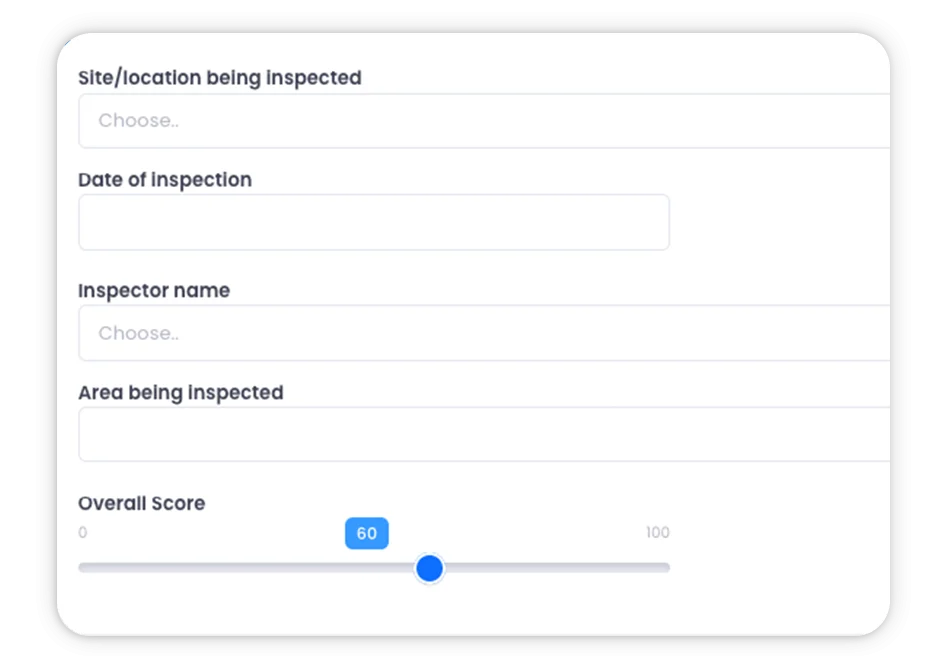
Complete the check where the work actually happens.
Use a phone or tablet on the shop floor, in a plant room, across a warehouse or on a remote site including areas where the signal is poor.
- Mobile-first completion.
- Offline inspection mode and later sync.
- Photos and notes captured at the point of inspection.
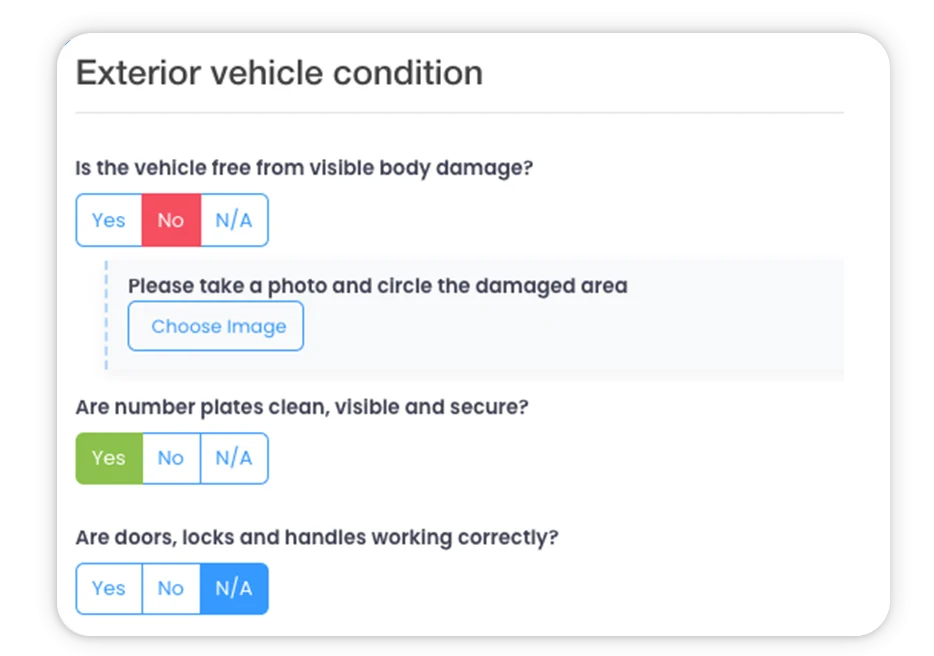
A pass stays quick. A failure opens the detail.
Keep routine checks focused. When something fails, ask for the extra information, evidence or immediate response H&S actually needs.
- Show follow-up questions only when relevant.
- Require evidence for important failures.
- Avoid making every person answer every possible question.
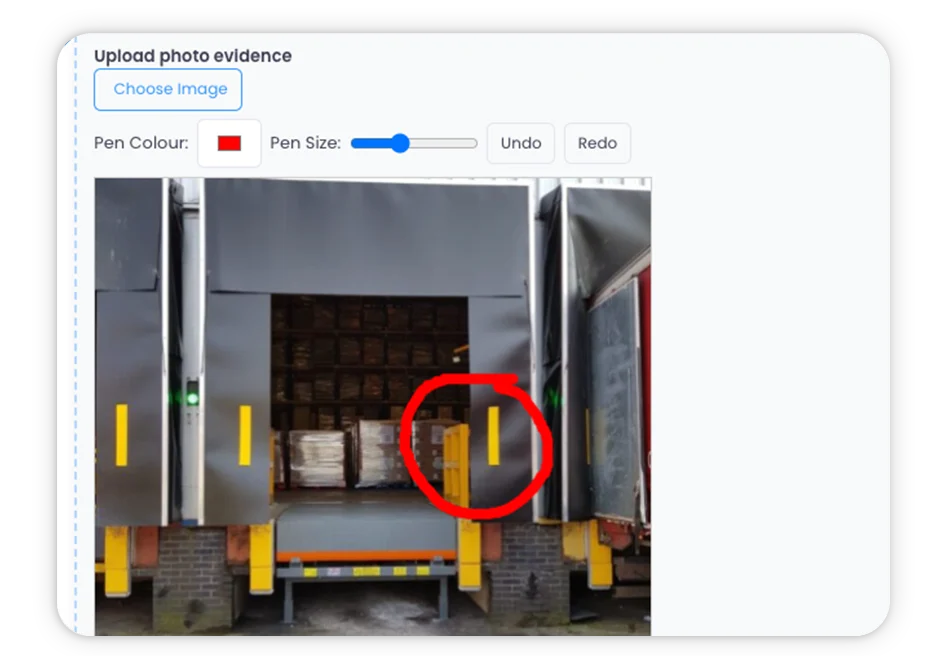
Keep the proof beside the exact question that raised the concern.
Photos, notes, annotations and supporting details should stay with the finding instead of being sent later by message or email.
- Photo and video evidence.
- Notes and image annotation.
- Digital sign-off and supporting information.
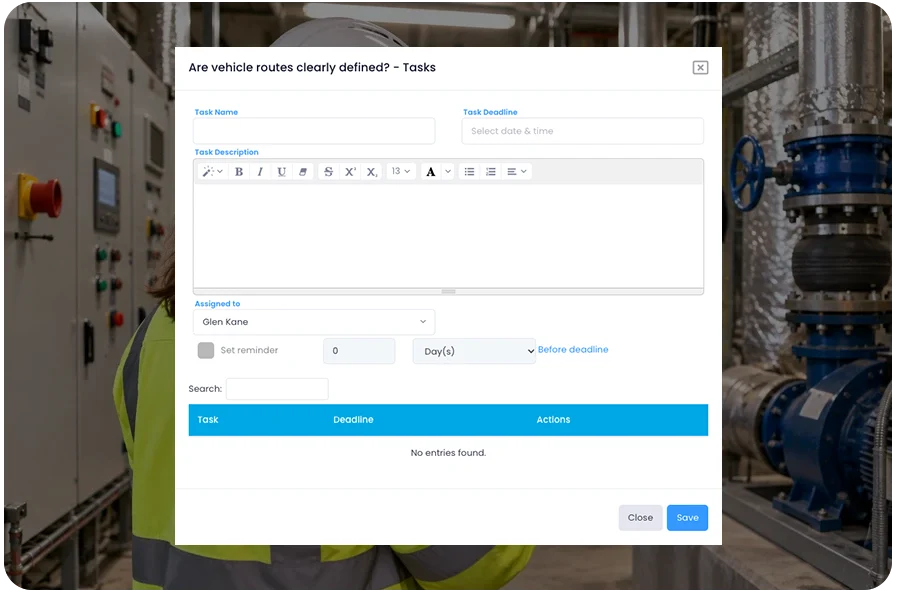
The inspection found it. Now make sure it gets fixed.
Turn the finding into an owned action without moving it to another spreadsheet or task list.
- Assign owner, priority and due date.
- Keep the action connected to the failed question.
- Retain updates and completion evidence through close-out.
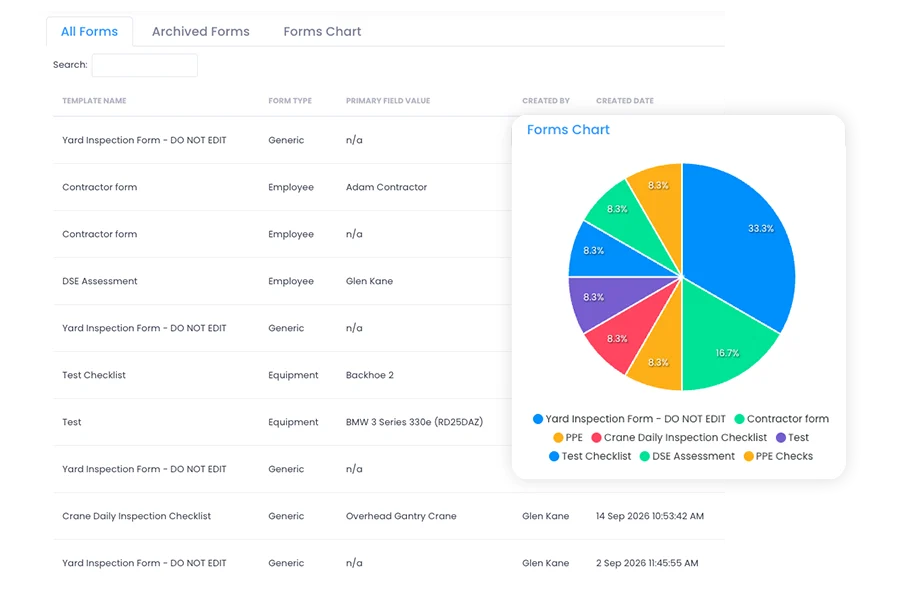
See which checks are slipping and which findings keep coming back.
See which checks are slipping and which findings keep coming back.
- Compare locations using a consistent approach.
- Find overdue inspections and actions.
- Spot recurring findings across sites or inspection types.
Explore Audits & Inspections Now
Set the inspection standard
A checklist should tell the person what “good” looks like.
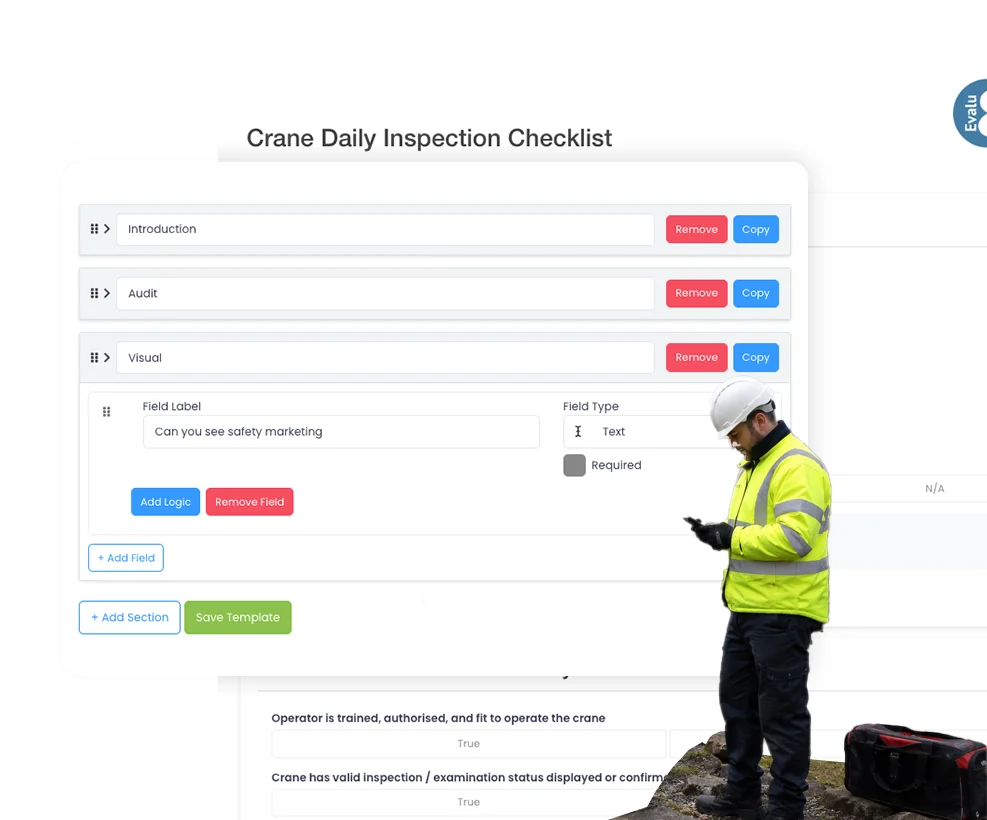
Build the question, guidance, required evidence and scoring into the inspection so the standard travels with the person completing it.
- Create approved templates for recurring checks.
- Add instructions, mandatory questions and evidence prompts.
- Keep a common standard while allowing relevant site or asset detail.
Mobile & offline
The check has to work in the plant room, not just at a desk.
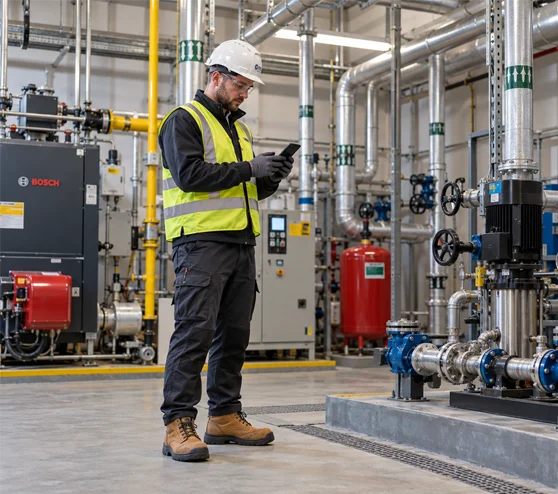
Complete the checklist on a phone or tablet, keep evidence against the relevant question and sync the inspection back when connectivity returns.
- Complete checks on mobile devices.
- Capture photos and notes while standing in front of the issue.
- Continue in poor-signal areas using offline mode.
Safety Inspection workflow
Schedule the check. Record the finding. Prove what happened next.
A completed form is not the end of the process when something failed.
What needs checking?
Set the inspection, location, owner and frequency before it becomes overdue
What did you find?
Complete the check where the work happens using the approved checklist.
Can somebody see the issue?
Keep the photo, note, annotation and supporting detail with the finding.
Who owns the fix?
Assign the corrective work to a named person with a priority and due date.
Was it actually fixed?
Review the completion evidence and keep the close-out trail with the original inspection.

See Audits & Inspections in action
Corrective action
The inspection found it. Now make sure it gets fixed.
Raise the action from the failed question, give it an owner and deadline, then retain the updates and completion evidence beside the finding that caused it.
- Raise an action directly from the finding.
- Keep owner, priority and due date visible.
- Retain close-out evidence and status without losing the inspection context.
Conditional checks
A pass stays quick. A failure opens the detail.
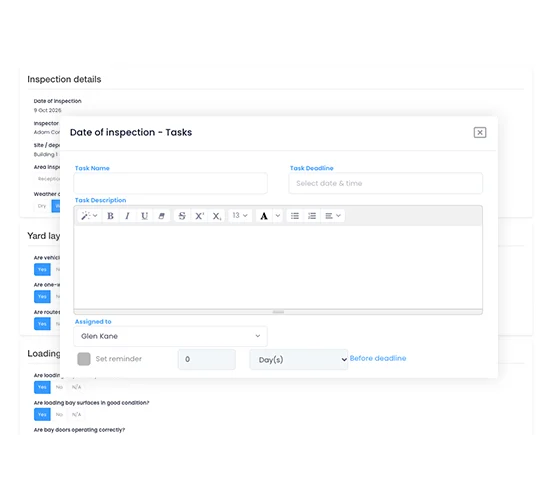
Use conditional logic so a normal pass stays simple while a failure asks for the information H&S needs to understand the issue and decide what happens next.
- Trigger extra questions only after relevant answers.
- Require photos or notes for important failures.
- Capture the immediate control when something is unsafe.
See it in action
See the inspection through the moments the person on site actually deals with
Three short scenarios that show the hand-off from the check to the evidence, the action and the management view.
A machine-guarding check fails on the shop floor
The supervisor selects No, the form asks for a photo and defect detail, and an urgent corrective action is raised before the inspection is submitted.
An inspector completes a plant-room check with no signal
Open the correct checklist, capture the failed fire-door check and photos offline, then sync the inspection when connectivity returns.
H&S spots the same finding at three locations
Move from individual inspections into the management view to see recurring housekeeping findings and which corrective actions remain overdue.
By industry
See how it works in your industry
01 Your industry
Manufacturing & industrial
Inspect production areas, machinery and departments consistently across shifts without turning every finding into another spreadsheet action.
Common pressure points
- Machine and workplace checks vary by supervisor
- Findings are recorded but follow-up sits elsewhere
- Central H&S cannot see what remains open by department
What changes with Evalu-8
Run a machine-guarding or production-area inspection, capture the defect and evidence, assign Engineering the action and keep the status visible until close-out.
Best-fit capabilities
- Machine checks
- Conditional logic
- Photo evidence
- Corrective actions
- Department reporting
Example finding
Loose machine guard → isolate → action → repair evidence.
02 Your industry
Construction & field
Keep site inspections, supervisor walkarounds and project findings connected when the work moves between locations.
Common pressure points
- Inspectors work from changing customer and project sites
- Evidence is captured on phones but stored separately
- Project actions are difficult for central H&S to follow
What changes with Evalu-8
Complete the site or scaffold inspection on mobile, retain the photos against the failed question and assign the resulting action without waiting to return to the office.
Best-fit capabilities
- Mobile inspections
- Offline mode
- Site evidence
- Actions
- Project reporting
Example finding
Scaffold defect → field evidence → assigned action → retained project record.
Warehousing & logistics
Move from forklift, racking and loading-bay checks to visible defect ownership across depots.
Common pressure points
- Pre-use and warehouse checks happen across several shifts
- Racking or barrier defects can stay unresolved
- Network teams need depot comparisons, not local spreadsheets
What changes with Evalu-8
Record a damaged barrier, FLT defect or blocked fire exit at the point of inspection, assign the action and see whether similar findings are appearing at other depots.
Best-fit capabilities
- FLT checks
- Racking inspections
- Loading-bay checks
- Action ownership
- Depot comparison
Example finding
Damaged safety barrier → photo → owner → deadline → network view.
Facilities & estates
Give local building managers an easy inspection process while estates and H&S retain visibility across the portfolio.
Common pressure points
- Fire-door, plant-room and workplace checks are locally owned
- Contractor findings are chased by email
- Central teams only see problems when somebody escalates them
What changes with Evalu-8
Put the approved check at the building or asset, capture the finding locally and keep the resulting action visible to the manager and central team.
Best-fit capabilities
- QR access
- Premises checks
- Offline
- Local ownership
- Estate reporting
Example finding
Fire door not closing → photo → estates action → verification.
Healthcare & charities
Use Evalu-8 for workplace, premises and estates safety checks across services, locations, employees and volunteers.
Common pressure points
- Different services have different premises and workplace risks
- Local managers need simple repeatable checks
- Central H&S needs evidence and action status across sites
What changes with Evalu-8
Standardise premises, fire, equipment and workplace-safety inspections without positioning the platform as a specialist clinical or patient-audit system.
Best-fit capabilities
- Premises safety
- Fire checks
- Equipment checks
- Actions
- Service reporting
Scope boundary
Workplace and premises safety; validate specialist clinical requirements separately.
Multi-site & public sector
Set a common inspection standard across locations without pretending every building, depot or service is identical.
Common pressure points
- Different sites have drifted into different checklists
- Missed inspections are difficult to see centrally
- Open actions have to be chased location by location
What changes with Evalu-8
Use approved templates and common scoring for the standard that should stay consistent, while allowing relevant local detail and comparing results centrally.
Best-fit capabilities
- Standard templates
- Recurring schedules
- Local detail
- Weighted scoring
- Central actions
Management question
Which locations are missing checks or repeatedly raising the same finding?
See Audits & Inspections in action
Management visibility
See which checks were missed, what is still open and where the same problem keeps coming back
A dashboard is useful when it answers a management question not when it just counts completed forms.
- See due, overdue and completed inspections.
- Review open and overdue corrective actions.
- Compare results across sites, departments and inspection types.
- Use recurring findings to decide where H&S needs to look next.
Connected EHS
An inspection finding often needs something else to happen.
The useful advantage of keeping inspections inside the wider EHS process is that the finding does not have to become a dead-end PDF.
Safety Tasks
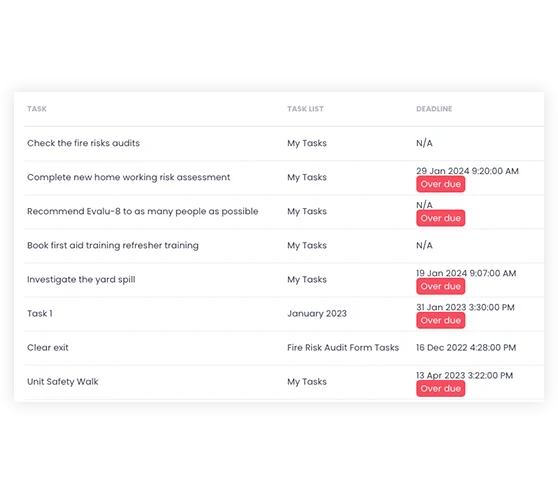
Turn a failed question into owned corrective work.
Equipment
Keep defects and inspection history closer to the affected asset.
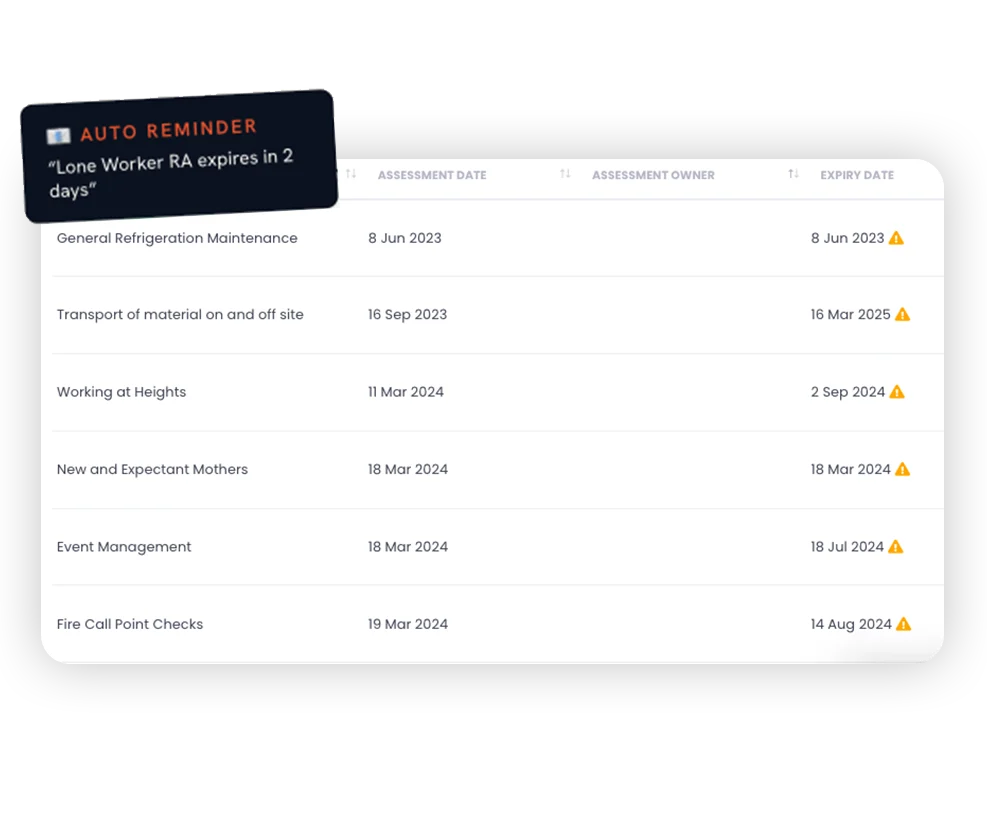
Risk Assessments
Review the risk where a finding shows the existing control is not working.
Incidents
Keep inspection learning alongside related near misses or workplace events.
Contractors
Retain inspection findings where third-party work is involved.
Dashboards & reports
See inspections, actions and recurring themes across the wider EHS picture.
Make sure the finding becomes somebody’s responsibility
An inspection report records the problem. The corrective-action workflow should show who owns the fix, when it is due and what evidence proves it is complete.
- Create the action directly from the failed question.
- Assign an owner, priority and deadline without losing context.
- Close the loop with updates, attachments and evidence.
See Evalu-8 EHS in action
Questions buyers ask when moving beyond paper, Excel or a standalone inspection app.
What is audit and inspection software?
Audit and inspection software helps organisations plan, complete, evidence and report on workplace audits and inspections digitally. Teams can create checklists, schedule recurring checks, capture findings, assign corrective actions and keep a clear record of what has been completed.
What is the difference between a generic inspection app and EHS audit software?
A generic inspection app usually focuses on digitising the checklist. EHS audit software goes further by connecting inspections to wider health and safety processes such as corrective actions, risk assessments, incidents, equipment, contractors and reporting.
Can Evalu-8 EHS be used for routine safety inspections?
Yes. Evalu-8 EHS can be used for routine workplace inspections, site safety tours, equipment checks, fire safety checks, facilities inspections and formal audits.
Is there a mobile safety inspection app?
Yes. Teams can complete audits and inspections on a phone or tablet, capture photos and notes, raise findings and assign actions while they are on site.
Can inspections be completed offline?
Yes. Evalu-8 EHS supports offline inspections for areas with poor or no signal, such as basements, plant rooms, warehouses, remote sites and field locations.
How does Evalu-8 help with corrective actions?
Findings can be turned into corrective actions directly from the inspection. Each action can have an owner, due date, reminder and evidence of completion.
Is Evalu-8 EHS suitable for multi-site organisations?
Yes. Central teams can set standard templates and schedules, while local teams complete inspections and add site-specific detail where needed.