
Accident, Incident & Near Miss Software
Incident reporting software: report, investigate and close every incident in one system
Give employees, contractors and visitors a simple way to report accidents, near misses and unsafe conditions. Then manage the investigation, photos, actions and RIDDOR information without splitting the case across emails, spreadsheets and shared folders.
Trusted by teams like





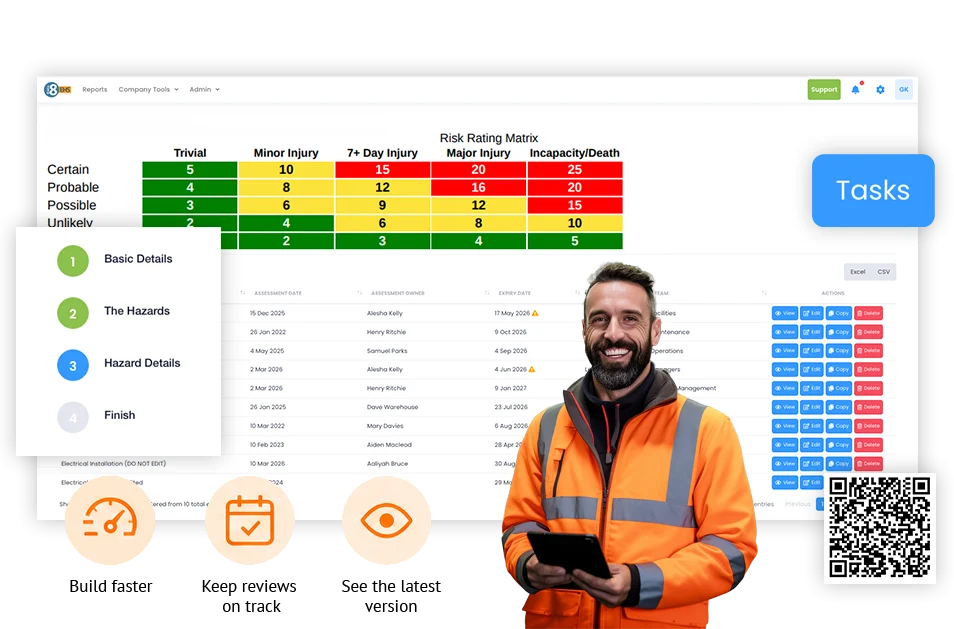
From first report to closed action in one place
A worker reports what happened. H&S gets the evidence, completes the investigation, assigns the fix and can see what is still open without rebuilding the story from different places.
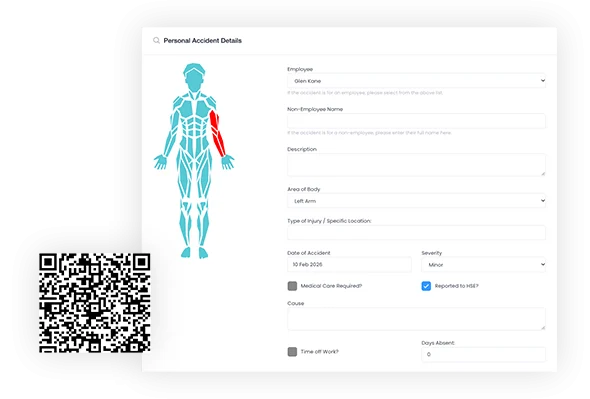
Ask the right questions for the event being reported.
An injury, a near miss and a vehicle incident do not need identical forms. Configure case types and capture the information that matters for each one.
- Create different reporting forms for different case types.
- What happened? location, people involved, what happened and the immediate detail while it is fresh.
- Keep every submission in the same case library.
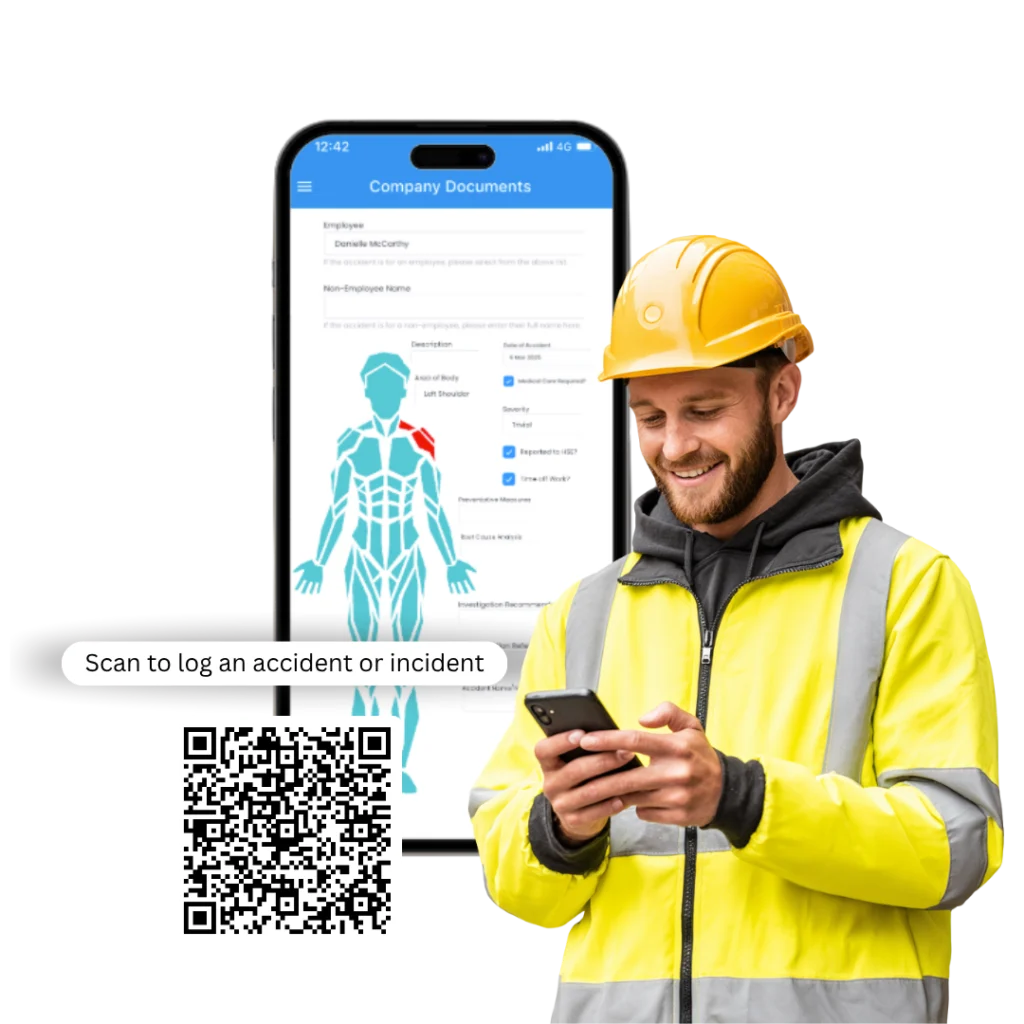
Put the reporting form where the incident happens.
Use a QR code at a depot, site, workshop or notice point so someone can report from their phone without hunting for the right form or needing a normal Evalu-8 login.
- Scan at the place people already work or pass through.
- Open the reporting route without a normal Evalu-8 login where enabled.
- Send the report straight into the same case process H&S uses afterwards.
Stop rebuilding the investigation from photos, emails and separate notes.
Keep photographs, witness details, documents and other evidence with the case from the start instead of hunting across phones, inboxes and shared folders later.
- Attach photos and supporting documents to the incident.
- Keep affected people and witness details with the case.
- Keep the evidence available through investigation and review.
Give managers a clear investigation process to work through.
Keep the original report, evidence, contributing factors, findings and review in the same case, even when different event types need different levels of investigation.
- Work through the investigation without starting a separate document.
- Record contributing factors and what the investigation found.
- See whether the case is still being investigated, waiting for review or complete.
Put the fix against the incident with a name and a date.
Create corrective actions as part of the case. See who owns them, when they are due and whether they are still open.
- Give every corrective action an owner and due date.
- See open, overdue and completed actions without a separate tracker.
- Keep proof of completion against the incident that raised the action.
Keep the RIDDOR decision with the incident record.
Keep relevant event details, reporting status and references together so the responsible person does not have to reconstruct the case when deciding whether it is reportable.
- Keep the injury and event details needed for the decision with the case.
- Record the reporting status and references where they apply.
- Keep the reporting record alongside the investigation and follow-up.
See if this was a one-off or the same problem somewhere else.
Filter incidents by site, department and event type to see where the same problems keep appearing instead of finding out when the monthly report is built.
- Compare sites, departments, shifts or other useful operational groups.
- See which event types and contributing factors keep coming back.
- Take current incident and action status into management reviews.
Explore Evalu-8 EHS Now
Fast frontline reporting
A near miss should not depend on someone finding the right form.
Minor events are the easiest to lose. If reporting means finding a paper form, remembering an email address or logging into a system somebody rarely uses, it gets left until later or never reported.
- Report from a phone, tablet or desktop.
- Use QR reporting at the point of work where that makes sense.
- Add photos and immediate evidence before it disappears into somebody’s camera roll or inbox.
One connected case
A benefit worth explaining
By the time H&S picks up a case, the first report can be in one place, photos on a phone, witness details in an email and actions in a spreadsheet. Keep the report, evidence, investigation, actions and review together.
- One case from first report to closure.
- Photos, witness details, findings and actions stay with the incident.
- See what happened next, who did it and when.
Explore Evalu-8 EHS
Live action & tasks
An investigation is not finished because the report is written.
Most teams are not short of recommendations. The problem is knowing who owns them and whether they were actually done. Put the follow-up against the incident itself. Give every action an owner and due date, then keep the completion evidence with the case.
- Owner, due date and priority against the action.
- A clear view of what is still open or overdue.
- Completion evidence kept with the case that raised it.
Incident management workflow
What happened? Who owns the follow-up? What changed afterwards?
That is the practical incident workflow: get the report in, work out what happened, assign the fix and check whether the same problem is appearing elsewhere.
Report
Capture the event type, location, people involved and immediate evidence.
Triage
Notify the relevant manager or H&S owner and decide what needs investigating now.
Investigate
Gather evidence, witness detail and contributing factors while the case is still clear.
Act
Assign the corrective work to a named person with a due date.
Learn
Close the case and use the data to spot repeat issues across sites, shifts or activities.

See Evalu-8 incidents in action now
Incident management by industry
The same incident process, grounded in the work that actually goes wrong.
Choose your environment to see the incidents buyers typically bring into demos and the follow-up they need afterwards.
We don’t have a page for that industry yet, but teams in many other sectors use Evalu-8. Tell us how you work and we’ll show you.
01 Your industry
Manufacturing
Machinery incidents, forklift near misses, manual-handling injuries and unsafe conditions need to get from the shop floor into one investigation process.
Common pressure points
- Near misses on busy shifts do not always make it past the supervisor.
- Different departments can investigate the same kind of event differently.
- Repeat machinery or FLT events are hard to spot across shifts or sites.
What changes with Evalu-8
Let supervisors report quickly, then give H&S one case with the evidence, findings and actions. Filter by site, department and incident type to see whether the same problem is coming back.
Best-fit capabilities
- Quick reporting
- QR reporting
- Evidence
- Investigation
- Actions
- RIDDOR records
- Trend reporting
For manufacturing teams
Move from recording incidents to understanding what needs to change.
Construction & field teams
A customer-site incident should not turn into a trail of calls, emails and photos.
Common pressure points
- The person reporting it may be working miles away from H&S.
- Photos and first accounts can arrive separately from the formal report.
- Contractors, customers and supervisors may all be involved in the follow-up.
What changes with Evalu-8
Let the field team record the event and evidence where it happened, then give the office one case to investigate, assign and close.
Best-fit capabilities
- Mobile reporting
- QR reporting
- Photos & evidence
- Contractor incidents
- Investigation
- Actions
For construction teams
Report from the site. Manage the investigation from one place.
Warehousing & logistics
A forklift and pedestrian near miss should be more than a conversation on the shift.
Common pressure points
- Minor vehicle, loading and pedestrian near misses are easy to dismiss when nobody was hurt.
- The same issue can show up on a night shift, in a yard or at another depot.
- Central H&S needs to know whether Bay 3 was a one-off or part of a wider pattern.
What changes with Evalu-8
Let depot teams report quickly, investigate the event and assign the fix. Then compare locations and event types so one local near miss can become learning for the wider network.
Best-fit capabilities
- Near-miss reporting
- QR/mobile
- Evidence
- Investigation
- Actions
- Location reporting
For logistics teams
Turn near misses across depots into useful safety intelligence.
Facilities & estates
A visitor slip, contractor incident or unsafe condition should not disappear into a local inbox.
Common pressure points
- Different buildings and services often have different local reporting habits.
- A local manager may report it, estates may own the fix and central H&S still needs visibility.
- Visitors and contractors need to sit in the same workplace-safety picture as employees.
What changes with Evalu-8
Let the person closest to the event report it, give the follow-up to the right owner and keep central H&S able to see what is still unresolved across the estate.
Best-fit capabilities
- Simple reporting
- Visitor incidents
- Contractor incidents
- Location records
- Action ownership
- Central oversight
For facilities & estates
Keep local responsibility without losing central visibility.
Healthcare & Hospice
Keep workplace incidents clear across employees, volunteers, visitors and community teams.
Common pressure points
- A slip, manual-handling injury, volunteer near miss or visitor incident can all need the same workplace-safety follow-up.
- Different services and locations can develop different reporting habits.
- Leadership still needs one view of open investigations, actions and recurring incident types
What changes with Evalu-8
Give local teams a straightforward workplace-safety reporting route, then keep the investigation and actions visible centrally without turning the system into a clinical incident tool.
Best-fit capabilities
- Employee reporting
- Volunteer & visitor events
- Mobile reporting
- Investigation
- Actions
- Leadership dashboards
Workplace safety incidents
Keep the focus on employee, volunteer, visitor, premises and workplace safety.
From case data to management visibility
Don’t wait for the monthly spreadsheet to tell you it happened three times.
A count of incidents is not much use if it hides that the same type of event is recurring at one depot, on one shift or around the same activity.
- Filter by site, category, injury type or cause.
- See investigations and corrective actions that are still open or overdue.
- Use recurring patterns to decide which risk assessment, inspection, training or method needs reviewing.
What you can report
Different events need different questions.
A near miss, injury, vehicle event and contractor incident should not force the reporter through the same form. Configure case types and the information collected for each one.
Accidents & injuries
Record workplace injuries, affected people, evidence and the subsequent investigation.
Near misses
What happened? events where nobody was hurt but the potential for harm was present.
Hazards & unsafe conditions
Record concerns before they become incidents and route action to the responsible owner.
Property or equipment damage
Keep damage events, supporting evidence and resulting corrective work in the same process.
Vehicle & transport events
Record relevant workplace vehicle, yard, depot or customer-site incidents.
Contractor & visitor incidents
What happened? workplace safety events involving people who are not direct employees.
See it in action
See what incident reporting looks like for the people who actually use it
From the person reporting what happened to the manager responsible for making sure something changes.
Report it
A forklift near miss happens in the warehouse
Investigate it
The supervisor needs to understand what went wrong
Ensure change
The investigation identifies a control that needs fixing
See Evalu-8 in action
Book a demo with one of our specialists.
SECURITY & CASE CONTROL
Close the case without losing the trail
Once an investigation is complete, lock the case so the final record cannot be casually changed. Keep the original report, evidence, investigation findings and corrective actions together, ready when an auditor, insurer or manager needs to see exactly what happened and what was done.
- Protect the final investigation record. Lock completed cases to prevent unauthorised changes after sign-off.
- Keep the full history in one place. Retain the original report, photos, evidence, findings and corrective actions with the case.
- Find the evidence when somebody asks for it. Bring the completed record back up for audits, insurance queries, management reviews or future investigations.
Incident software to stay in control
An accident book tells you what was recorded. It does not tell you what is still open.
A useful incident process should answer three questions quickly: was it investigated, who owns the actions, and is the same thing happening elsewhere?
Make reporting easy enough to use.
Give people a clear route to report a near miss, injury or unsafe condition while the detail is still fresh.
See exactly what is still open.
See which investigations are waiting for review and which corrective actions are open, overdue or complete.
Find out whether it happened somewhere else.
Compare incidents by location, type and cause so repeat problems are easier to spot.
Part of a wider EHS system
After an incident, the next question is usually: what do we need to change?
Because incidents sit inside Evalu-8 EHS, the safety team can manage that wider follow-up in the same platform instead of adding another standalone incident system.
Risk Assessments
Wider workplace risk
Audits & Inspecitons
One or two sentences.
Incidents
Report & investigate events
RAMS
Job-specific methods
Equipment
LEV, assets & checks
Training
Competency & expiry
Contractors
Evidence & approvals
Actions
Owned follow-up
COSHH
Substances, exposure & controls
Keep the RIDDOR information with the case. Keep the decision with the responsible person
When an event may be reportable, you should not have to rebuild the basic facts from an accident form, investigation notes and emails.
Record the relevant details, reporting status and references against the case so the responsible person has the evidence in front of them when making the reporting decision.
Evalu-8 can support RIDDOR record keeping and workflow. The responsible person must determine whether an event is reportable and complete the required notification to the HSE
What is incident and near-miss reporting software?
Incident and near-miss software replaces the patchwork of accident forms, shared inboxes, investigation documents, action spreadsheets and reporting packs with one process from first report to closed action.
Additional incident-management features
The small things that stop cases from becoming admin
Notifications
Tell the right manager or H&S owner when a report lands.
Case status
See which cases are new, under investigation, waiting for review or closed.
People involved
Keep the reporter, affected person, witnesses and responsible managers attached to the case.
Attachments
Keep photos and documents with the incident instead of in somebody’s inbox.
Location context
See exactly where events are happening and compare locations.
Action deadlines
See who owns the fix and when it is due.
Case history
See what changed, who changed it and when.
Connected Safety
Keep the incident inside the wider EHS system.
Questions buyers usually ask in incident demos.
How does the software help in reporting incidents and near misses?
Our software provides a user-friendly interface that allows for quick and easy reporting of incidents and near misses from any device. It streamlines the data collection process, ensuring that all necessary details are captured accurately and promptly.
How does the software help in reporting incidents and near misses?
Yes, our software offers robust reporting and analytics features. You can generate detailed reports and analyze trends to identify areas for improvement, helping you to proactively manage and mitigate risks in your workplace.
Can the software generate reports and analytics on incidents and near misses?
Absolutely. Our software allows you to customize incident reporting forms to meet the unique requirements of your organization, ensuring that you capture all relevant information specific to your industry and safety protocols.