
Absence Management Software
Know who’s off. Make sure the right follow-up happens.
Record sickness as it happens, even when you don’t know when somebody will return. Keep the absence history, fit notes, manager follow-up, and return-to-work process together, and prompt the right person when something needs doing.
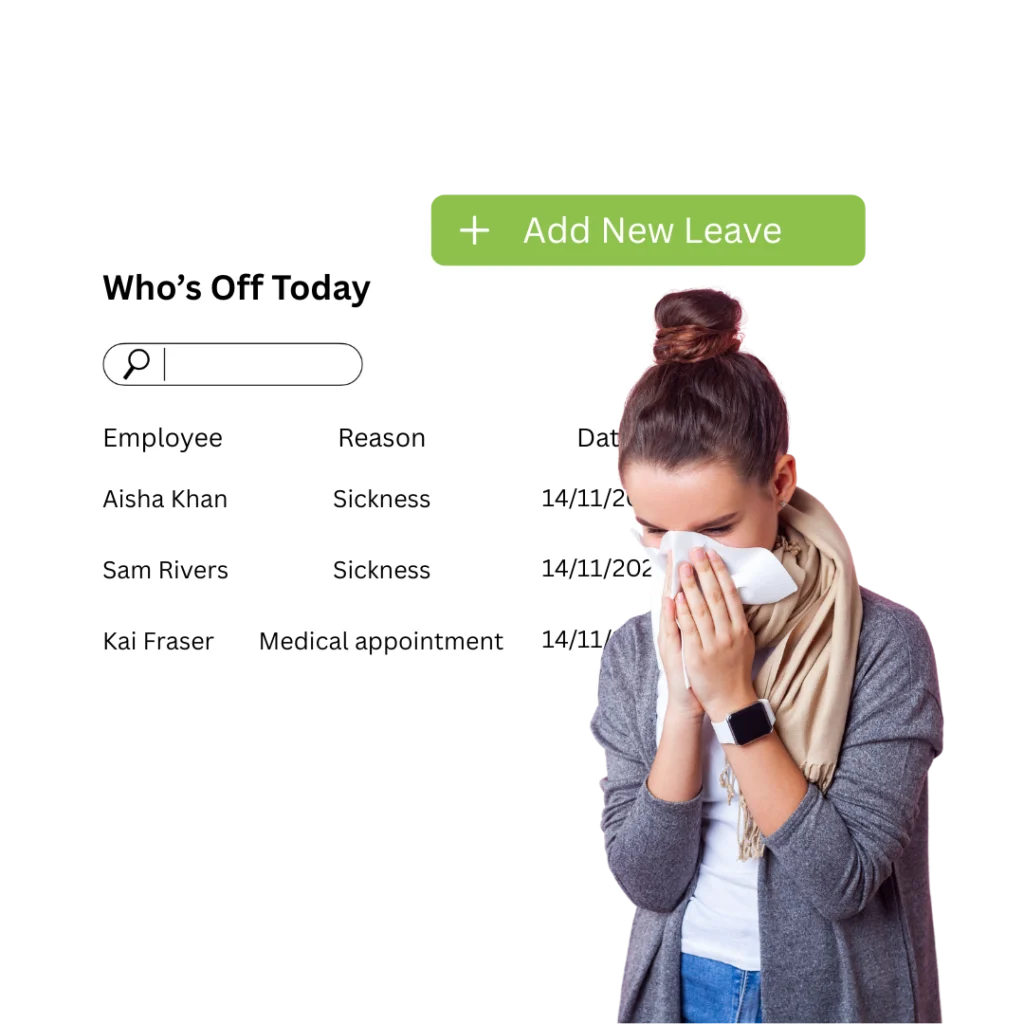
Absence from first call to follow-up
Manage the process around the absence, not just the date somebody was off.
The useful part is what happens next: keeping the record current, getting the right manager involved, and knowing when a pattern or policy trigger needs attention.
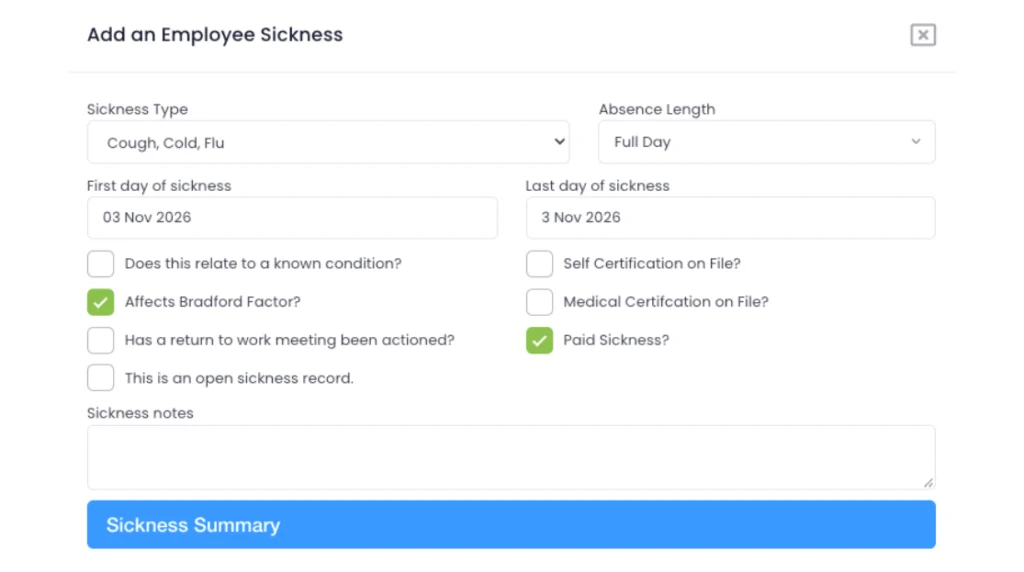
Log the absence while the details are still clear.
Record the sickness type, dates, relevant notes, and whether it relates to a known condition directly against the employee record.
- Use your own sickness and absence types.
- Add dates, notes, and supporting detail.
- Managers can record absence for the people they are responsible for.
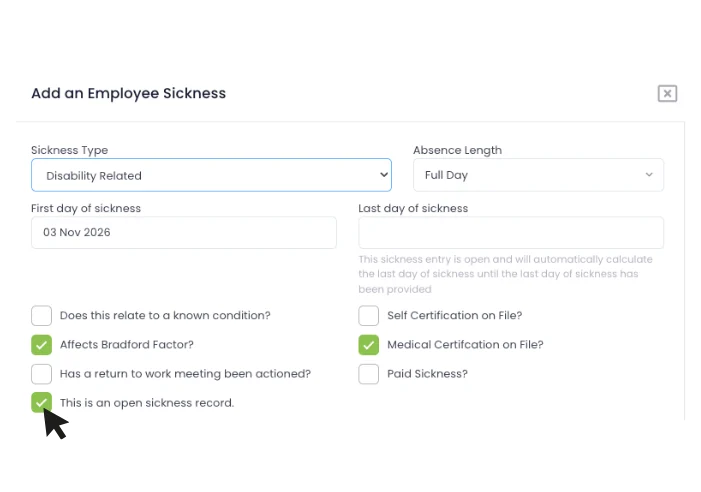
They called in sick. Nobody knows when they’ll be back.
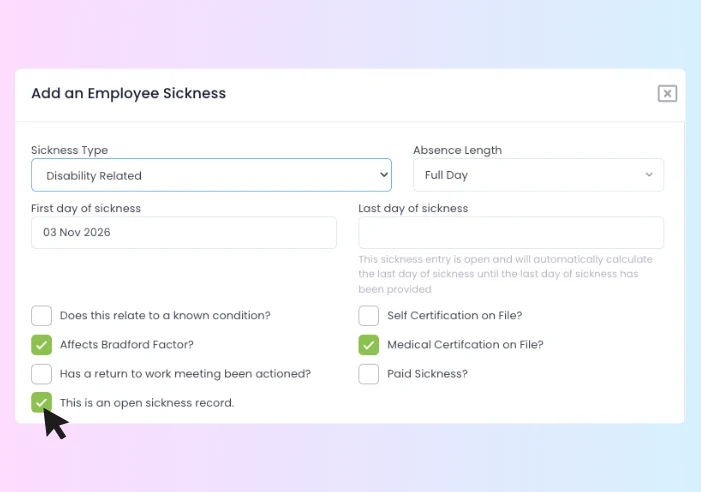
Leave the sickness record open until you actually know the final date instead of guessing an end date or maintaining a second reminder elsewhere.
- Record the sickness from day one.
- Keep the end date open while the absence continues.
- Update the final sickness day when the employee returns.
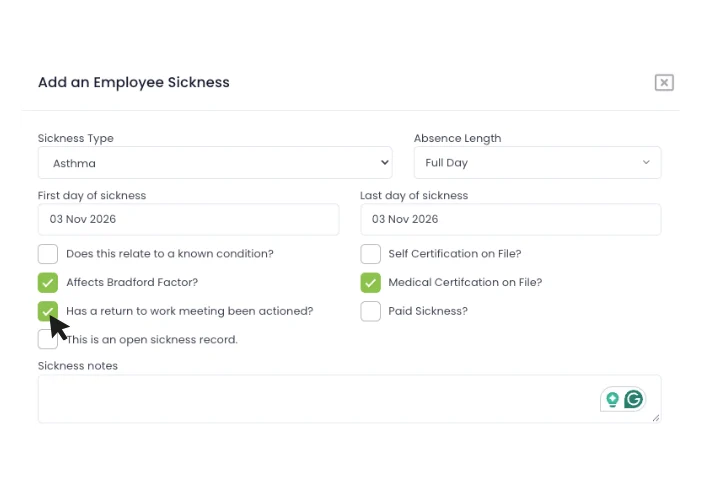
Don’t rely on the manager remembering to do it.
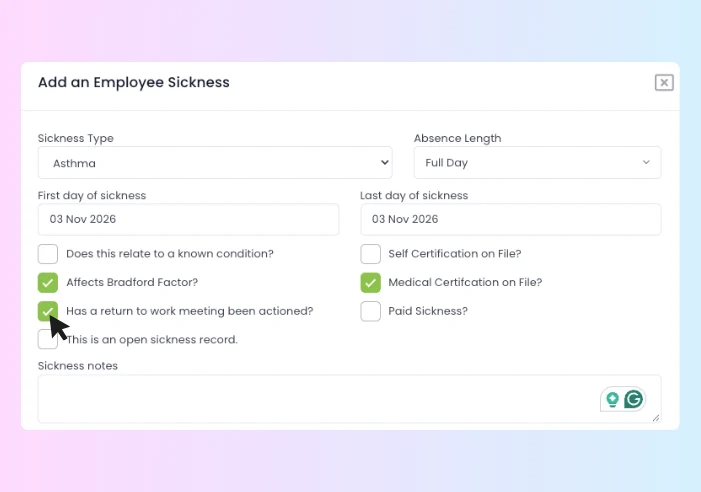
When the employee comes back, use workflows to notify the manager and create the next step in your return-to-work process.
- Trigger manager follow-up when sickness is closed.
- Use your own return-to-work form or process.
- Keep completion visible against the employee history.
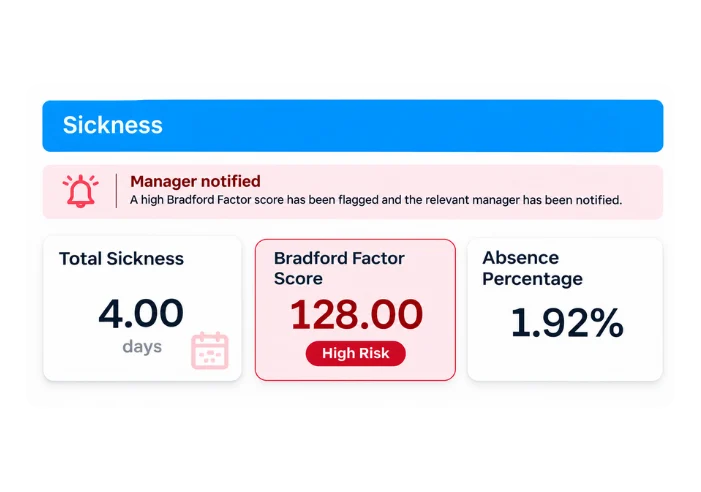
Use the score to tell you when to look, not what to decide.
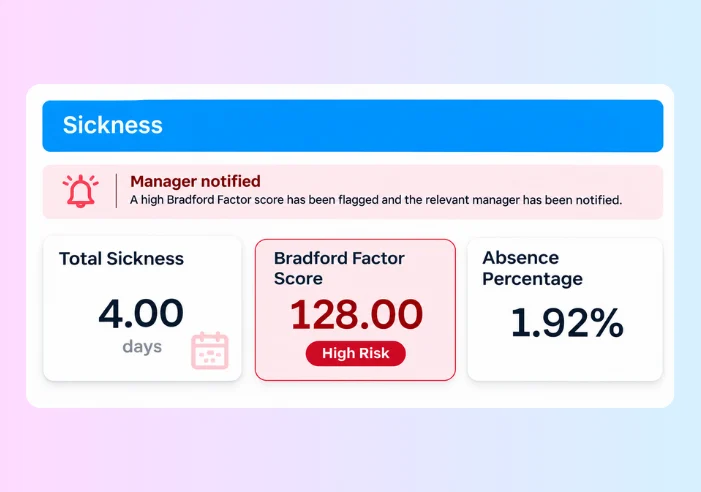
Automatically calculate Bradford Factor scores and use your own thresholds or workflow rules to prompt a review when your policy says it is needed.
- See spells, days, and Bradford score together.
- Configure thresholds around your own policy.
- Trigger a manager or HR review rather than an automatic outcome.
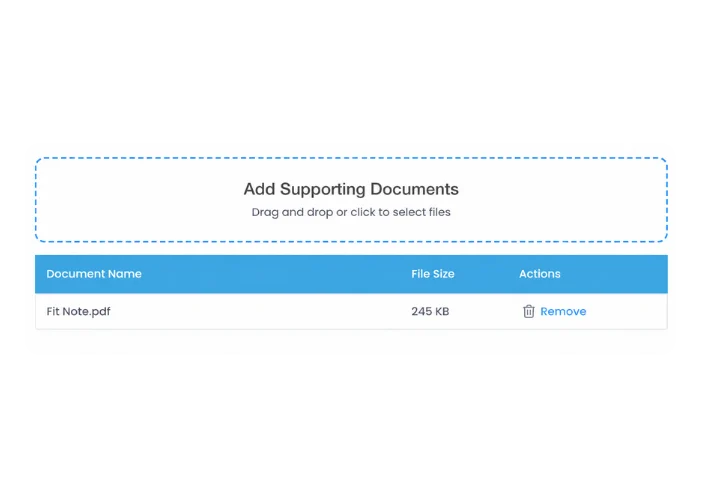
Keep the supporting record with the absence it belongs to.
Attach fit notes, doctor letters, and relevant supporting documents instead of leaving them in somebody’s inbox or a separate employee folder.
- Upload documents against the sickness record.
- Keep notes and evidence together.
- Use permissions to control who can see sensitive information.
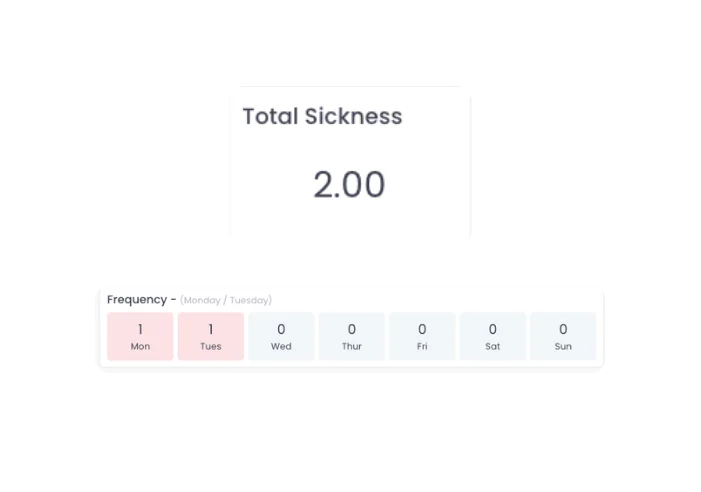
Is this a one-off absence, or the same pattern happening again?
Review the employee sickness history, rolling absence percentage, and frequently occurring days before the next conversation starts.
- See the absence history in one place.
- Review rolling 12-month absence information.
- Surface recurring days or short-term patterns that warrant a closer look.
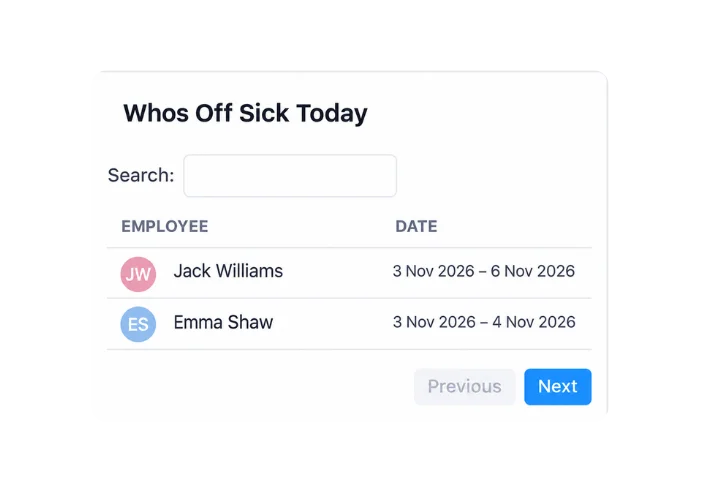
The sickness record matters to HR. The missing person matters to the operation.
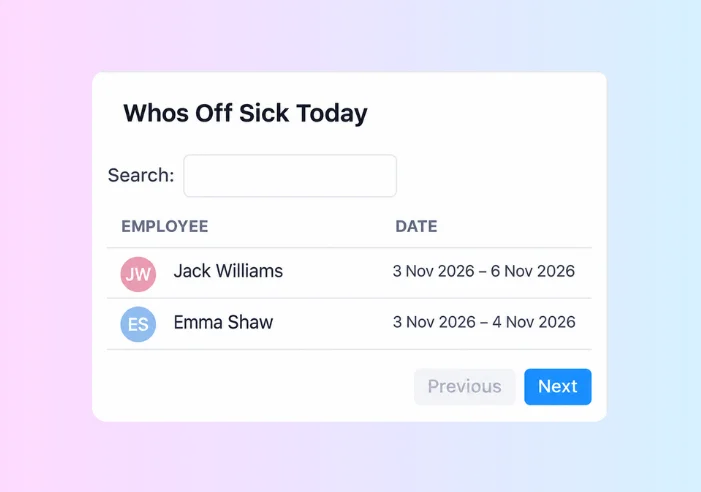
Give managers a clear view of who is off in their team, while leave and sickness sit inside the wider workforce picture.
- Keep the manager view focused on their own people.
- See leave and sickness alongside team availability.
- Connect absence to rota and attendance where those modules are in use.
Open-ended sickness
Stop forcing real-life sickness into neat date boxes.
A manager gets a call at 6:45 am. The employee is unwell. They do not know whether they’ll be back tomorrow, Friday, or next week.
Evalu-8 lets the sickness remain open-ended until you actually know the final date. When the employee returns, update the record and move straight into the next part of your process.
- Record the absence from the first day without inventing an end date.
- Keep notes and documents with the same sickness record.
- Close the absence when the employee actually returns.
Return-to-work workflow
HR should not have to chase every return-to-work.
The employee returning is not the end of the absence process if your policy expects a return-to-work conversation.
Use workflows to prompt the manager when the absence ends, assign the next step and keep completion visible against the employee record.
- Trigger a notification or task when the sickness record changes.
- Use your own return-to-work form and questions.
- See whether the manager has actually completed the follow-up.
Bradford & policy triggers
Don’t let a Bradford score replace a conversation.
A score or trigger should tell you when the record needs looking at. It should not make the decision for the manager.
Evalu-8 keeps the score, sickness history and next action together so the manager can review the context before following your organisation’s process.
- Calculate Bradford Factor scores automatically.
- Use thresholds that match your own policy.
- Prompt a review when frequency, duration or another rule is reached.
Operational impact
Absence doesn’t happen in an HR vacuum.
For a warehouse, care service, factory or depot, the question is not only “have we recorded the sickness?” It’s “who is covering the shift?”
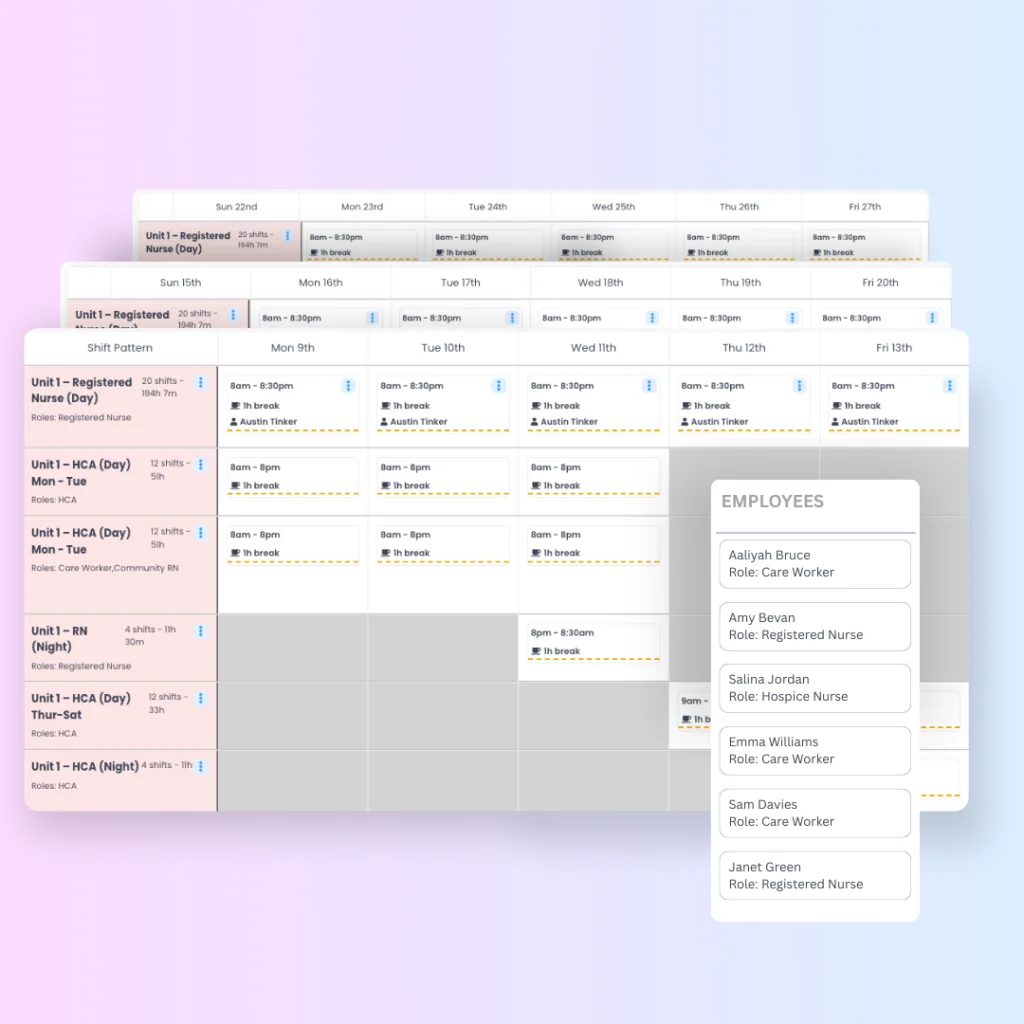
When Evalu-8 Rota or Time & Attendance is also in use, managers can see sickness as part of the wider staffing picture rather than as a separate HR spreadsheet.
- Give managers visibility of who is off in their own team.
- See sickness alongside leave and planned work.
- Keep HR’s employee record connected to the operational reality.
See it in action
See absence management through the moments managers actually deal with.
Three short scenarios that show the hand-off from employee absence to manager action and HR visibility.
Absence by industry
The same sickness record creates very different problems depending on how people work.
Choose a workforce to see where absence creates pressure and what Evalu-8 changes in the day-to-day process.
Your workforce
Manufacturing & engineering
Keep the sickness process consistent between supervisors while understanding what short-notice absence means for production coverage.
Common pressure points
- Short-notice sickness leaves a gap on the shift
- Different supervisors manage absence differently
- HR ends up chasing return-to-work records
What changes with Evalu-8
Record the sickness once, give the responsible manager the right follow-up and retain one view across departments and shifts.
Best-fit capabilities
- Open-ended sickness
- RTW workflows
- Bradford
- Team absence
- T&A context
- Reporting
Your workforce
Logistics & warehousing
Short-notice sickness affects depot, warehouse, and driver-support coverage immediately.
Common pressure points
- Night and rotating shifts make absence harder to manage
- Sickness sits separately from the rota
- Managers need a fast process, not more HR admin
What changes with Evalu-8
Sickness is recorded against the employee, visible to the relevant manager, and connected to the staffing picture where Rota is in use.
Best-fit capabilities
- Manager recording
- Rota visibility
- RTW workflow
- Bradford
- Team reporting
Your workforce
Healthcare & care
Give registered and local managers a practical sickness process while HR keeps one consistent view across services.
Common pressure points
- Several services and manager groups
- Coverage matters when somebody is absent
- RTW compliance is difficult to monitor centrally
What changes with Evalu-8
Local managers can record absences and complete the everyday follow-up for their own people while HR sees the wider status across services.
Best-fit capabilities
- Manager permissions
- RTW forms
- Workflows
- Service reporting
- Rota context
Construction & field teams
Keep sickness records and manager follow-up consistent when employees spend most of their time away from the office.
Common pressure points
- Employee record
- Manager access
- Documents
- Workflow tasks
- Reporting
Your workforce
Professional services
Give managers useful context on repeated absence without turning HR into a manual reporting service.
Common pressure points
- Hybrid work can make absence patterns harder to read
- Managers need history before a conversation
- Fit notes and follow-up documents sit in separate folders
What changes with Evalu-8
Keep the absence history, supporting documents and manager follow-up against the same employee record with clear permission controls.
Best-fit capabilities
- Absence history
- Fit notes
- Manager workflows
- Bradford
- Reporting
Your workforce
Charities & hospices
Manage absence across employees, varied services, and local managers without creating a different process in every location.
Common pressure points
- Small HR teams support very different worker groups
- Local managers need an easy process
- Board or trustees want clearer workforce reporting
What changes with Evalu-8
Give managers the everyday absence actions for their own teams while central HR retains a consistent record and reporting structure.
Best-fit capabilities
- Manager permissions
- RTW workflow
- Employee history
- Documents
- Organisation reporting
Patterns & reporting
Don’t wait for someone to notice the pattern manually.
See absence by employee, team, department, site, type, and frequency so managers can review the actual history instead of relying on memory.
- Review sickness spells, days and rolling absence information.
- See frequent days and recurring patterns.
- Compare teams, sites or departments where appropriate.
- Export or report the information leadership actually asks for.
Connected Evalu-8 HR
Sickness absence is one part of the working relationship.
The employee record explains who the person is. Rota shows what was expected. Time & Attendance shows what happened. Absence explains availability. Workflows control the manager action. Reporting gives HR the wider view.
Employee record
Keep the sickness history with the person.
Rota
See what the absence means for planned coverage.
Time & Attendance
Keep attendance exceptions in the wider people picture.
Forms & workflows
Trigger RTW and manager follow-up.
Cases
Move into a controlled HR case where your process requires it.
Reporting
Review individual, team, and organisation-level patterns.
UK sickness records
A benefit worth explaining
From April 2026, Statutory Sick Pay rules changed in Great Britain. The practical implication for HR is simple: the sickness start date and underlying record need to be accurate from day one.
Evalu-8 helps maintain the absence record your managers use day-to-day. Your organisation and payroll process remain responsible for applying SSP rules correctly.
Software supports the record. It does not replace your sickness policy, payroll judgement, or legal responsibilities.
Additional absence features
The small things that stop absence becoming admin.
Custom absence type
Use categories that match your policy rather than forcing every absence into one generic list.
Manager permissions
Give managers access to the people and information they are actually responsible for.
Notes & documents
Keep supporting information with the employee and sickness record.
Workflows
Trigger notifications, tasks or forms when the sickness process reaches the next step.
Bradford Factor
Calculate scores automatically and use them as a review trigger within your own policy.
Frequent-day patterns
See recurring days or short-term patterns before a manager conversation.
Team widgets
Give managers a quick view of who is off in their own team.
Exports & reports
Use absence information in wider HR and leadership reporting without rebuilding it by hand.
Questions buyers actually ask in absence demos.
What is absence management software?
Absence management software records employee sickness and other absence and helps HR and managers control the follow-up: documents, return-to-work activity, policy triggers and reporting.
Can we record sickness when we do not know the return date?
Yes. Evalu-8 can keep a sickness record open-ended while the employee remains absent. When they return, the final absence date can be added to the same record.
Can a sickness absence trigger a return-to-work task?
Yes. Workflows can be used to notify or assign the appropriate manager when a sickness event or return date requires the next step in your process.
Can we attach fit notes and supporting documents?
Yes. Supporting documents can be kept against the employee or sickness record so the information stays with the absence it relates to.
Does Evalu-8 calculate Bradford Factor scores?
Yes. Bradford Factor scores can be calculated and used alongside your own policy thresholds. The score should support a review process rather than make an automatic employment decision.
Can we see recurring absence patterns?
Evalu-8 can show sickness history, rolling absence information and frequently occurring days so managers can review the pattern before deciding what follow-up is appropriate.
Can managers only see their own team?
Permissions can be configured so managers see the employees and information relevant to their responsibilities while HR retains the wider organisational view.
Does absence connect with rota and attendance?
Where Evalu-8 Rota or Time & Attendance is also in use, sickness can sit inside the wider workforce picture so managers can see both the HR record and the operational impact.