
See who owns the fix and when it was done.
Corrective action & safety task software.
When an audit finds a problem, an incident needs follow-up or a risk assessment creates another control, give the action a named owner, due date and place to add evidence, without copying it into another spreadsheet.
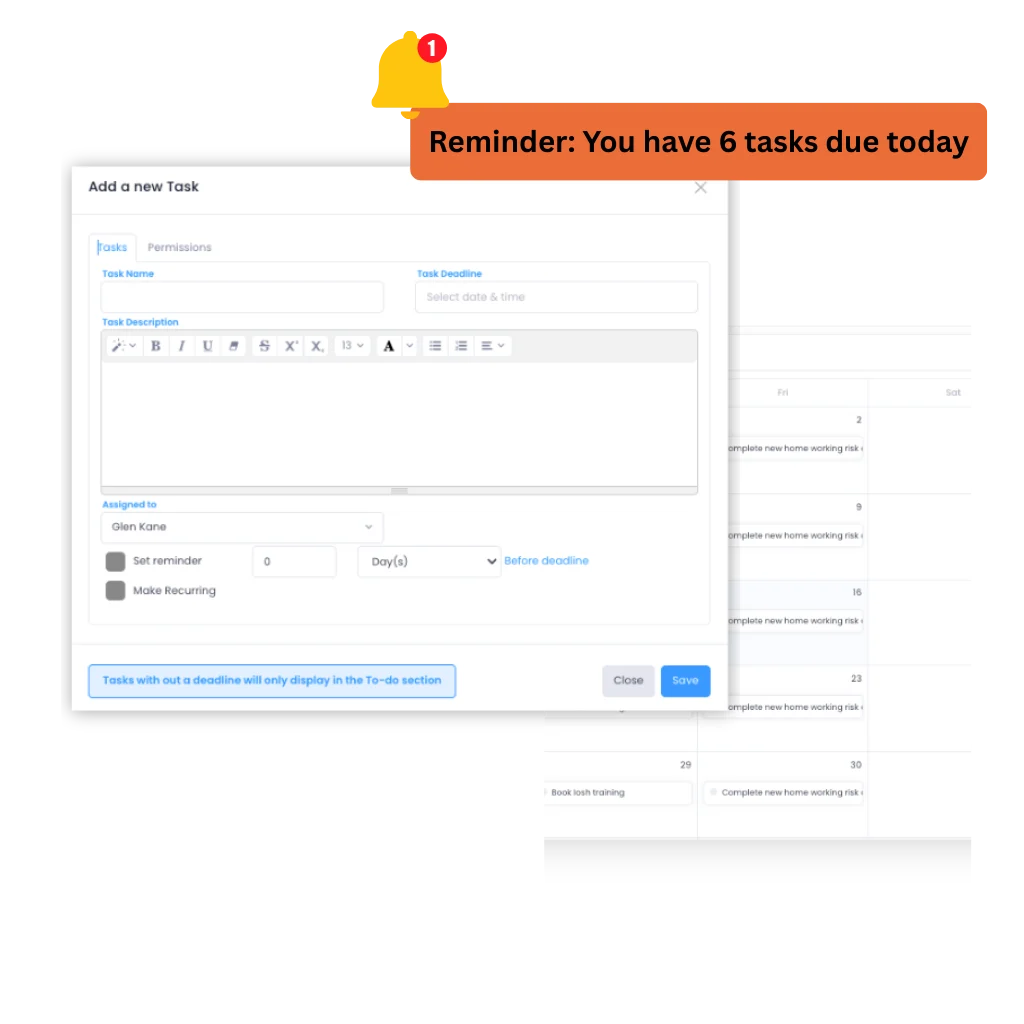
Health & safety teams all over the UK use Evalu-8 EHS for safety task management


From finding to close-out
The action should stay with the problem that created it
A failed inspection question, incident finding or extra risk control should not become a line in somebody else’s spreadsheet. Keep the source, owner, deadline, updates and completion evidence together.
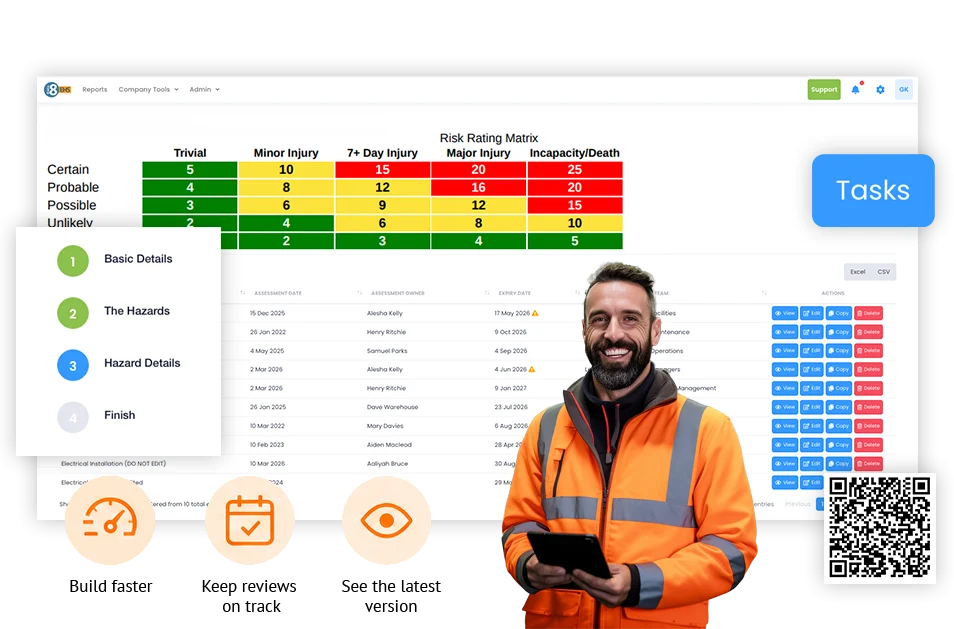
Turn the issue into a task while everyone still knows what it is.
Create the follow-up as soon as the problem is found rather than waiting for somebody to copy it into a tracker after the meeting.
- Describe exactly what needs to change.
- Set the priority while the context is clear.
- Keep the action inside the same EHS workflow.
Know why the action exists without searching for the original form.
Link the task back to the audit, inspection, incident, RAMS or risk assessment that raised it so the person completing the work can see the original issue and evidence.
- Keep the finding and task connected.
- Open the source record when more context is needed.
- Avoid vague actions like “sort this” with no record of what was found.
Replace “someone needs to fix this” with a named owner.
Give the action to the person, team or site responsible for getting it done. H&S keeps the wider view without personally owning every fix.
- Set a clear owner.
- Keep site, team or department context visible.
- Let managers see the actions they are responsible for.
See what should have been done yesterday.
Set a due date when the action is created, use reminders to keep it moving and surface overdue work before the next audit or management meeting exposes it.
- Give actions a realistic target date.
- Use reminders rather than relying on manual chasing.
- Separate open, due and overdue work clearly.
“Done” is more useful when the proof is attached.
Keep photos, notes and files against the task so the close-out record does not depend on an email saying the work has been completed.
- Add a repair photo or supporting file.
- Keep updates and comments with the action.
- Retain a clear history of what was done and when.
Use recurring tasks for the work that genuinely repeats.
Schedule routine actions such as checks, maintenance or periodic compliance work and keep ownership visible each time it comes due.
- Create repeating safety tasks.
- Set the frequency and responsible owner.
- See upcoming and overdue recurring work in the same task view.
See what is still open without asking every manager for an update.
Filter the task list by owner, site, department, source or status so H&S can focus on the work that is late, high priority or repeatedly getting stuck.
- See open, overdue and completed actions.
- Filter by site, team, owner and status.
- Keep the management view connected to the detail behind each action.
Keep the action in context
The inspection found it. Don’t make somebody type it into another spreadsheet.
When a failed check, incident investigation or risk assessment creates work, the action should carry the original context with it.
Raise the task from the EHS record, keep the source visible and make the follow-up part of the same process rather than a second admin job after the safety work is finished.
- Keep the source finding visible.
- Retain the location, evidence and surrounding record.
- Reduce copying between forms, emails and action trackers.
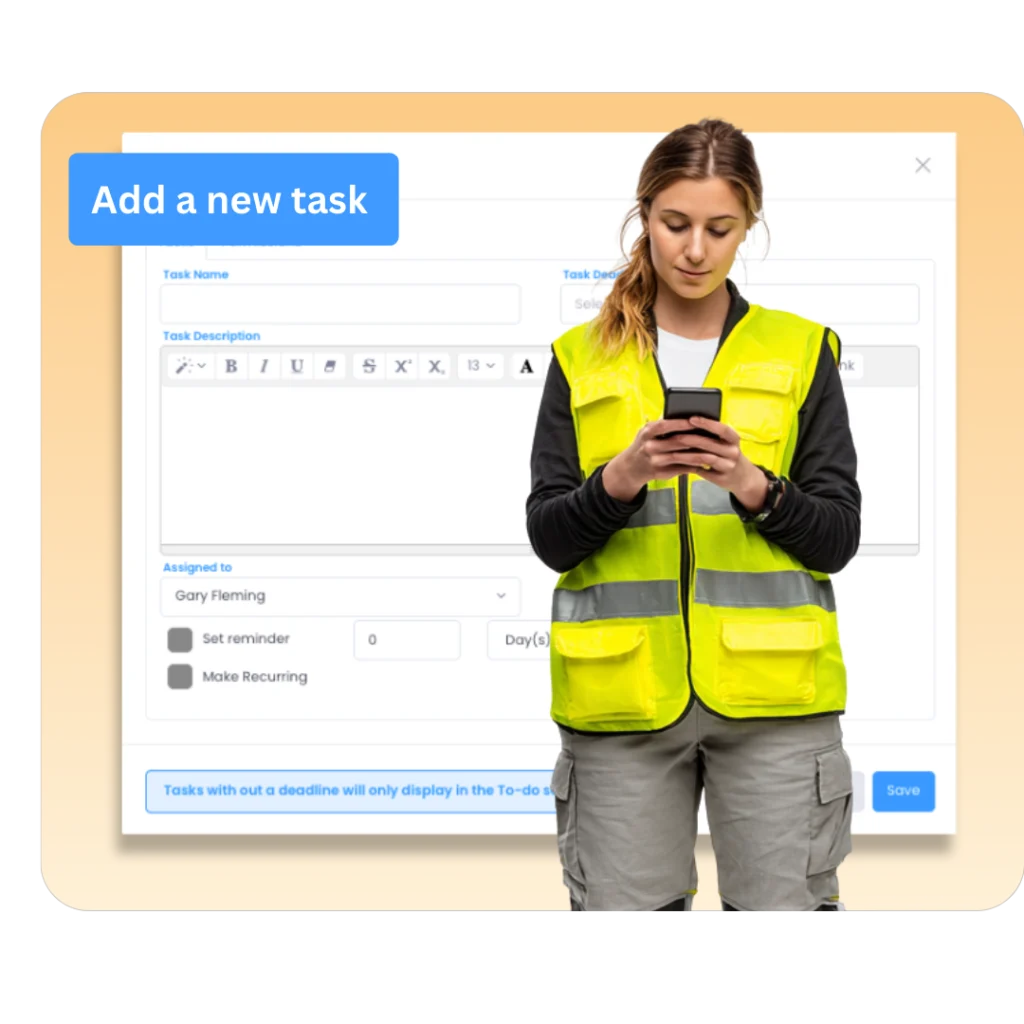
Ownership & deadlines
Give every action a person and a date before it leaves the meeting.
“Engineering will sort it” is not an action plan.
Put the owner, due date, priority and location against the task when it is raised. The person responsible can see what they need to do; H&S can see what is still outstanding without becoming the person who chases every department.
- Named owner instead of implied responsibility.
- Due date and priority visible from the start.
- Open and overdue work surfaced centrally.
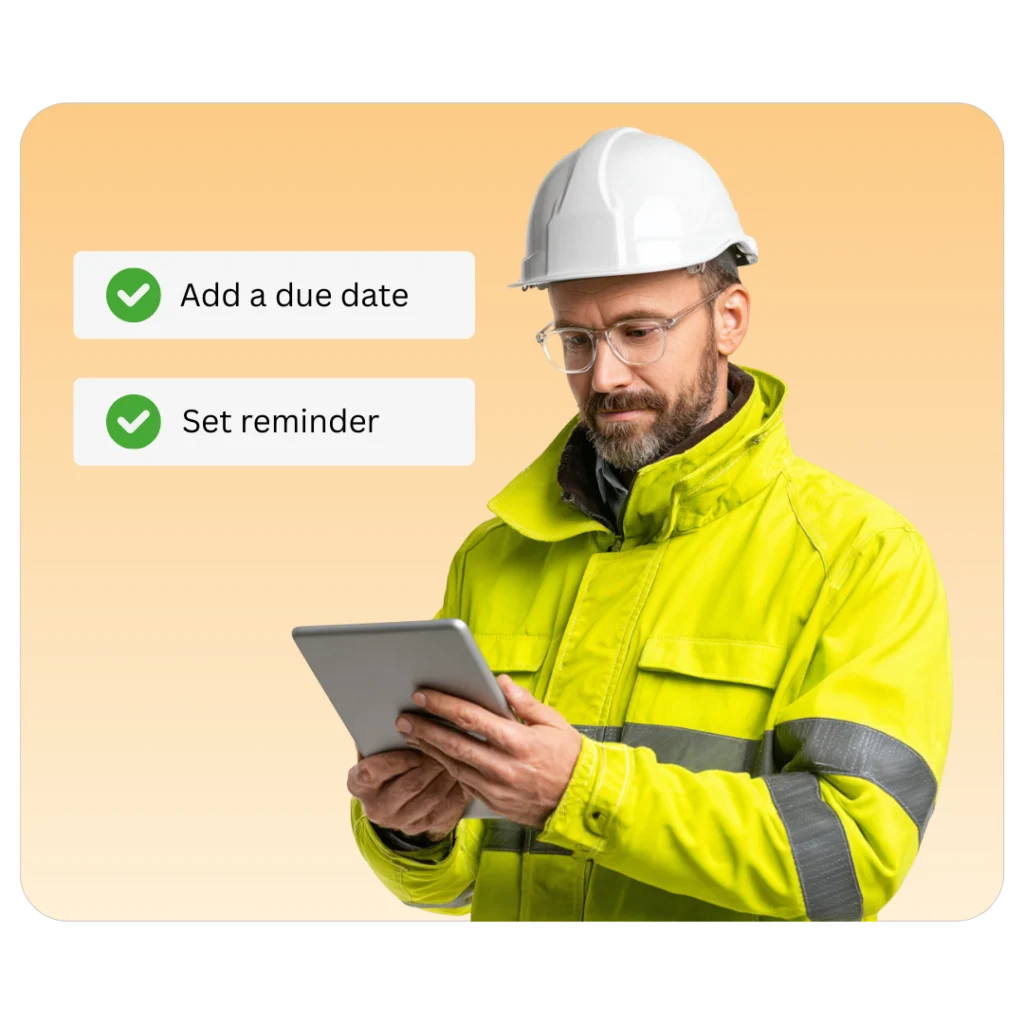
Evidence & close-out
Closed should mean more than somebody changed the status.
If the fix matters, keep the evidence with the action.
Add photos, documents, notes and updates as the work progresses so the close-out history shows what changed, when it changed and what evidence sits behind the completed status.
- Keep completion photos and files with the action.
- See comments and updates without searching email threads.
- Retain the close-out trail for later audits and reviews.
Safety action workflow
What was found? Who owns it? When is it due? What proves it was done?
That is the practical task-management job: turn a finding into clear work, keep it moving and leave a usable close-out record.
Find
Start from the failed check, incident finding, risk control or standalone safety task.
Assign
Give the work to a named person, team or site instead of relying on implied responsibility.
Date
Set the deadline and priority so the owner knows what needs attention first. attention first.
Complete
Add updates, notes, photos or files as the corrective work is completed.
See
See overdue and outstanding work across sites without rebuilding the picture by hand.

See Evalu-8 EHS in action
Take a self-guided tour now or ask our team any questions you have
Action visibility
Stop asking “has that been done yet?” in every safety meeting.
See open, overdue and completed actions across the organisation, then filter by owner, site, team or source when something needs chasing.
- See which actions have missed their deadline.
- See where one manager or site has a growing backlog.
- Open the action and original source record instead of relying on a summary spreadsheet.
Where safety actions come from
Not every task starts in the task list
The strongest use of safety task management is keeping follow-up connected to the EHS process that created it.
Audits & inspections
Turn a failed check into an owned action without separating it from the finding and evidence.
Incidents & near misses
Assign the corrective work that comes out of an investigation and keep it tied to the case.
Risk assessments
Give further controls an owner and deadline instead of leaving them as narrative inside the assessment.
RAMS
Track follow-up where a method, site condition or review creates work that needs completing.
Equipment & assets
Keep repair or maintenance actions visible when a defect or inspection identifies something that needs attention.
Standalone & recurring work
Create safety tasks directly for planned or repeating activity that is not triggered by another record.
See Evalu-8 in action
Take a self-guided tour now or ask our team any questions you have
See it in action
An action list tells you what was raised. You need to know what is genuinely still open
A useful safety action process should answer three questions quickly: who owns it, when is it due and what evidence shows it was completed?
Clear ownership
Give the work to a named owner so responsibility does not disappear between H&S, operations, engineering and facilities.
Visible deadlines
Surface actions that have missed their date instead of discovering them during an audit, review or customer visit.
Close out
Photos, files and notes stay with the task so “completed” has a record behind it.
See Evalu-8 EHS in action
Take a self-guided tour now or ask our team any questions you have
Questions buyers usually ask when their current action tracker is a spreadsheet.
What is safety task management software?
Safety task management software gives health and safety teams one place to create, assign and track follow-up work with owners, due dates, priorities and evidence of completion.
Can Evalu-8 link tasks to audits, inspections, incidents and risk assessments?
Yes. Tasks can be linked to audits, inspections, incidents, RAMS and risk assessments so the follow-up remains connected to the issue or record that created it.
Can I link tasks to audits, inspections, incidents, or risk assessments?
Evalu-8 EHS provides a central view of open and overdue work, with clear ownership and deadlines. This makes it easier to follow up and keep corrective actions moving until they’re closed out.
Can I see overdue safety actions?
Yes. Evalu-8 gives teams a central view of open, overdue and completed work, with the responsible owner and due date kept against the action.
Can users attach proof that an action is complete?
Yes. Photos, files, notes and comments can be attached to tasks so the completion record stays with the action.
Can we manage safety actions across multiple sites?
Yes. Tasks can be filtered by site, department, owner or status so central H&S can see the organisation-wide picture while local managers remain responsible for their own work.
Can we create recurring safety tasks?
Yes. Recurring tasks can be used for routine checks, maintenance and other scheduled safety activity that repeats on a defined frequency.
Is safety task software the same as generic project-management software?
Not quite. Generic task tools can assign work, but the value in EHS task management is keeping the action linked to the safety record that created it for example a failed inspection, incident finding or additional risk control.
Does marking a task complete prove the risk has been controlled?
No. Software can retain ownership, status and evidence, but the organisation still needs competent judgement to decide whether the corrective action adequately addresses the underlying issue.