
Rota & Staff Scheduling Software
Build the rota around the cover you actually need.
Set the shifts and roles that need filling, see contracted versus allocated hours, account for leave and sickness, and deal with open shifts without rebuilding the week in a spreadsheet.
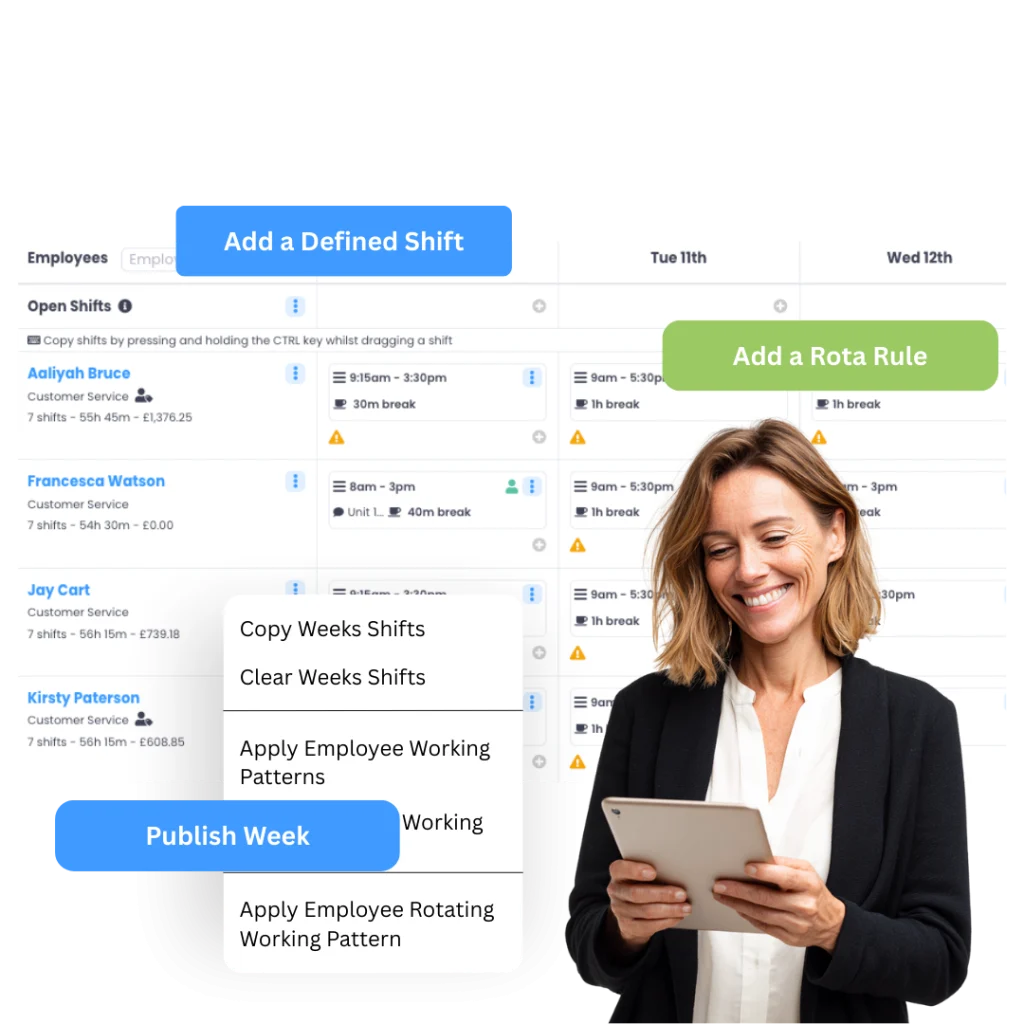
Rotas used to take hours and endless spreadsheets. With Evalu-8 HR, it’s done in minutes, and everyone knows where they stand.”
Plan the people and the cover
A rota should answer more than “who is working?”
Managers also need to know whether the required roles are covered, whether employees are under or over-allocated, who is unavailable, and where the next gap is going to appear.
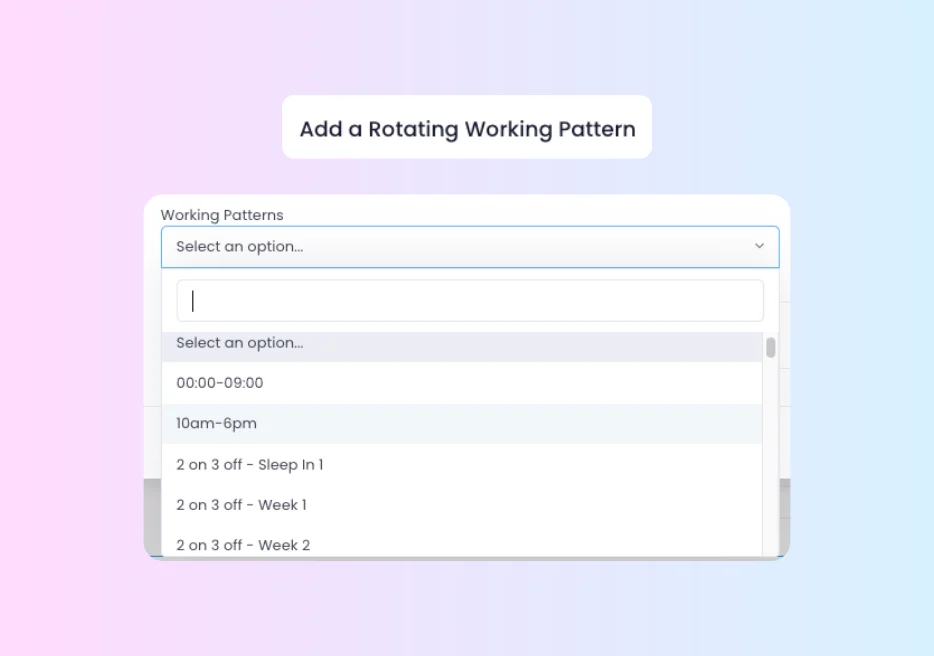
Start with how the employee normally works.
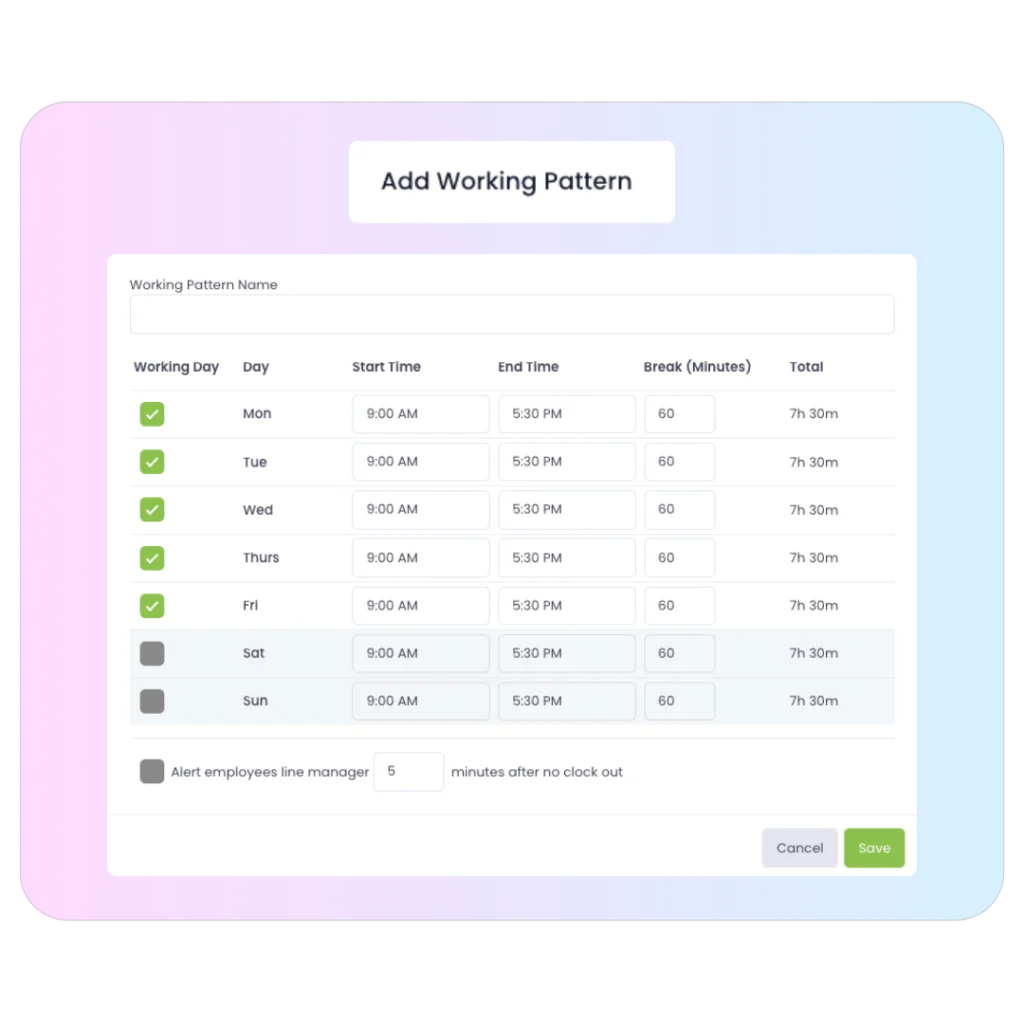
Create named working patterns with working days, start and finish times, and break time, then assign the right pattern to the employee so the rota is not starting from a blank page every week.
- Set full-time, part-time, condensed or organisation-specific patterns.
- Include working days and break time.
- Use rota-based scheduling for people whose hours vary.
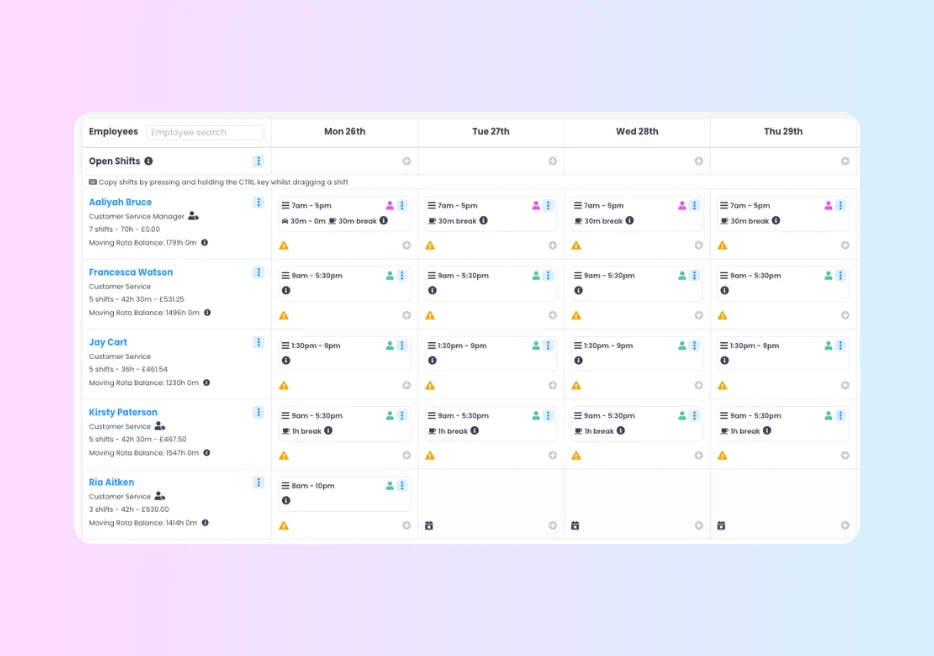
Build the week around the employees you are responsible for.
Use an employee-led view when the manager’s job is to allocate shifts across a known team and keep an eye on each person’s hours, normal pattern, and availability.
- See employees and their allocated shifts together.
- Keep contracted and allocated hours visible while planning.
- See leave or sickness before assigning work.
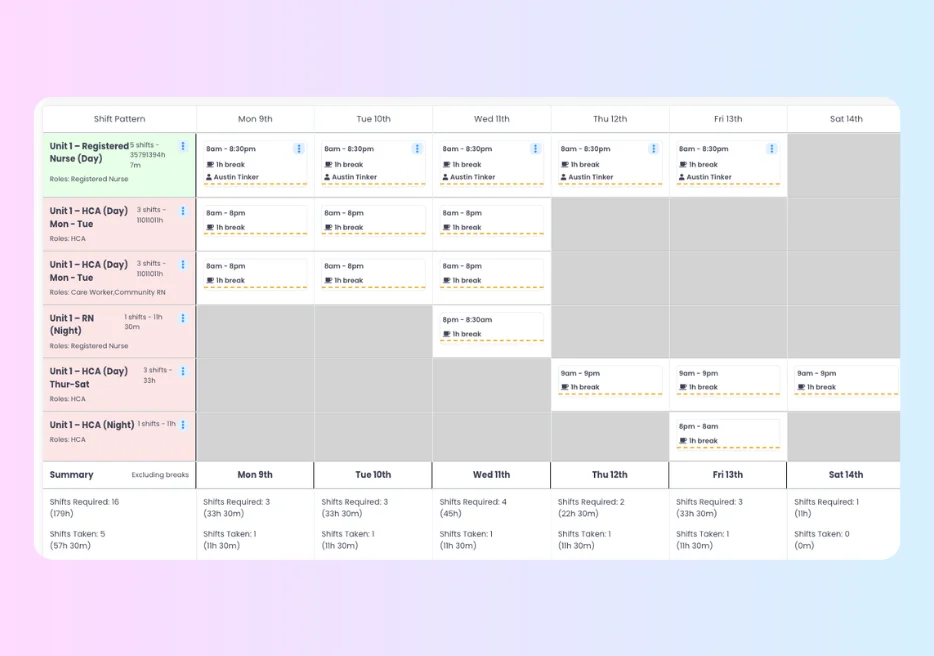
Plan the positions that must be covered, then fill them.
For services and shifts where the requirement comes first, create the role and shift structure that needs covering and see immediately where a position is still empty.
- Set required roles and shift times.
- See whether each position is filled or still open.
- Allocate people who are eligible for the role.
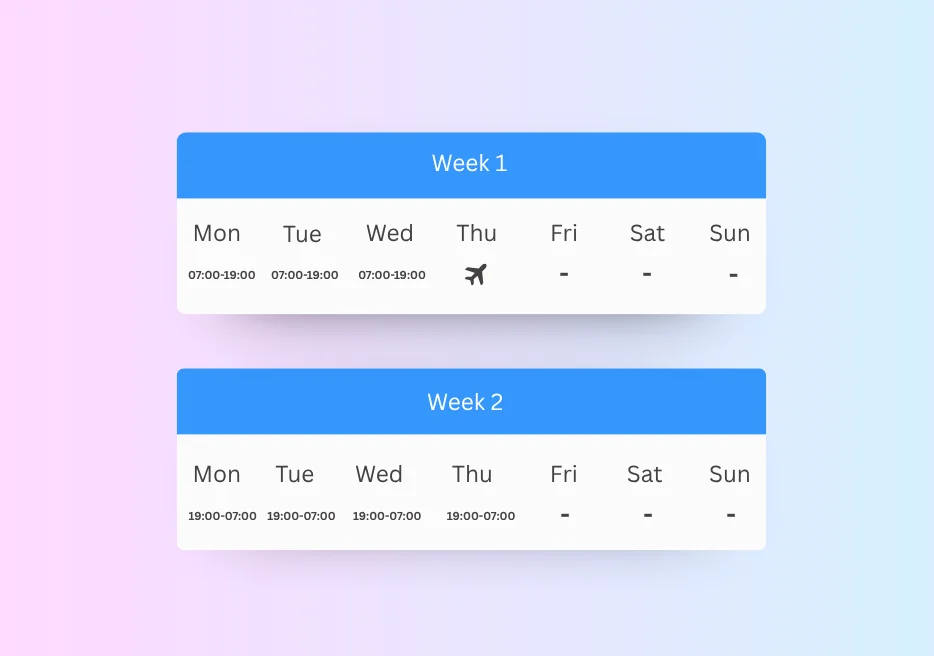
If the pattern repeats every two or three weeks, let it repeat.
Combine different week templates into a rotating working pattern and set the effective date so the correct week cycles automatically.
- Build multiple weeks inside one working pattern.
- Support two-week, three-week and other repeating cycles.
- Use an effective date to anchor the rotation.
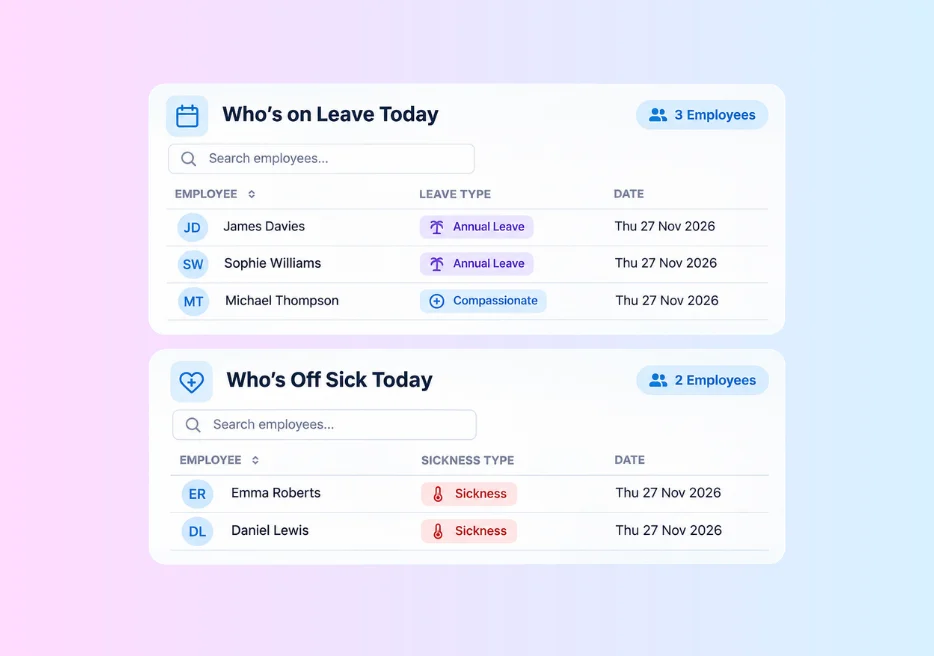
Don’t build the rota first and check who’s unavailable afterwards.
Keep approved leave and sickness close to the scheduling decision so managers can see why somebody is unavailable before assigning the shift.
- See approved leave alongside rota planning.
- See sickness and availability in the employee context.
- Reduce the double-check between HR records and the rota.
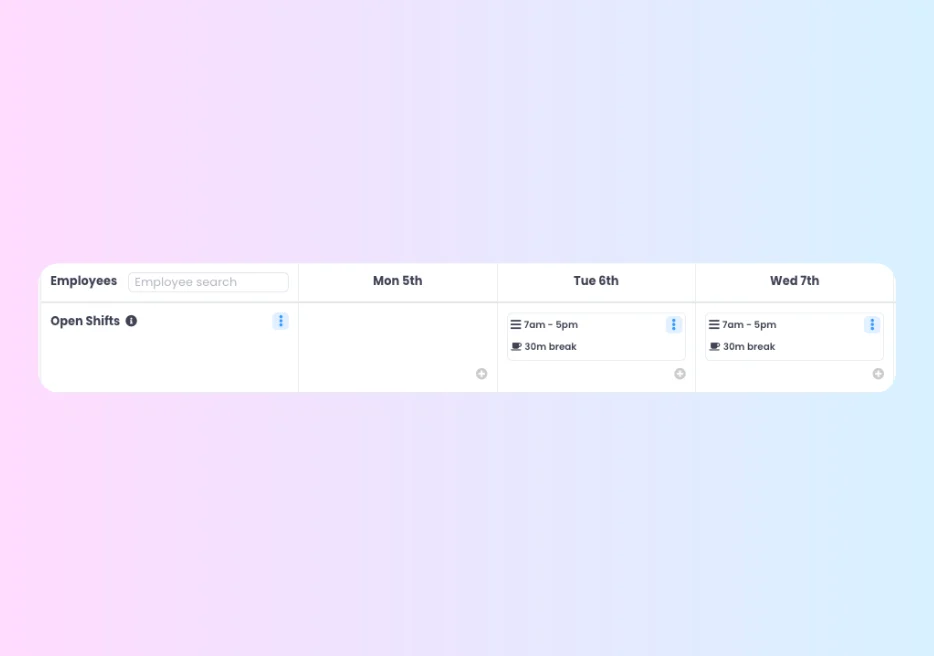
When a shift is still empty, make the gap visible.
Keep an uncovered shift open rather than hiding it in a spreadsheet cell, then make it available to eligible employees where that fits your process.
- Keep unfilled shifts visible to the manager.
- Offer open shifts to eligible employees.
- Let employees claim available work through the employee experience.
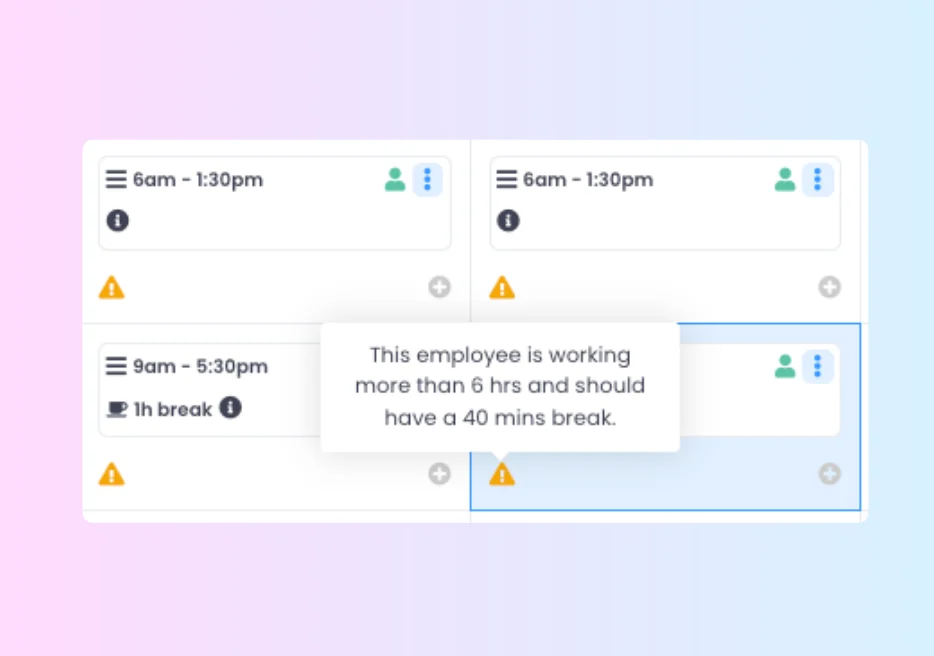
A rota can look full while people are still under or over their hours.
Keep contracted hours next to the shifts being allocated so managers can see who still needs work and who is already carrying more than their normal pattern.
- See contracted and allocated hours together.
- Identify underallocation before the rota is published.
- Use the weekly picture to understand additional hours and overtime signals.
Coverage-led scheduling
A rota is not covered because there are names on the page.
If the service needs four healthcare assistants and two registered nurses, the manager needs to know whether those six positions are filled, not simply whether six people appear on Monday.
Rota Coverage lets you start with the role and shift requirement, then allocate the people who can cover it.
- Build repeatable coverage around required roles and shift times.
- See the exact position that remains unfilled.
- Keep role mix visible instead of relying on a list of names.
Rotating patterns
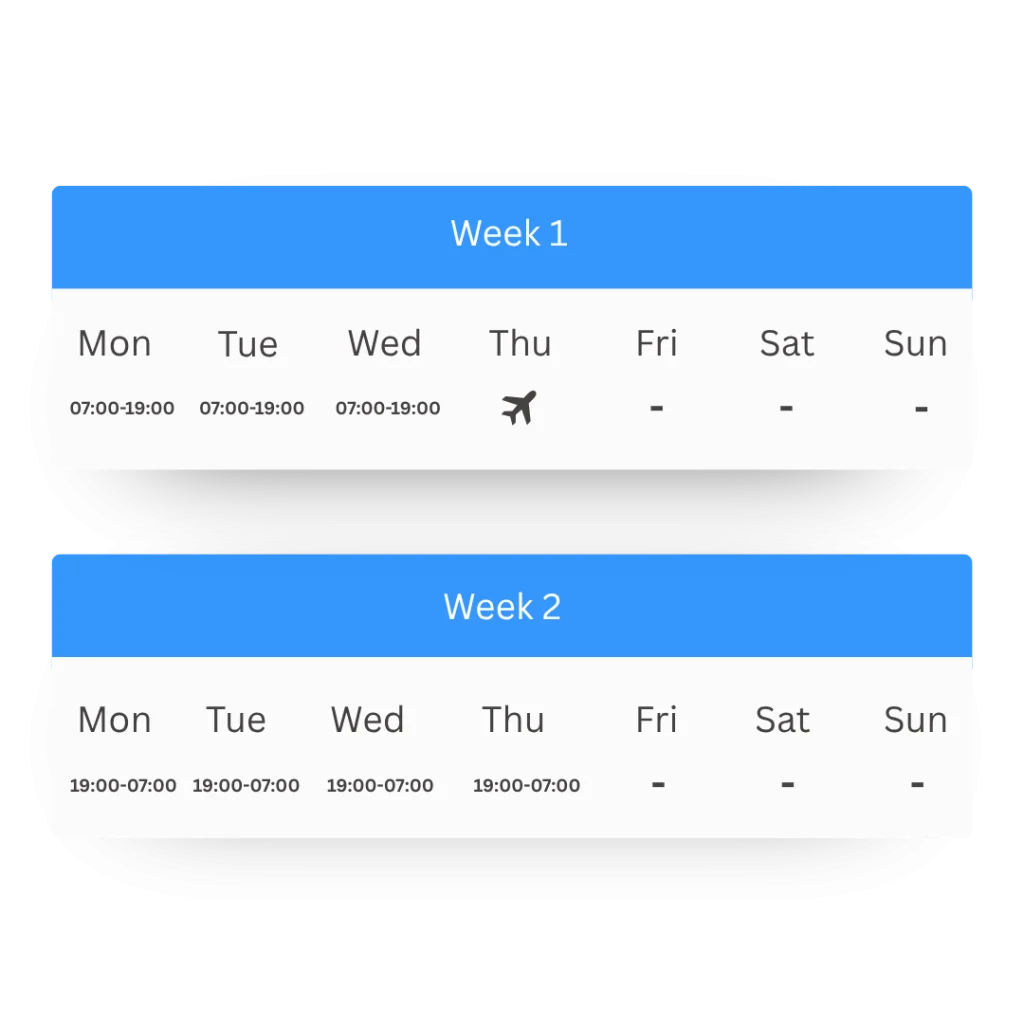
Two-week and three-week rotas should rotate. You shouldn’t rebuild them.
Real workforces do not all run Monday to Friday. Residential teams, production crews, and support services can work two-week, three-week, or irregular repeating patterns.
Build the weeks once, anchor the pattern to an effective date, and let the rotation keep the correct sequence.
- Combine different week templates into one pattern.
- Keep normal hours and break time attached to the pattern.
- Use rota shifts for additional or variable work outside the pattern.
From requirement to published rota
Start with what needs covering. Finish with a rota people can actually work.
The practical workflow is not “draw boxes on a calendar”. Define the requirement, check the people behind it, allocate the hours, deal with the gaps, and keep changes visible.
What needs covering?
Set the shift, role, service, or normal working pattern that the operation actually requires.
Who can work it?
See contracted hours, normal pattern, leave, sickness, and existing allocations before assigning somebody.
What’s still open?
Keep uncovered positions visible and offer appropriate open shifts where your process allows it.
What changed?
Give employees the current rota and keep later changes connected to the same workforce record.
Last-minute cover
At 6:30am, a sickness absence is not an HR problem. It’s an 8am rota gap.
The employee record matters, but the manager also needs to know which shift has just become uncovered, which role needs replacing, and who is genuinely available to step in.
Keep sickness, the rota slot, and available cover close enough together that the manager can act without starting a phone tree or rebuilding the day in WhatsApp.
- Record the sickness against the employee.
- See the uncovered shift and role immediately.
- Review eligible, available people before reallocating or opening the shift.
Overtime gets complex. your software shouldn’t.
Set up overtime rates as multipliers (e.g., time-and-a-half) or monetary values. Create rule sets based on time windows to automate payroll summaries.
- MULTIPLIER RATES
- WINDOW-BASED RULES
- MONETARY VALUES
- MONTHLY SUMMARIES
See it in action
See rota management through the moments managers actually deal with.
Three short scenarios that prove whether the rota works when the week is more complicated than a blank calendar.
Build a three-week rotating pattern once
Create the three different weeks, set the effective date and show the pattern cycling without rebuilding each rota.
Fill four required care roles, not four blank cells
Start with the coverage requirement, allocate suitable employees and leave the final unfilled position clearly open.
A sickness call creates an open shift
See the affected role, check available employees and fill the gap without losing the HR absence record behind it.
Rota by workforce
“Enough people” means something different in every operation.
The rota should reflect the way the work is actually staffed, shifts, roles, locations, rotations, contracted hours and cover requirements, rather than forcing every team into the same calendar.
01 Your industry
Manufacturing
Production teams need the right number of people across fixed, rotating and overtime-heavy shifts without losing sight of contracted hours.
Common pressure points
- Two- or three-shift operations repeat every week
- Overtime cover is allocated before under-hours staff are obvious
- Leave and sickness create gaps on specific lines or shifts
What changes with Evalu-8
Use repeating patterns for normal work, rota shifts for variable cover, and contracted-versus-allocated hours to help supervisors make a better allocation decision.
Best-fit capabilities
- Rotating patterns
- Shift allocation
- Contracted hours
- Leave context
- T&A connection
02 Your industry
Construction
Depots and warehouses need to see coverage before the shift starts, not discover the gap when loading, dispatch, or customer service is already affected.
Common pressure points
- Rotas are rebuilt in spreadsheets or messaging apps
- Holiday and sickness sit outside the staffing picture
- Open shifts and additional hours create constant manager chasing
What changes with Evalu-8
Plan the depot rota, see who is unavailable, keep open shifts visible and connect the planned shift to actual attendance when Time & Attendance is in use.
Best-fit capabilities
- Coverage
- Open shifts
- Leave & sickness
- Contracted hours
- Attendance
Healthcare & care
Coverage is not just headcount. Managers may need specific roles, irregular patterns, and reliable cover across units, services, and locations.
Common pressure points
- Two-week and three-week patterns are common
- Local managers need to see underallocation and gaps
- Sickness can create an immediate service-cover problem
What changes with Evalu-8
Build the coverage requirement around the service, keep role mix visible, and let local managers allocate their teams while HR retains the wider employee record.
Best-fit capabilities
- Rota Coverage
- Role-based shifts
- Rotating weeks
- Open shifts
- Absence context
Hospices & charities
Clinical, care, community, support, and estates teams can all work differently inside the same organisation.
Common pressure points
- Different roles need to be distinguishable on the same rota
- Flexi and irregular workers need to be considered for cover
- Managers need contracted hours and normal patterns while allocating work
What changes with Evalu-8
Use service-led coverage, working patterns and the wider employee record to help managers see the people behind the rota rather than managing a separate scheduling spreadsheet.
Best-fit capabilities
- Service coverage
- Role visibility
- Flexi availability
- Contracted hours
- Leave & sickness
Construction & field teams
Rota can support workforce scheduling for mobile teams where people need allocating by site, shift, or working pattern, without pretending to be a field-service dispatch system.
Common pressure points
- Employees move between sites and customer work
- Availability and working time sit in separate tools
- Managers need a simple view without full HR access
What changes with Evalu-8
Keep the employee, working pattern, allocated work and connected time record closer together while controlling what each manager can see.
Best-fit capabilities
- Working patterns
- Site/team allocation
- Manager permissions
- T&A connection
Multi-site operations
Different sites can run different patterns and still need central HR to understand employee hours, leave, absence, and attendance consistently.
Common pressure points
- Each site builds a rota differently
- Managers only need access to their own teams
- Central HR cannot see the organisation-wide staffing picture
What changes with Evalu-8
Give local managers the rota views and employee groups they need while the same employee records, permissions and reporting structure sit behind every location.
Best-fit capabilities
- Site rotas
- Manager permissions
- Working patterns
- Leave & absence
- Central reporting
Rota visibility
See the staffing question the spreadsheet makes you calculate.
Managers should be able to see which positions are open, who is underallocated, where leave affects coverage, and which people already have enough work without manually reconciling several tabs.
- See covered and open positions.
- Review contracted versus allocated hours.
- Keep leave and sickness visible around the rota.
- Use manager permissions so each team sees the relevant workforce.
Connected Evalu-8 HR
The person behind the shift matters as much as the shift itself.
The employee record defines who the person is and how they normally work. Leave and sickness explain availability. Rota shows what is planned. Time & Attendance shows what happened. Training and documents give managers wider workforce context.
Employee record
Contracted hours, role, manager, and normal working information sit behind the rota.
Leave
See approved time off before allocating the employee to a shift.
Absence
Connect the sickness record to the operational cover problem it creates.
Training
Keep role and competence information in the wider employee record when suitability needs checking.
Time & Attendance
Compare what was planned with what the employee actually worked.
Payroll preparation
Use planned and actual hours in a cleaner downstream payroll process.
Rest & working-time controls
Put rest rules into the scheduling decision without pretending software makes the legal judgement for you.
Evalu-8 can use controls such as minimum rest between shifts, maximum shift length, and overtime alerts to help managers spot scheduling problems before publishing the rota.
UK working-time rules include limits and rest entitlements, but exceptions, opt-outs and compensatory-rest arrangements can apply. Your organisation remains responsible for deciding which rules apply to each workforce group.
ROTA SOFTWARE FAQS
WHAT MAKES EVALU-8 GOOD ROTA SOFTWARE FOR ROTATING SHIFTS?
You can build rotating working patterns by combining multiple weeks into one pattern that automatically cycles week-by-week, then assign it directly to the employee for seamless scheduling.
CAN I APPLY FATIGUE OR REST RULES LIKE TIME AND A HALF OR DOUBLE TIME?
Overtime rates can be set as multipliers or fixed monetary values. You can also build granular overtime rule sets based on specific time frames or daily/weekly thresholds.
HOW DO YOU HANDLE OVERTIME RULES LIKE TIME AND A HALF OR DOUBLE TIME?
Yes. Approval requests provide a snapshot of existing leave, and the system automatically highlights other team members off on the same dates so managers can spot potential clashes instantly.
CAN STAFF CLOCK IN AND OUT USING QR CODES?
Yes. Clocking can be handled securely via QR codes generated in the mobile app, providing a contactless and verified way to track attendance on-site.
CAN MANAGERS APPROVE LEAVE AND SEE CLASHES BEFORE APPROVING?
Yes. Approval requests provide a snapshot of existing leave, and the system automatically highlights other team members off on the same dates so managers can spot potential clashes instantly.