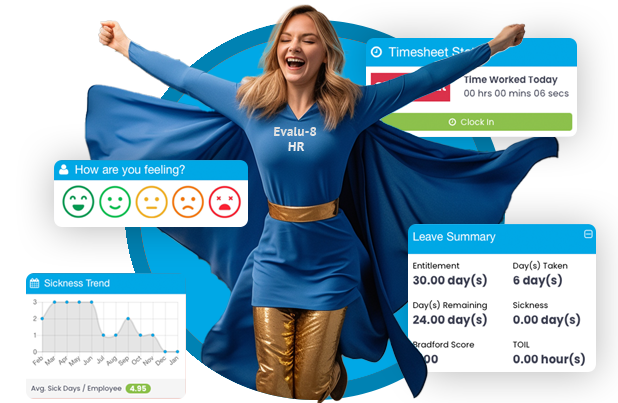
Build the HR package your organisation actually needs.

Start with Core HR, then add forms, workforce scheduling and attendance, training or recruitment depending on how your people work.

One employee record
One joined-up platform
Built to flex
How the platform is structured
Core HR Employee records, onboarding, holidays, absence, documents, performance, reporting, workflows, self-service and more.
Form Builder Digital forms, frameworks, surveys and sign-off.
Time & Attendance Rotas, clocking, timesheets, overtime and payroll-ready data.
Training Records, requirements, alerts, matrices and reporting.
ATS Applicant tracking to keep recruitment organised from vacancy to hire.
Build your package

One strong HR foundation. Add what you need.


Core HR

Your HR foundation

Employee records, holidays, absence management, documents and e-signatures, self-service, permissions, reporting and more in one connected platform.

  • Employee records
  • Employee onboarding
  • Holiday management
  • Leave & absence
  • Documents & e-signatures
  • Letter generation
  • Performance & KPIs
  • Task management
  • Expenses & mileage
  • Project management
  • Reporting & dashboards
  • Workflows & automation
  • Self-service & mobile
  • Permissions & access
  • Company tools
  • Visitor management

Form Builder

Create forms, frameworks and surveys, then complete, sign, track and store them against the employee record.

No-code form builderReusable templatesEmployee & manager sign-offEvidence & attachmentsTasks & remindersForm reporting

Time & Attendance

Plan rotas, capture working time and turn approved attendance data into payroll-ready records.

Rota planningMobile & kiosk clockingGeofencingTimesheet approvalsOvertime & TOILPayroll-ready exports

Training

Keep employee training records and requirements visible, with alerts, matrices, reporting and LMS connectivity.

Role-based requirementsTraining recordsCertificatesExpiry alertsTraining matrixCompliance reports

Applicant Tracking System (ATS)

Keep recruitment organised in one place, helping your team manage applicants and move candidates through the hiring process.

Applicant trackingVacancy managementCandidate recordsRecruitment workflowHiring visibility
Included in Core HR

More than a digital employee database.

The core package brings the people, process and reporting tools that sit behind everyday HR administration into one place.

Employee recordsProfiles, employment history, working patterns, reporting lines, custom fields and multi-site records.
OnboardingDigital new starter onboarding, document collection, employee creation and task assignment.
Holidays & absenceEntitlements, requests, approvals, sickness records, return-to-work and absence reporting.
Documents & e-signaturesSecure storage, distribution, read tracking, signatures, expiry reminders and version control.
Performance & developmentGoals, KPIs, reviews, 360 feedback, development plans and competency tracking.
Reporting & dashboardsPre-built reports, custom reporting, dashboards, charts, scheduled reports and exports.
Workflows & automationTrigger notifications, tasks and HR processes from dates, events and employee information.
Employee self-serviceLet employees request leave, access documents, submit expenses and view their own information.
Permissions & accessUnlimited permission levels with manager, site, company and employee-level access controls.
Optional modules

Add deeper functionality where you need it.

Add the functionality that matches how your organisation works, whether you need digital HR forms, workforce scheduling and time tracking, training management or applicant tracking.

Form Builder

Create consistent digital HR forms that employees and managers can complete, sign and store against the employee record.

  • Create custom forms with no coding
  • Reusable templates and question types
  • Employee and manager sign-off
  • Attachments, photos and supporting evidence
  • Tasks, due dates and reminders
  • PDF exports, reporting and permissions
Time & Attendance

Plan shifts, manage coverage, capture working hours and produce accurate payroll-ready attendance records.

  • Rota planning and shift patterns
  • Open shifts and mobile rota access
  • Mobile, QR, kiosk, PIN and browser clocking
  • Geofencing and clocking rules
  • Timesheets and manager approvals
  • Overtime, TOIL and cost visibility
  • Payroll-ready reports and exports
Training

Keep training records, requirements and compliance gaps visible without relying on manual spreadsheets and reminders.

  • Role-based training requirements
  • Employee training records
  • Certificates and supporting evidence
  • Mandatory and optional training
  • Expiry and refresher alerts
  • Training matrices and compliance reports
  • API connection with LMS
Applicant Tracking System (ATS)

Bring applicant tracking into the same HR platform so recruitment is easier to organise and manage.

  • Keep applicant information in one place
  • Manage vacancies and recruitment activity
  • Track candidates through the hiring process
  • Keep recruitment records organised
  • Support a more consistent hiring process
What could your package look like?

Different teams need different things.

These examples show how organisations in different sectors might combine Core HR with optional modules based on the way their people actually work.

Manufacturing Northgate Components

480-person manufacturer operating across two sites, with production teams working rotating shifts.

Example package
Core HRTime & AttendanceTrainingForm Builder
Why this combination makes sense

Core HR keeps employee records and absence in one place, Time & Attendance handles shifts and clocking, Training tracks role requirements and expiry dates, while Form Builder can support processes such as return-to-work forms and internal checks.

Office & professional services Hartwell Advisory

65-person professional services business with hybrid employees and regular recruitment across several departments.

Example package
Core HRATSForm Builder
Why this combination makes sense

Core HR supports onboarding, documents, performance and self-service. ATS gives the team a clearer recruitment process, while Form Builder can replace internal HR forms and review paperwork.

Care & support Meadowbridge Support

120-person care organisation with employees working varied shifts across several locations.

Example package
Core HRTime & AttendanceTraining
Why this combination makes sense

Time & Attendance supports rota planning and worked-hours records, Training helps keep mandatory requirements visible, and Core HR brings absence, documents, employee records and manager access together.

Hospitality & leisure Riverside Leisure Group

95-person leisure business with a mixture of full-time, part-time and variable-hours employees across three venues.

Example package
Core HRTime & AttendanceATS
Why this combination makes sense

Managers can plan coverage and track working time while HR keeps employee information and absence connected. ATS also gives the business a clearer way to manage frequent recruitment.

Construction & field services Westbrook Engineering

210-person engineering contractor with office staff, mobile engineers and employees moving between sites.

Example package
Core HRTime & AttendanceTrainingForm Builder
Why this combination makes sense

Mobile clocking and geofencing support employees working away from the office, Training keeps qualifications and renewals visible, and Form Builder gives the team a way to digitise company-specific HR processes.

Core HR

Everything included in Core HR

Manage your people, performance, projects and everyday HR processes from one connected platform, with reporting, self-service and automation built in.

Core package
Feature area
What's included

Employee Records

Keep a complete, up-to-date record for every employee.

Central employee profiles
Personal, contact and employment information
Emergency contacts
Bank and pension information
Salary and employment history
Start and end dates
Payroll numbers
Working patterns
Employee notes
Custom fields and profile sections
EDI and demographic information
Line managers and reporting structures
Multiple line managers
Organisation chart
Multi-company management
Multi-site management

Employee Onboarding

Collect the information you need before a new starter even walks through the door.

Digital new starter onboarding
Secure onboarding links
Collect personal and employment information
Request required documents
Mandatory document uploads
Automatically create employee profiles
Notify HR when onboarding is complete
Automatically generate onboarding tasks
Assign actions to managers, HR, IT and other teams
Connect onboarding with employee documents and workflows

Holiday Management

Give employees an easier way to request leave while managers keep visibility and control.

Employee holiday requests
Mobile requests and approvals
Configurable approval processes
Multiple approval levels
Automatic entitlement calculations
Pro-rata calculations
Days or hours-based entitlement
Full-day, half-day and custom-period bookings
Custom leave types
Carry-over rules
Bank holiday rules
Length-of-service entitlements
Individual entitlement adjustments
Department, role and site restrictions
Limits on simultaneous leave
Holiday clash warnings
Manager overrides
Real-time balances
Annual leave planner
Team holiday calendars
Daily, weekly and monthly views
TOIL and time-off balances

Leave & Absence Management

Record absence consistently and give managers clearer visibility of patterns and follow-up actions.

Sickness and absence recording
Custom absence types
Open-ended sickness records
Automatic sickness-duration tracking
Sick note and supporting document uploads
Known-condition recording
Return-to-work tracking
Phased-return tracking
Flexible working request tracking
Automated manager notifications
Absence workflows
Alerts for open sickness records
Bradford Factor reporting
Absence percentage reporting
Absence trend analysis
Frequent absence-day identification
Lateness recording and reporting
Payroll-ready absence information

Documents & E-Signatures

Keep important HR documents secure, current and connected to the employee record.

Unlimited document storage
Employee and company document libraries
Custom folders and categories
Permission-controlled access
Distribute documents by employee, department or role
Request employees to read documents
Request electronic signatures
Real-time read and signature tracking
See outstanding acknowledgements
Signature audit trails
Mobile-friendly e-signatures
Document expiry dates
Automated expiry reminders
Version control
Previous-version history
Reissue updated policies for acknowledgement
Automatically assign documents to new starters

Letter & Document Generation

Create repeatable employee documents using the information already held in Evalu-8.

Create documents from reusable templates
Import existing Word templates
Mail merge employee information
Generate contracts
Generate salary letters
Create employee correspondence
Store generated documents against employee records

Performance Management

Keep goals, reviews, feedback and employee development connected to the employee record.

Goals & KPIs
Employee and team objectives
Individual and team KPIs
Daily, weekly and monthly targets
Real-time progress tracking
Quantitative and qualitative performance tracking
Target versus actual performance
Rolling and cumulative targets
KPI dashboards and reports
Optional commission rules linked to performance
Reviews & Feedback
Employee performance reviews
Customisable review cycles
Manager evaluations
360-degree feedback
Qualitative feedback
Quantitative performance results
Review history
Recurring review schedules
Review reminders
Development & Progression
Employee development plans
Personal development objectives
Competency assessments
Track development actions
Identify development areas
Career progression tracking
Maintain historic performance and development records

Task Management

Keep everyday actions visible and make it clear who owns the next step.

Create and assign tasks
Assign tasks to individuals or teams
Due dates and times
Task priorities
Task descriptions
Reminders
Recurring tasks
Daily, weekly and monthly task views
Calendar and list views
Outstanding task tracking
Completed task history
Manager visibility
Automatically create tasks through workflows

Expenses & Mileage

Move expense claims away from emails, paper receipts and spreadsheets.

Employee expense claims
Mileage claims
Mobile submissions
Mobile receipt capture
Supporting document uploads
Custom expense categories
Mileage rates
Automatic mileage calculations
Save claims as drafts
Expense approval and rejection
Rejection reasons
Finance access
Mark expenses as paid
Expense history
Reporting and exports

Project Management

Manage employee time, tasks and costs against projects, jobs or contracts.

Projects & Tasks
Create projects and jobs
Project references and locations
Assign employees to projects
Permission-controlled project access
Create project tasks
Assign tasks to individuals or teams
Due dates and priorities
Project Time Tracking
Record employee time against projects
Record time against individual tasks
Daily and weekly project timesheets
Employee self-entry of hours
Notes against time entries
Billable and non-billable hours
Hourly and billable rates
QR code project time recording
Project and task-level reporting
Feed relevant hours into payroll reporting
Costs & Budgets
Set project budgets
Track project expenses
Track forecasts
Fixed-fee, time-based and budget-based projects
Compare planned and actual costs
Monitor project financial performance

Reporting & Dashboards

Turn live HR data into information managers can actually use.

Reporting
Library of pre-built HR reports
Real-time reporting data
Custom report builder
Drag-and-drop report creation
Choose the information you want to report on
Custom filters
Report using custom employee fields
Save frequently used reports
Scheduled and automated reporting
Excel, CSV and PDF exports where supported
Permission-controlled report access
Dashboards
Customisable dashboards
Multiple dashboards
Personal and manager dashboards
Custom dashboard widgets
Real-time HR information
Visual charts and data visualisation
Custom bar and line charts
Quick access to key reports

Workflows & Automation

Reduce repetitive HR administration by automatically triggering the right actions at the right time.

Custom workflow builder
Pre-built workflows
Date-based automation
Event-based automation
Trigger workflows from employee information
Trigger workflows from custom fields
Apply workflows to individuals, groups or your whole organisation
Set workflow conditions
Trigger actions before or after key dates
Automatically notify employees
Automatically notify managers
Automatically create tasks
Assign actions to specific people or teams
Create staged reminders
Automate onboarding
Automate absence follow-up
Automate return-to-work reminders
Automate document expiry actions
Automate performance review processes
Automate important employee date reminders

Employee Self-Service & Mobile Access

Give employees direct access to the information and actions they need without everything going through HR.

Employee self-service
Mobile employee self-service
View personal information
Update permitted information
Request holidays
View holiday balances
Access documents
Read and sign documents
Submit expenses
View tasks and requests
Access company information and updates

Permissions & Access Control

Give people access to what they need without exposing information they should not see.

Unlimited permission levels
Custom user groups
Role-based permissions
Employee-level access controls
Manager-specific access
Site and company-based permissions
Control access to employee information
Control access to reports
Dashboard permissions
Mobile permissions
Restrict sensitive HR information
Different access for HR, managers, finance and other teams

Company Tools

Useful everyday tools included within Core HR.

Company Calendar
Company events
Custom event categories
Meetings, training and other activities
Central calendar visibility
Resource Booking
Meeting room booking
Vehicle booking
Equipment booking
Custom resources
Recurring bookings
Invite employees to bookings
Attendance confirmations
Visitor Management
Digital visitor book
Multi-site visitor management
Visitor sign-in and sign-out
Reception tablet mode
Visitor self-service
Custom visitor information
Site rule acceptance
Visitor signatures
Visitor badges
Visitor history and reporting
Internal Communication
Internal messaging
Company announcements
Company timeline
Mobile access to updates
Push notifications
Form Builder

Everything included in Form Builder

Turn paper forms and manual HR processes into consistent digital records that employees and managers can complete, sign, track and store against the employee record.

Optional module
Feature area
What's included

Build & Customise Forms

Build forms around your own HR processes without coding.

Create custom HR forms with no coding required
Create reusable form templates
Central form library
Custom form names and descriptions
Customisable form sections
Custom section headings
Create custom questions
Required fields
Free-text responses
Yes / No questions
Multiple-choice responses
Dropdown selections
Numerical fields
Date fields
Checklists
Digital signature fields
Add guidance and reference information
Create short or detailed forms
Create continuous or stepped forms
Tailor forms to match existing company processes
Edit and update form templates as requirements change

Employee & Manager Forms

Let employees and managers complete and sign the same digital HR process.

Complete forms against individual employees
Employees can complete forms themselves
Managers can complete forms for employees
Employee and manager sections within the same form
Employee sign-off
Manager sign-off
Multiple signature fields
Manager review of employee-completed information
Save completed forms directly to the employee profile
Maintain a history of completed forms
View completed forms at any time
Edit completed forms where permitted

Evidence & Attachments

Keep supporting information and evidence alongside the completed HR record.

Add attachments to forms
Upload supporting files
Upload photographs
Capture supporting evidence alongside submissions
Digital signatures
Keep supporting information with the completed record
Mobile-friendly form completion

Tasks & Follow-Up

Make it clear who owns the next action and when it needs completing.

Assign ownership of forms
Set completion or review dates
Create follow-up tasks
Due-date reminders
Track outstanding forms
Status tracking
See who owns the next action
Maintain submission history

Records & Reporting

Keep completed forms connected to employees and report on the information collected.

Completed form history
Store forms against employee profiles
Submission history
View previous completed forms
Edit completed forms where permitted
Download completed forms as PDFs
PDF exports
Form reporting
Report filters
Report on submitted form data

Permissions & Access

Control who can complete, view, review and manage different forms.

Control who can complete forms
Control who can view forms
Manager and employee access
Permission-controlled access to completed forms
Restrict sensitive HR forms to authorised users
Different access levels for completing, reviewing and managing forms

Example HR Forms

Examples of the types of employee forms you can build using Form Builder.

Return-to-work forms Employee appraisals One-to-one forms Induction checklists Employee review forms Manager review forms HR checklists Company-specific employee forms
Time & Attendance

Everything included in Time & Attendance

Plan shifts, manage coverage, capture working hours and turn approved attendance data into accurate, payroll-ready records.

Optional module
Feature area
What's included

Rota Planning & Scheduling

Build, manage and publish rotas around the way your organisation actually works.

Create and assign employee shifts
Create fixed, flexible and ad hoc shifts
Create rotating and multi-week shift patterns
Automatically generate rotas from working patterns
Create repeating Week 1, Week 2 and other rota patterns
Set shift start and end times
Add paid and unpaid breaks
Assign job roles to shifts
Add notes to individual shifts
Assign locations and sites to shifts
Add travel time before and after shifts
Drag-and-drop shift scheduling
Copy individual shifts across days
Copy complete weeks of shifts
Create reusable shift templates
Create reusable rota patterns
Edit individual shifts without changing the underlying pattern
Create rotas in draft before publishing
Publish rotas to employees
Multi-week rota views
Monthly rota visibility
Filter rotas by department
Filter rotas by job role
Filter rotas by employee group
Multi-site rota management
Schedule employees against secondary job roles

Rota Coverage & Staffing

Compare the people and roles you need against what is actually scheduled.

Employee-based rota views
Coverage-based rota views
Create rota coverage templates
Define required staffing levels for each shift
Define required job roles for each shift
Assign employees to required coverage positions
Filter available employees by job role
Identify filled and unfilled shifts
Unassigned shift warnings
Daily staffing visibility
View scheduled employee numbers by day
View total scheduled hours
Rota labour cost visibility
Holiday visibility directly on the rota
Sickness visibility alongside scheduled shifts
Colour-coded leave visibility
Working-time and break warnings

Open Shifts & Employee Access

Publish available shifts and give employees direct mobile access to their rota.

Create open shifts
Publish available shifts to employees
Employees can claim available shifts
Automatically add claimed shifts to the employee's rota
Notify employees about available shifts
Target available-shift notifications by job role
Mobile push notifications
Employees can view their rota through the mobile app
Employees can view shift times and locations on mobile
Real-time access to published rota information

Clocking In & Out

Capture actual working hours using different clocking methods for different teams and locations.

Real-time clock-in and clock-out recording
Automatically capture actual working hours
Desktop and browser clocking
Mobile app clocking
QR-code clocking
Central tablet and kiosk clocking
PIN-code clocking
Employee ID badge clocking
Different clocking methods for different employee groups
Site-based clocking controls
Geofenced clocking locations
Multiple permitted clocking locations
Restrict clocking to approved locations
Record employee clocking locations
Individual employee clocking restrictions
Link clocking records to scheduled shifts
Real-time employee time logs

Clocking & Attendance Rules

Control how attendance data is interpreted and manage exceptions consistently.

Configurable company-wide Time & Attendance rules
Employee-specific Time & Attendance settings
Clock-in and clock-out rounding rules
Configurable rounding intervals
Clocking grace periods
Early clock-in buffer periods
Late clock-out buffer periods
Configurable clocking windows around scheduled shifts
Route clocking exceptions for manager approval
Automatic break deductions
Paid and unpaid break handling
Break tracking
Working-time and break warnings
Late clocking visibility
Attendance exception visibility
Manager overrides
Manager amendments to recorded times
Manually add missed clockings

Timesheets & Approvals

Turn clocking records into clear timesheets ready for managers to check and approve.

Automatically generate timesheets from clocking records
Individual employee time logs
Weekly timesheet views
Timesheet approval workflows
Manager timesheet approvals
Manager timesheet amendments
Manually create timesheets for missed clockings
Compare scheduled hours against actual worked hours
Compare contracted hours against actual worked hours
Identify employees above or below contracted hours
Include leave within worked-hours reporting
Include sickness within worked-hours reporting
Hours summaries
Break information
Attendance history
Timesheet audit trail

Overtime & TOIL

Identify additional hours and decide whether they should be paid or recorded as time off in lieu.

Automatically identify overtime from worked hours
Record overtime from manually entered timesheets
Overtime tracking
Track hours worked above contracted hours
Multiple overtime rates
Assign overtime to the appropriate rate
Overtime approval requests
Manager overtime approvals
Approved overtime included in payroll reporting
Overtime reporting by rate
Payable overtime
TOIL
Record additional hours as payable overtime or TOIL
Overtime cost visibility

Reporting & Payroll

Turn approved rota and attendance information into payroll-ready data.

Time & Attendance reports
Weekly timesheet reports
Attendance reports
Rota reports
Worked-hours reports
Contracted vs actual hours reporting
Overtime reporting
Combined worked-hours, leave and sickness reporting
Payroll-ready hours reporting
Customisable payroll report columns
Filter payroll data by date range or payroll period
Include rota hours in payroll reporting
Include Time & Attendance hours in payroll reporting
Include approved overtime in payroll reporting
Export timesheets
Export rota information
CSV and Excel exports
Payroll-ready data exports
Export information for use with payroll software such as Sage
Training

Everything included in Training

Set training requirements by role, track completion and certificates, automate expiry reminders and use clear reporting to identify compliance gaps.

Optional module
Feature area
What's included

Training Setup

Define your training catalogue and decide what different roles and employees are required to complete.

Create a central training catalogue
Create custom training types
Create training categories
Record training providers
Create reusable training templates
Add custom training fields
Categorise training as internal or external
Set training as mandatory or optional
Set mandatory training requirements by job role
Set mandatory training requirements for multiple roles
Set training requirements for specific employee groups
Set individual employee training requirements
Set default expiry periods for training
Automatically calculate expiry dates from completion dates

Employee Training Records

Keep completed training, certificates and evidence together against the individual employee.

Central training record within each employee profile
Manually add completed training
Assign training to employees
Record training type
Record training provider
Record training cost
Record completion / achieved date
Record training expiry date
Maintain a complete history of employee training
Track completed training
Track outstanding training
Track pending training
Upload certificates
Upload proof of training
Upload supporting files and evidence
Employees can record their own training where permitted
Employees can upload their own supporting evidence where permitted

Mandatory Training & Compliance

See what each employee should complete and where mandatory training is missing.

Define mandatory training requirements
Define optional training requirements
Mandatory training by job role
Mandatory training by employee group
Individual training requirements
Automatically identify training requirements for new starters
Identify missing mandatory training
Track mandatory training completion
Mandatory training completion percentage by employee
See how much mandatory training remains outstanding
Identify compliance gaps across teams and departments
Role-based training requirement reporting

Expiry & Renewal Management

Keep on top of expiring certificates without manually chasing every renewal.

Training expiry tracking
Certificate expiry tracking
Default expiry periods
Automatic expiry date calculation
Automated expiry reminders
Set reminders days, weeks or months before expiry
Refresher reminders
Overdue training alerts
Send expiry notifications to multiple people
Notify the employee
Notify the employee's line manager
Notify other nominated users
Identify training approaching expiry
Identify expired training

Training Matrix & Reporting

Give managers a clear view of what is complete, missing, pending or approaching expiry.

Visual training matrix
Training Required report
Mandatory training reports
Training completion reporting
Training expiry reporting
Training compliance reporting
List-based training reports
Graph-based training reports
View completed training
View pending training
View training approaching expiry
View expired training
Identify training gaps
Mandatory completion percentage reporting
Filter training reports by employee group
Filter reports by department or relevant employee groups
Manager-specific training visibility
Managers can view training information for their own teams
Export training reports
Audit-ready training exports

Permissions & Employee Access

Control who can view and update training information.

Permission-controlled training access
Control who can view training information
Control who can add training records
Allow employees to record their own training
Allow employees to upload training certificates
Manager access to relevant team training information
Restrict training information to appropriate users

Training Data & Administration

Keep historic training information and supporting records organised in one place.

Record training costs
Track external and internal training
Store training evidence against the employee
Centralise historic training records
CSV / report exports
Support for bulk training data imports during implementation
Evalu-8 HR Package Builder
Build your package

Start with Core HR. Add what your organisation needs.

Core HR gives you the foundation for managing your people. Add the modules that match the way your organisation works, then view or download the full feature detail for each module.

Choose your modules

Select any combination
HR

Core HR

Your foundation for employee records, holidays, absence, documents, performance, reporting, workflows and everyday HR.

Employee recordsHolidaysAbsenceDocumentsPerformanceReporting
Always included
+

Form Builder

Build your own digital HR forms and keep completed records connected to each employee.

Custom formsSignaturesAttachmentsFollow-up tasksForm reporting
+ Add
T&A

Time & Attendance

Plan rotas, capture working hours, manage overtime and turn approved time into payroll-ready data.

RotasClockingTimesheetsOvertimePayroll-ready data
+ Add

Training

Manage training requirements, certificates, renewals and compliance across your organisation.

Training recordsRequirementsCertificatesExpiry alertsTraining matrix
+ Add
Click a module card to add or remove it. Use “View full details” to see every included feature and download that module as a PDF.
Your package

Built around your organisation

Core HR is your foundation. Add only the extra modules your teams need.

Your selected modules
Core HREmployee records • Holidays • Absence • Documents • Performance • Reporting • Workflows • Self-service
Modules in your package1
Core HR is always included in the PDF, followed by any optional modules selected above. Every feature area and every individual feature is included for each module in the package.
Talk to us about this package

Copyright Evalu-8 Software Ltd 2026

Evalu-8 Software Ltd

Earl Business Centre

Oldham

OL8 2PF

0161 5289466