
Rota software that make scheduling feel easy again.
Build, publish, and manage rotas in minutes. Fully connected to HR, leave, and payroll, so changes flow through automatically.
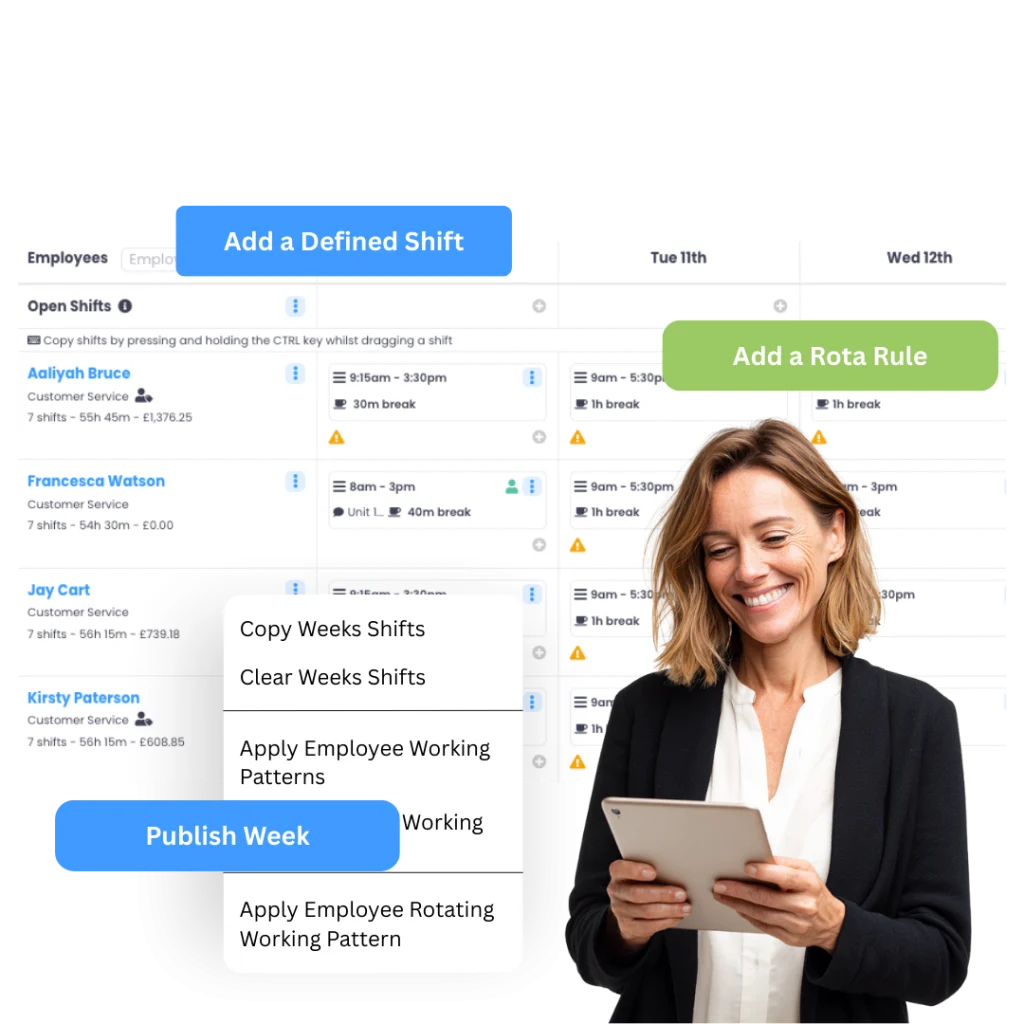
Rotas used to take hours and endless spreadsheets. With Evalu-8 HR, it’s done in minutes, and everyone knows where they stand.”
Less admin. More certainty.
WORKING PATTERNS, NOT GUESSWORK
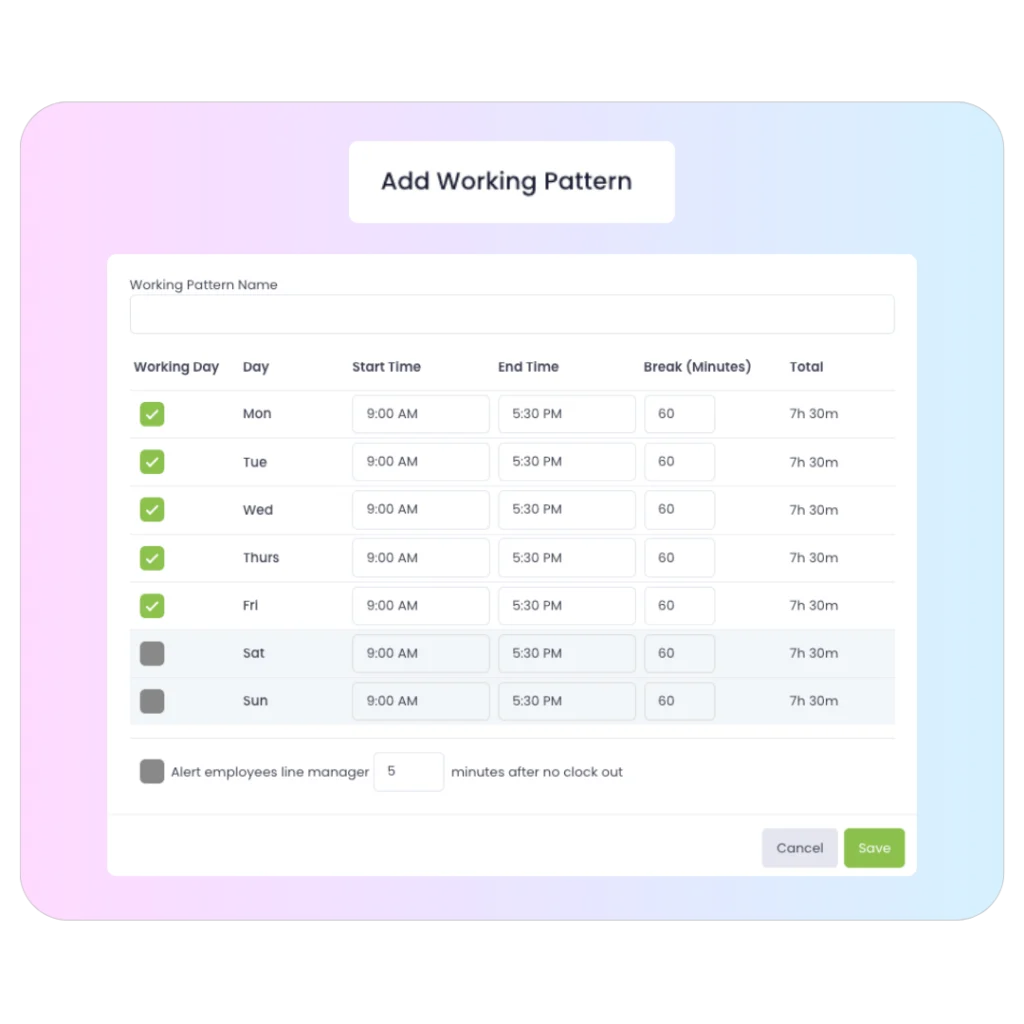
Create working patterns with working days and break time, then assign them to each employee so contracted hours and deductions are based on the right setup.
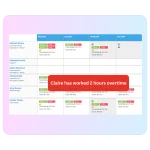
CLEAR WEEKLY HOURS AND OVERTIME SIGNALS
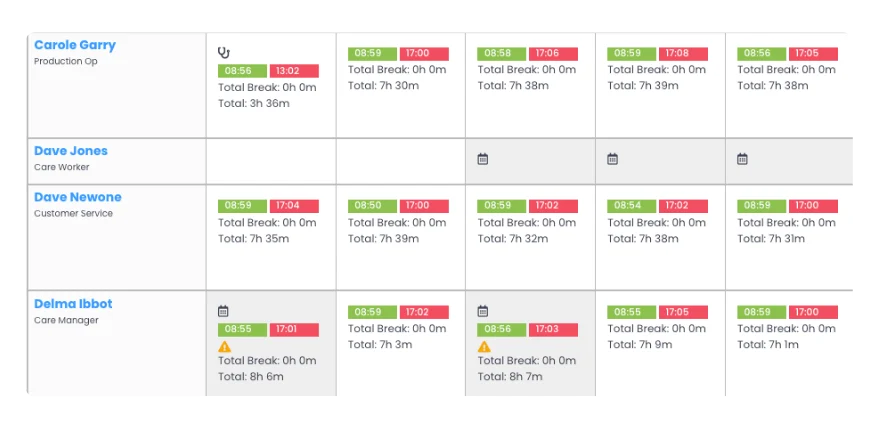
See what people worked vs what they were contracted to work, with weekly detail that highlights over and under contracted hours.
ROTATING SCHEDULES MADE SIMPLE
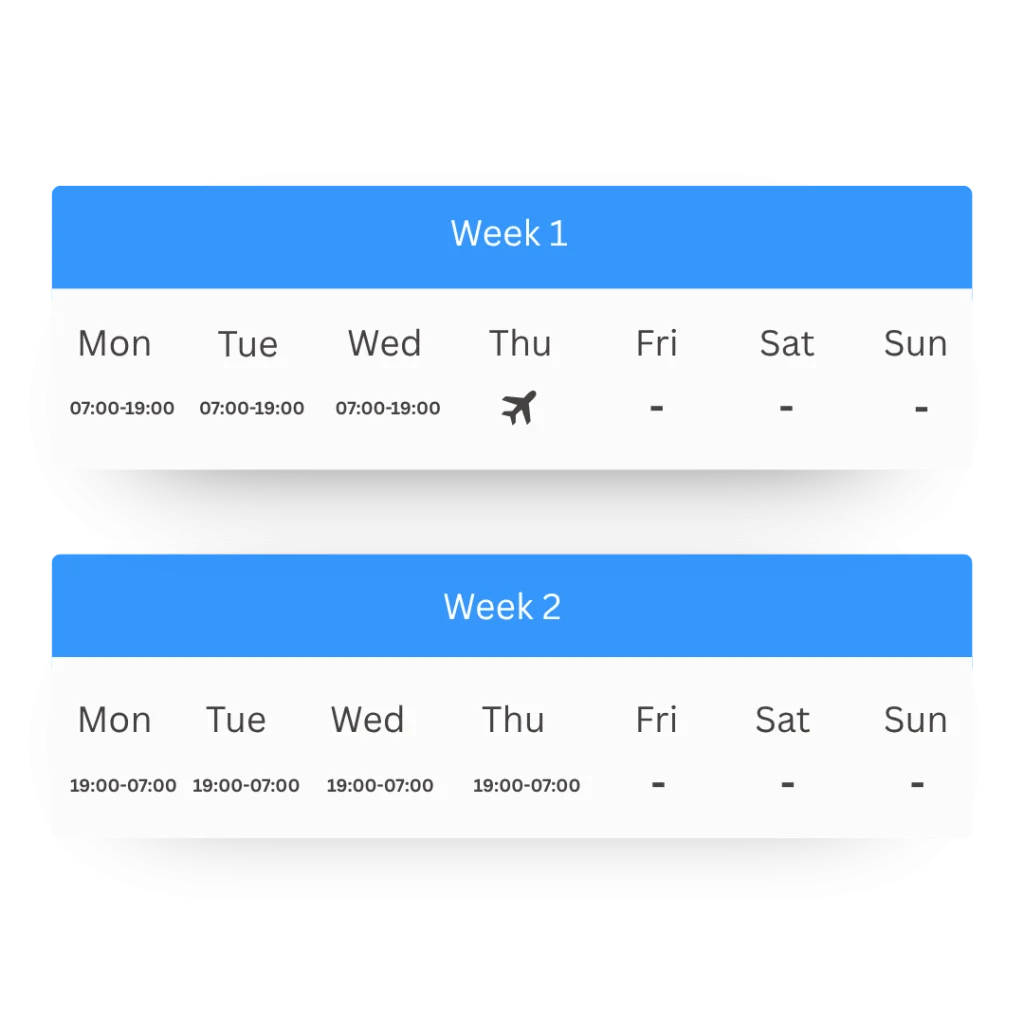
Combine multiple weeks into one rotating working pattern that automatically cycles week-by-week (ideal for “two on, three off” and similar rotations).
SCHEDULING STRATEGY
Start with patterns then schedule shifts.
Set up working patterns for different groups (full-time, part-time, condensed hours), including break time, and assign them to employees. For people without a fixed pattern, schedule them on a rota basis using shifts.
- Create named working patterns with break times
- Assign patterns so hours are anchored correctly
- Use rota-based scheduling for variable hours
Handle rotating weeks. Without rebuilding.
Build multiple weeks into one rotating pattern and let it cycle automatically. This works for common rotations and also for “odd” setups like a nine-day fortnight style arrangement.
- Create different week templates inside a pattern
- Combine weeks into an automatic cycle
- Set effective dates for rotation starts
BUILT FOR REAL WORLD WORK
Perfect for a range of sectors and industries.
HEALTHCARE
Learn more24/7 coverage for care homes & clinics. Manage complex shift patterns & ensure compliance.
HOSPITALITY
Learn moreHandling seasonal peaks and split shifts. Instant notification for front-of-house staff.
MANUFACTURING
Learn moreManage factory lines and 24-hour rotations with skills-based assignments.
RETAIL
Learn moreOptimise store coverage. Keep part-time staff aligned with peak trading hours.
FACILITIES
Learn moreManage mobile security and cleaning teams across multiple client sites seamlessly.
Protect rest time with fatigue rules.
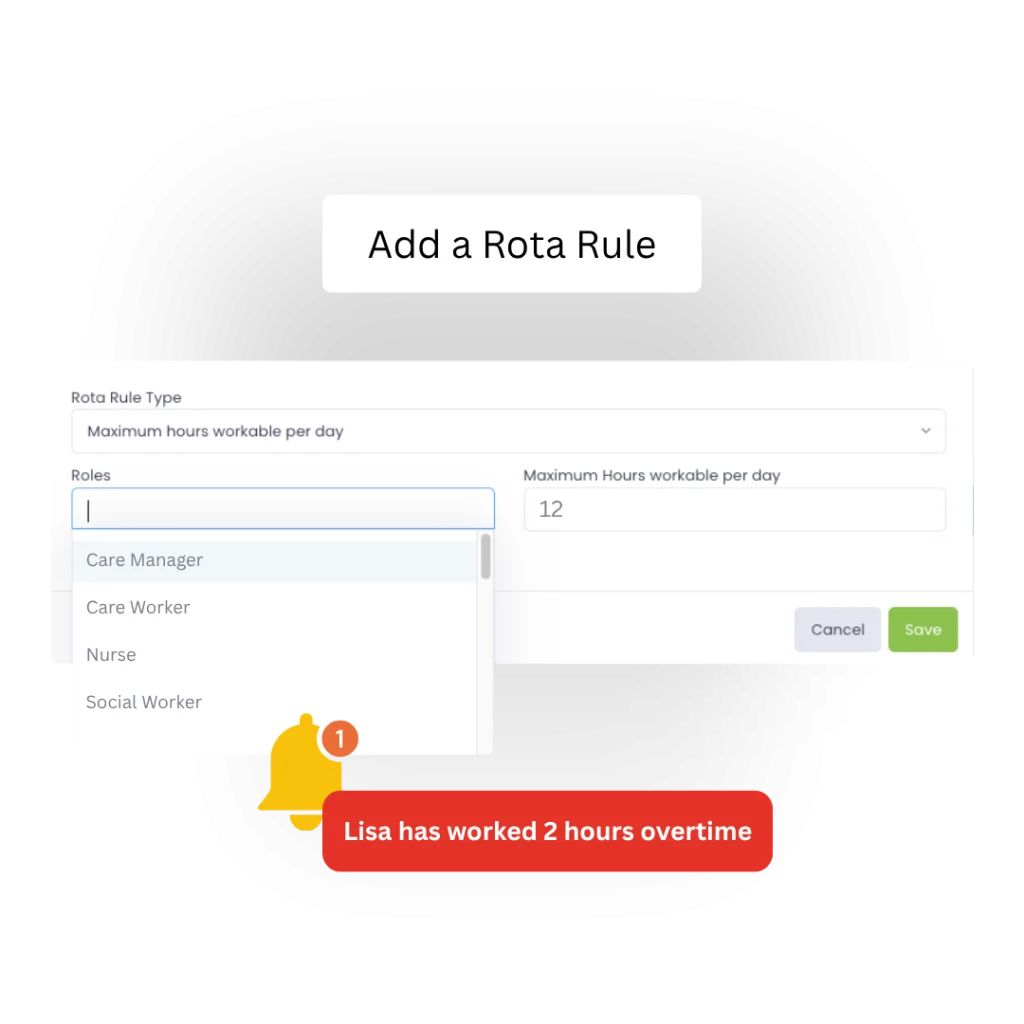
When you schedule staff on shifts, you can set rules like minimum hours of rest between shifts. It’s a practical way to support safer scheduling.
- SHIFT-BASED ROTA PLANNING
- MINIMUM REST HOUR LOCKS
- MAXIMUM SHIFT LENGTH LIMITS
- AUTO ALERTS FOR OVERTIME
Overtime gets complex. your software shouldn’t.
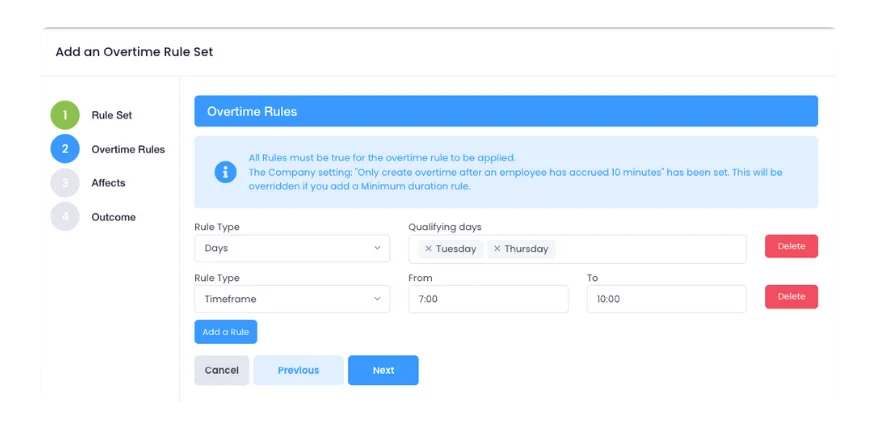
Set up overtime rates as multipliers (e.g., time-and-a-half) or monetary values. Create rule sets based on time windows to automate payroll summaries.
- MULTIPLIER RATES
- WINDOW-BASED RULES
- MONETARY VALUES
- MONTHLY SUMMARIES
Clocking tied to contracted hours.
Set up overtime rates as multipliers (e.g., time-and-a-half) or monetary values. Create rule sets based on time windows to automate payroll summaries.
Capture time via clocking in and out (on desktop or mobile), or using QR codes in the app. Use weekly reporting to see exactly what happened across the week.
- MOBILE QR CLOCKING
- DAILY TOTALS VIEW
- DESKTOP DASHBOARD
- REAL-TIME VISIBILITY
Know who’s off before it becomes a problem.
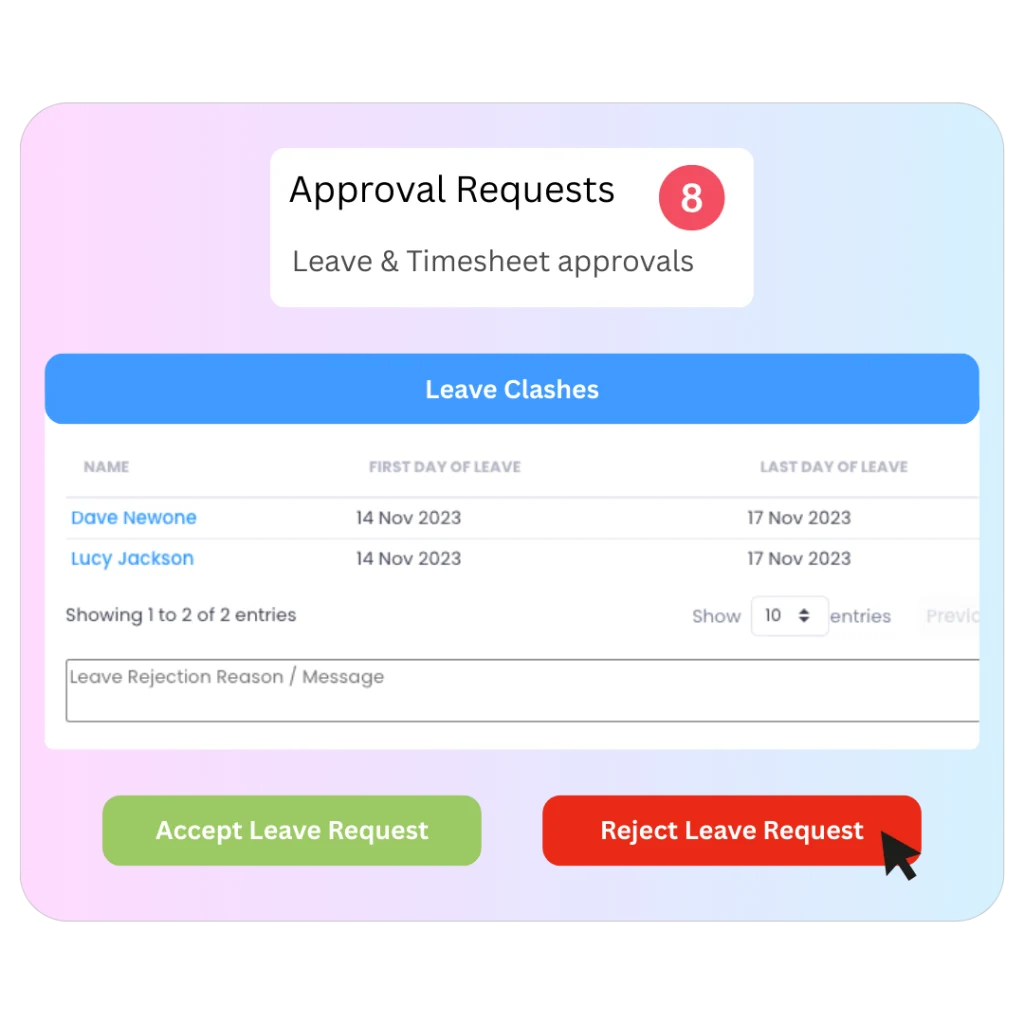
Leave requests flow through approvals, with the system highlighting people booked off on the same dates to help spot clashes. Set restrictions for departments, roles, or sites.
- Approval requests show key leave info and entitlement impact
- System highlights overlapping leave to flag potential clashes
- Set restrictions by role or site with manager overrides
Give managers access without giving away the keys.
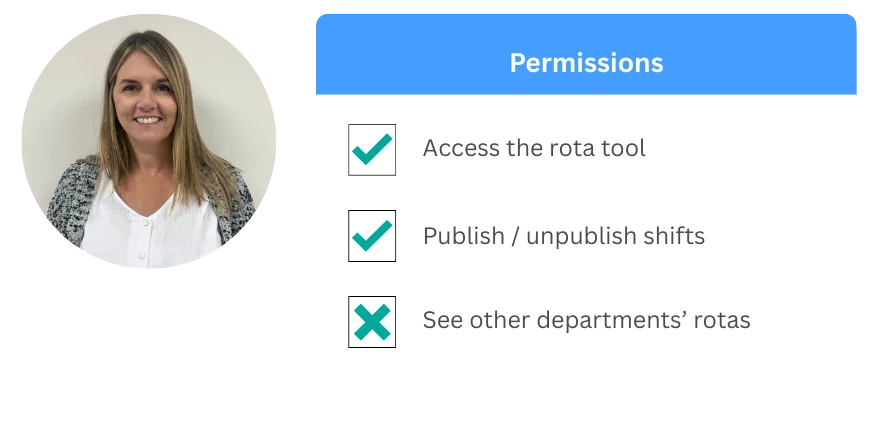
Use central permissions to control exactly what people can see and do.
Restrict views to direct reports and toggle tab visibility.
- Central permissions area
- Custom user groups
- Visible vs. read-only tabs
ROTA SOFTWARE FAQS
WHAT MAKES EVALU-8 GOOD ROTA SOFTWARE FOR ROTATING SHIFTS?
You can build rotating working patterns by combining multiple weeks into one pattern that automatically cycles week-by-week, then assign it directly to the employee for seamless scheduling.
CAN I APPLY FATIGUE OR REST RULES LIKE TIME AND A HALF OR DOUBLE TIME?
Overtime rates can be set as multipliers or fixed monetary values. You can also build granular overtime rule sets based on specific time frames or daily/weekly thresholds.
HOW DO YOU HANDLE OVERTIME RULES LIKE TIME AND A HALF OR DOUBLE TIME?
Yes. Approval requests provide a snapshot of existing leave, and the system automatically highlights other team members off on the same dates so managers can spot potential clashes instantly.
CAN STAFF CLOCK IN AND OUT USING QR CODES?
Yes. Clocking can be handled securely via QR codes generated in the mobile app, providing a contactless and verified way to track attendance on-site.
CAN MANAGERS APPROVE LEAVE AND SEE CLASHES BEFORE APPROVING?
Yes. Approval requests provide a snapshot of existing leave, and the system automatically highlights other team members off on the same dates so managers can spot potential clashes instantly.