
Hire the person. Don’t rebuild their record on day one.
Create the vacancy and application, keep candidates moving through one visible hiring process, bring interview notes, documents and messages into the applicant record, then hand the successful candidate into the HR process they become part of.
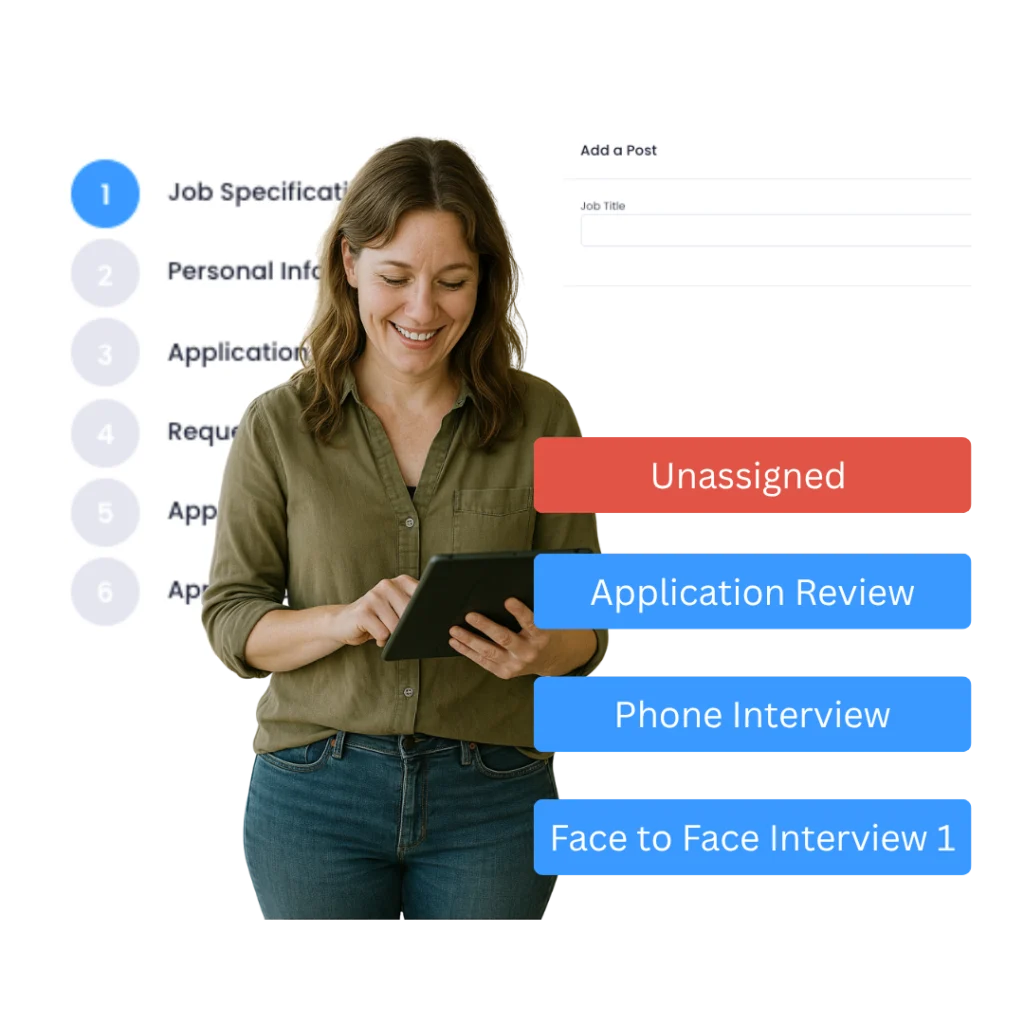
Evalu-8’s training and onboarding tools made our new hires productive from day one. Everything is clear, tracked, and so much easier to manage.”
From vacancy to new starter
Keep the hiring process visible without turning recruitment into a second HR system.
The useful part is not having an ATS logo in the feature list. It is being able to see who applied, what happened next, what the hiring manager said, and what needs carrying forward when the person becomes an employee.
Build the application around the role you are actually recruiting for.
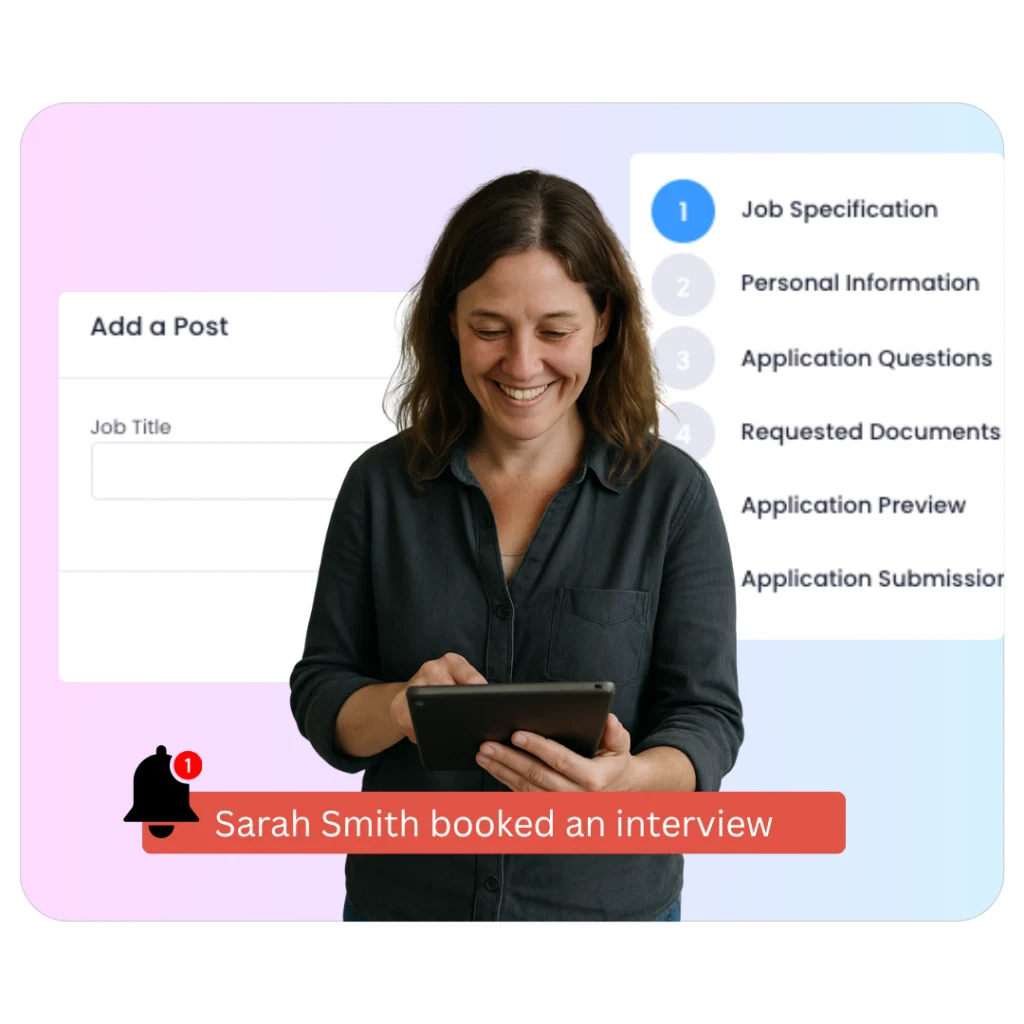
Create the vacancy, add the job information and questions you need, allow applicants to upload supporting documents, and use the generated application link wherever you advertise the role.
- Customise the application by vacancy.
- Collect CVs and other applicant documents.
- Use the application link on your website, job advert or recruitment campaign.
Know exactly where every candidate is without asking HR for an update.
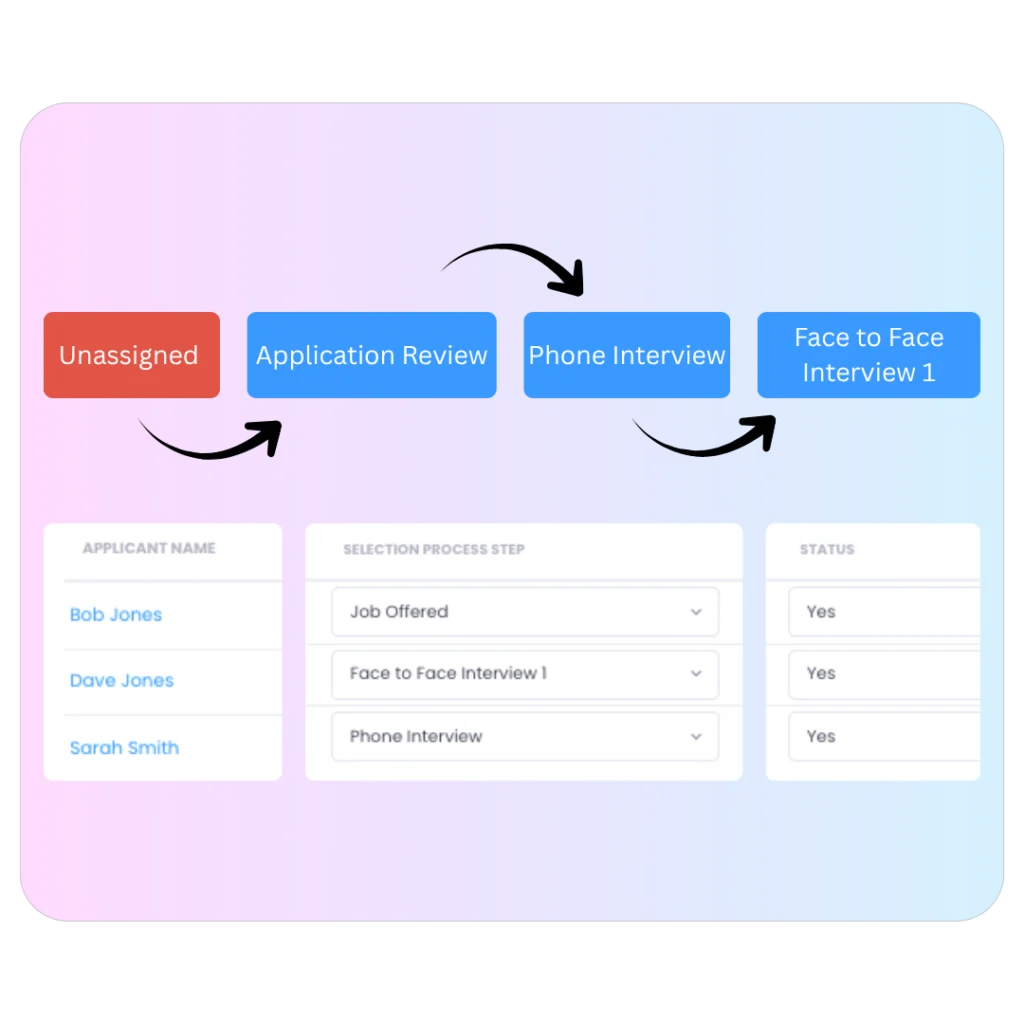
Move applicants between your recruitment stages, keep the application and previous activity attached to the candidate, and give hiring managers a current view of the role.
- Visual pipeline by recruitment stage.
- Drag and drop candidates as decisions are made.
- Bulk actions for busy recruitment periods.
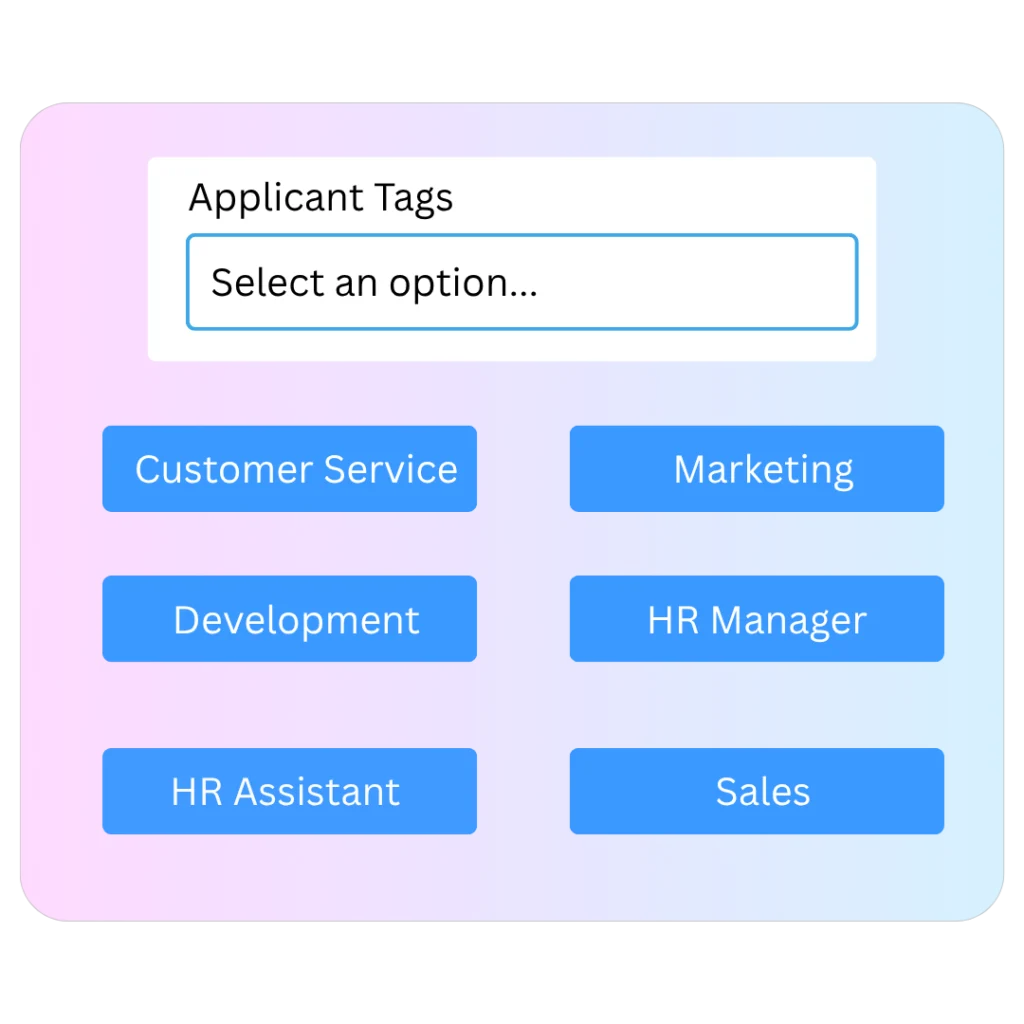
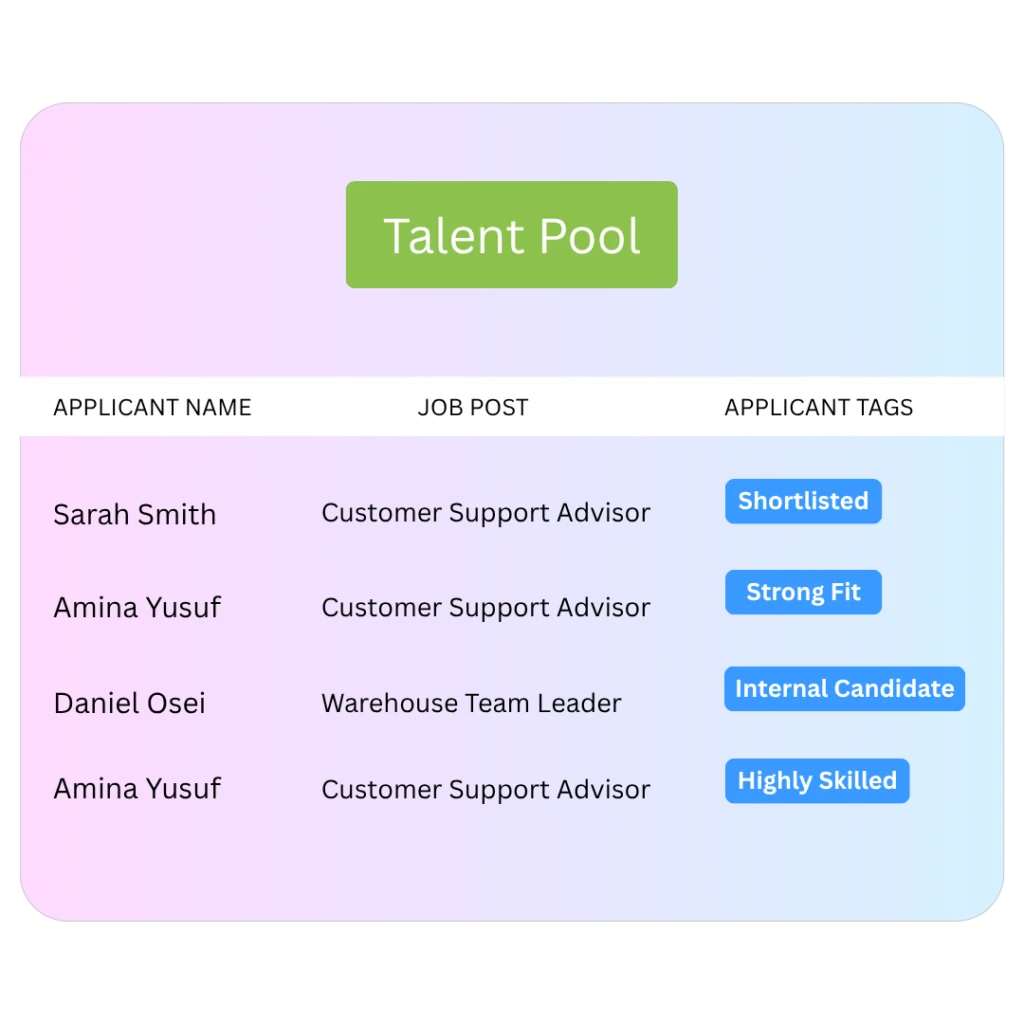
Tag applicants using criteria that matter to your organisation, filter current and past candidates, and save strong applicants into a talent pool for future roles.
- Use tags such as skills, licences, location, availability, or other role criteria.
- Combine tags to narrow a shortlist.
- Retain suitable previous applicants in a searchable talent pool.
Keep the message beside the candidate instead of searching somebody’s mailbox.
Send candidate emails using templates and placeholders, retain replies inside the applicant record, and use masked email handling so recruitment communication stays inside the process.
- Email templates with auto-filled fields.
- Replies retained as an in-app thread.
- Hiring history stays visible to authorised users.
Let the candidate book the slot. Keep the hiring decision in the record.
Publish available interview times for candidates to choose from, then keep interviewer notes and comments against the applicant so the next decision has context.
- Offer defined interview days and time slots.
- Log the confirmed booking against the applicant.
- Keep interviewer comments visible to the hiring team.
Keep the offer decision attached to the candidate journey.
When you have chosen the candidate, issue the job offer from the recruitment process rather than starting a separate email trail that HR later has to reconstruct.
- Send the offer from the applicant record.
- Keep the candidate status clear to HR and the hiring manager.
- Retain the recruitment history before the handover to HR.
The person has already given you information. Don’t make HR start from zero.
Move the successful candidate into the employee process so recruitment can connect to the HR record, documents, training, working pattern or rota, and the onboarding workflows that follow.
- Carry the successful hire into the central employee lifecycle.
- Issue employment documents and track acknowledgement or signature where used.
- Connect role-specific training, rota or working pattern, and later probation workflow.
Four questions worth answering first
Before you compare ATS platforms, decide where you want recruitment to end.
If the answer is “when the candidate accepts”, you are choosing a recruitment tool. If the answer is “when the new starter is properly set up”, you need to inspect the handover into HR as well.
What is applicant tracking software
An ATS keeps vacancies, applicants, stages, communications and interview activity in one recruitment process. It replaces the spreadsheet-and-inbox version of “where is this candidate up to?”
What is recruitment and onboarding software?
It connects the candidate process with what happens after the hiring decision. The useful test is whether the successful applicant can become an employee without HR rebuilding their record and manually restarting every document, training and manager action.
What makes Evalu-8 different from a standalone ATS?
The recruitment record sits inside a wider HR system. The successful hire can continue into employee records, documents, training, rota or working patterns, attendance and probation rather than becoming another export between systems.
Who is Evalu-8 Recruitment best suited to?
UK employers that want recruitment administration connected to day-to-day HR and workforce operations. It is particularly relevant when hiring managers, onboarding, training, documents, rotas or multi-site teams are part of the same problem.
One candidate record
Stop hiring out of an inbox.
The CV is attached to one email, the interview notes are in somebody’s notebook and the hiring manager’s decision is buried in Teams. By offer stage, HR is reconstructing what happened.
Keep the application, uploaded documents, pipeline stage, comments, communications and interview activity against the same applicant.
- Click into the candidate and see their application, documents and previous activity.
- Keep hiring-manager comments beside the record they relate to.
- Move the candidate through a shared pipeline rather than maintaining a private spreadsheet.
Hiring-manager collaboration
Feedback belongs against the candidate, not in a side conversation.
The hiring manager should not have to ask HR for the CV, email back their notes, and then wonder whether somebody has changed the candidate’s stage.
Keep comments, candidate documents, messages, and interview status visible to the people involved in the decision, with permission controls around who can edit or view the record.
- Keep interviewer comments and candidate context together.
- Use blind-screening options where you want to reduce some identifying information during early review.
- Keep the candidate’s communication history visible inside the process.
Searchable talent
Your talent pool should be searchable, not a folder of old CVs.
A strong applicant can miss one vacancy because of timing, location, or another candidate. That should not make them invisible the next time a similar role opens.
Use tags and talent pools to organise candidates around the criteria your team actually recruits for, then search the existing database before starting every role from scratch.
- Tag by skills, licences, availability, location or other relevant criteria.
- Combine criteria to narrow down a future shortlist.
- Keep good previous applicants available for later vacancies.
From vacancy to employee
The hiring decision should be a handover, not a restart.
Recruitment and onboarding are different processes, but the person should not disappear between them.
What are we hiring for?
Create the vacancy and application questions, then use the application link wherever the role is advertised.
Who should move forward?
Use the application, documents, tags and hiring-manager feedback to make the next decision.
What did we learn?
Book the conversation and keep the resulting notes and communication against the applicant.
Who are we hiring?
Issue the offer and retain the final candidate status before the HR handover.
What must happen before they are settled in?
Move into the employee record, documents, training, work pattern and manager workflows that follow.
Evalu-8 point of view
Three things recruitment software should not blur together.
These are useful tests for Evalu-8 and for any ATS you put on the shortlist.
A pipeline stage is not the hiring decision.
Moving somebody to “Interview” tells the team where they are. The application, feedback, messages, and notes explain why they moved. Good recruitment software should preserve both.
Recruitment and onboarding are one handover, not one giant form.
Candidate information gets you to a hiring decision. Employee documents, training, working arrangements and probation take over after that. The useful connection is continuity without confusing the two records.
A tag can organise evidence. It cannot replace the check.
Skills, licences, availability, and right-to-work status can help filter candidates. Where a legal or competence check is required, the employer still needs to carry out and evidence the real process.
Applicant-to-employee handover
The person has accepted. HR should not have to type them in again.
The recruitment record already contains information about the successful candidate and the role. The next job is to move into the employment process without creating a disconnected second version of that person.
Use the successful hire as the starting point for the employee record, then continue with the documents, training, working pattern or rota and probation actions relevant to that role.
- Carry the hire into the central employee lifecycle.
- Issue contracts, policies or other employment documents using the connected document tools.
- Assign role training and set up working arrangements before later attendance and probation workflows begin.
See it in action
See recruitment through the moments HR and hiring managers actually deal with.
Three short scenarios that show the route from first application to the employee process.
A candidate applies from the vacancy link
Show the role-specific application, CV upload and the candidate appearing in the correct vacancy pipeline.
The hiring manager reviews and interviews the candidate
What the clip shows.
The successful applicant becomes a new starter
Move from the final hiring stage into the employee record, documents, training and working arrangements that onboarding needs.
Recruitment jobs your team actually runs
One ATS, different hiring pressures.
High-volume operational hiring
- Several applicants per vacancy
- Availability and licence tags
- Bulk candidate actions
- Fast hiring-manager visibility
Graduate & professional hiring
- Structured application questions
- Multi-person feedback
- Interview scheduling
- Offer-to-onboarding handover
Recurring hard-to-fill roles
- Structured application questions
- Multi-person feedback
- Interview scheduling
- Offer-to-onboarding handover
Recruitment & onboarding by workforce
The hiring process should reflect the job people are joining.
The recruitment stages can stay consistent while the information, onboarding, and handover change with the workforce.
Manufacturing & engineering
Hiring does not finish when the supervisor says yes. The new starter may need role-specific training, documents, and a shift pattern before they are ready for normal work.
Common pressure points
- Skills and licence information matters during shortlisting
- Hiring managers and HR work from different email chains
- Training and shift setup begins only after the person starts
What changes with Evalu-8
Use role-specific applications and tags during recruitment, then move the successful person into employee documents, role training, and the working pattern or rota that follows.
Best-fit capabilities
- Skills tags
- Manager feedback
- Documents
- Training
- Rota handover
Logistics & warehousing
Recruitment volume, seasonal peaks and shift availability make candidate administration part of the operational staffing problem.
Common pressure points
- Large applicant volumes during peak periods
- Availability and licence requirements matter to the shortlist
- New starters need to enter rota, training, and attendance quickly
What changes with Evalu-8
Filter applicants using the criteria that matter to the role, keep hiring stages visible, and connect the hire into employee training, rota, and attendance rather than maintaining a separate recruitment database.
Best-fit capabilities
- Bulk actions
- Availability tags
- Talent pool
- Training
- Rota
Local managers need to participate in hiring while HR keeps a consistent candidate and new-starter process across services.
Local managers need to participate in hiring while HR keeps a consistent candidate and new-starter process across services.
Common pressure points
- Several managers recruit into different services
- Supporting documents and role requirements vary
- Mandatory training and onboarding need clear ownership after hire
What changes with Evalu-8
Keep vacancy stages and manager feedback consistent, then move the hire into the employee record, required documents, training, and local work pattern.
Best-fit capabilities
- Manager collaboration
- Documents
- Candidate history
- Training
- Onboarding workflows
Professional services
Graduate intake, specialist hiring, and growing teams create pressure around interviewer feedback, document control, hybrid onboarding, and probation.
Common pressure points
- Several interviewers leave feedback in different places
- Candidate communication sits in personal inboxes
- Contracts and onboarding tasks start as a separate HR process
What changes with Evalu-8
Keep the candidate’s application, messages, interview bookings, and comments together, then continue into signed documents, role training, and probation after the offer.
Best-fit capabilities
- Interview booking
- Comments
- Masked email
- Documents & e-sign
- Probation workflow
Charities & hospices
Small HR teams often support very different roles, services, and managers while still needing a consistent trail from applicant to starter.
Common pressure points
- Managers recruit locally using different processes
- Candidate documents and communications are hard to centralise
- New-starter actions depend heavily on HR remembering each step
What changes with Evalu-8
Use one recruitment process across varied employee roles, then connect successful hires to the documents, training, and manager actions required by the service they join.
Best-fit capabilities
- Custom applications
- Hiring-manager visibility
- Documents
- Training
- Workflows
Multi-site employers
Regional and site managers can recruit into the same organisation without HR losing sight of vacancy status, applicant history, or new-starter actions.
Common pressure points
- Different sites advertise and shortlist in different ways
- HR is repeatedly asked where each role is up to
- Onboarding quality depends on the local manager
What changes with Evalu-8
Standardise the parts of recruitment that should be consistent, give hiring managers the candidate context they need, and keep the new employee in the same HR environment after hire.
Best-fit capabilities
- Vacancy pipeline
- Manager visibility
- Talent pool
- Employee handover
- Central HR record
Recruitment visibility
Answer “where are we up to?” without opening five vacancies and three inboxes.
The recruitment view should make the next decision obvious: which candidates are new, which need feedback, which interviews are booked, which offers are open, and which hires now need onboarding.
- See candidate counts and stages by vacancy.
- Open the candidate record for the application, notes, documents and communication history.
- Use tags and talent pools to make past candidates findable.
- Give hiring managers current context without HR manually sending updates.
Connected Evalu-8 HR
The strongest part of recruitment is what the successful hire connects to next.
A standalone ATS can get you to “Hired”. Evalu-8 becomes more useful when that person then moves into the same employee, document, training, rota, and manager processes your organisation already runs.
Employee record
Continue the person into the central employment record after the hiring decision.
Documents & e-sign
Issue contracts, policies, and starter documents with acknowledgement or signature tracking.
Training
Assign role-specific induction and training requirements.
Rota / working pattern
Set up how the new starter is expected to work.
Time & Attendance
Move from planned work into actual attendance once employment starts.
Forms & workflows
Control onboarding, probation, and later manager actions without restarting the process in email.
Recruitment controls
Useful recruitment data still needs a real hiring process around it.
Tags, blind-screening options, and digital records can make recruitment easier to organise. They do not turn software into a legal or professional judgement engine.
- UK employers must carry out the prescribed right-to-work check before employing somebody. Evalu-8 can help keep candidate information organised, but the employer remains responsible for completing and evidencing the required check.
- Recruitment involves personal data from applicants, referees and other people. Your organisation still needs appropriate access, retention and deletion rules around that information.
Additional recruitment features
The details that stop recruitment falling back into email.
Custom applications
Ask different questions for different vacancies instead of sending every candidate through one generic form.
Document uploads
Keep CVs and supporting candidate files against the application they belong to.
Drag & drop stages
Move candidates through the visible hiring pipeline as decisions are made.
Bulk actions
Update or communicate with several candidates during high-volume recruitment periods.
Blind screening
Use screening options to reduce selected identifying information during early review where appropriate.
Masked email threads
Keep candidate replies inside the applicant history without relying on personal addresses and inbox searches.
Interview booking
Publish available slots and let candidates select a suitable interview time.
Talent pools
Retain strong applicants and make them searchable when a future vacancy opens.
The questions buyers ask when recruitment has outgrown spreadsheets and inboxes.
What is applicant tracking software?
Applicant tracking software keeps vacancies, applications, candidate records, hiring stages, communications, and interview activity in one recruitment workflow so HR and hiring managers can see what is happening without running the process from inboxes and spreadsheets.
Can Evalu-8 create a job application for each vacancy?
Yes. You can create vacancy information and a role-specific application, allow applicants to upload documents and use the generated application link wherever you advertise the role.
Does Evalu-8 post jobs directly to Indeed and other job boards?
Evalu-8 generates an application link that can be used on your website, job adverts and external recruitment channels. Any specific direct publishing or job-board integration should be confirmed for the channel you intend to use rather than assumed from the application-link workflow.
Can hiring managers leave interview feedback in Evalu-8?
Yes. Candidate comments and collaboration can be retained against the applicant record so the hiring team can see feedback alongside the application, documents, and recruitment stage.
Can candidates book their own interview slot?
Yes. Hiring teams can publish available interview days and times for candidates to choose from, with the confirmed booking retained against the applicant.
Can we search previous applicants by skills, licences or availability?
Yes. Candidate tags and talent pools can be used to organise and search current or previous applicants using criteria relevant to your organisation.
Can Evalu-8 turn a successful applicant into an employee record?
Evalu-8 is designed to hand a successful candidate into the employee process so recruitment can connect to the HR record, employment documents, training, rota or working pattern and later manager workflows.
Does a right-to-work tag complete the legal right-to-work check?
No. A tag can help organise recruitment information, but employers remain responsible for carrying out the prescribed right-to-work check required by UK guidance before employment starts.
Does blind screening make recruitment unbiased?
No. Blind-screening options can reduce selected identifying information during part of the review process, but fair hiring still depends on the criteria, decisions, and behaviour used throughout recruitment.
What should happen after the candidate accepts the offer?
The recruitment record should hand into the employee process. In Evalu-8 that can mean continuing into the employee profile, contracts and policies, training requirements, working pattern or rota and later onboarding or probation workflows rather than maintaining a separate candidate system.