

When a rota looks finished but isn’t
One of the most frustrating parts of rota planning is that a schedule can look complete long before it actually is.
Every shift may appear to have a name beside it. The week may look covered at a glance. But that does not always mean the rota is ready to publish.
In hospices, where staffing is often tight and care needs are constant, small omissions matter. A missed shift, an overlooked leave request or a staff member left under-scheduled can create problems quickly. That is why “finished” needs to mean more than visually full.
A finished rota is one that has been checked properly from more than one angle.
Why hospice rotas are easy to miss things on
Hospice scheduling is rarely just about filling empty spaces.
Managers are usually balancing clinical cover, day and night staffing, contracted hours, leave, sickness, flexible working and fairness across the team. Even with experience, that is a lot to hold in your head at once.
This is why mistakes often happen in the final stage, not the first. The rota gets close to complete, a few changes are made, one more adjustment is squeezed in, and then something subtle gets missed.
Typical examples include:
- a team member left without enough shifts
- a shift that still does not have the right role mix
- booked leave not reflected in the final rota
- hours that no longer align with the original plan
The issue is usually not effort. It is visibility.
The three checks that tell you if a rota is really done
Before a hospice rota is published, it helps to stop looking at it as one big schedule and instead review it in three separate ways.
1. Check the rota by shift
Start with the operational view. Look at each shift and ask whether the required coverage is actually there. This is not just about whether a shift has names on it. It is about whether the right number of people, and the right types of roles, are in place for safe care. A rota is not complete if the shift is technically filled but the coverage is wrong.
2. Check the rota by person
Next, switch perspective. Instead of asking “are the shifts covered?”, ask “what does this rota look like for each individual staff member?” This often reveals missing hours, uneven distribution or assignments that do not make sense once viewed through one person’s rota cycle. This is where under-scheduling, over-scheduling and fairness issues are often spotted.
3. Check the rota against leave and availability
Finally, confirm that the rota reflects reality. Annual leave, sickness, unavailable days and agreed flexibility arrangements all need to be reflected in the final version. If those details sit outside the rota in separate files or notes, it becomes much easier to publish something that looks finished but is not. A rota is only truly done when all three checks align.
Why spreadsheets make this harder than it should be
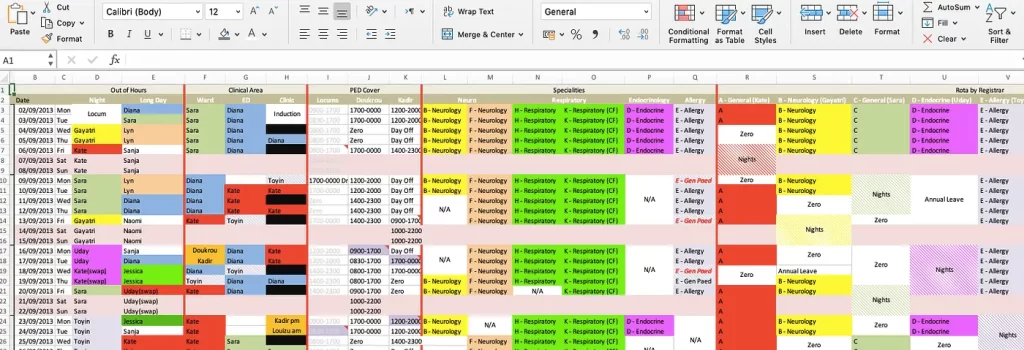
Spreadsheets can help managers get a rota started, but they are far less helpful when it comes to knowing the rota is genuinely complete.
That is because the final checking process usually relies on cross-referencing. Managers may need to compare one spreadsheet against another, check a leave tracker separately, then manually total someone’s hours to make sure nothing has drifted.
The more times the rota changes, the more fragile that process becomes.
This is one reason many hospice teams reach the point where building the rota is not the hardest part anymore. Trusting it is.
What rota management software changes
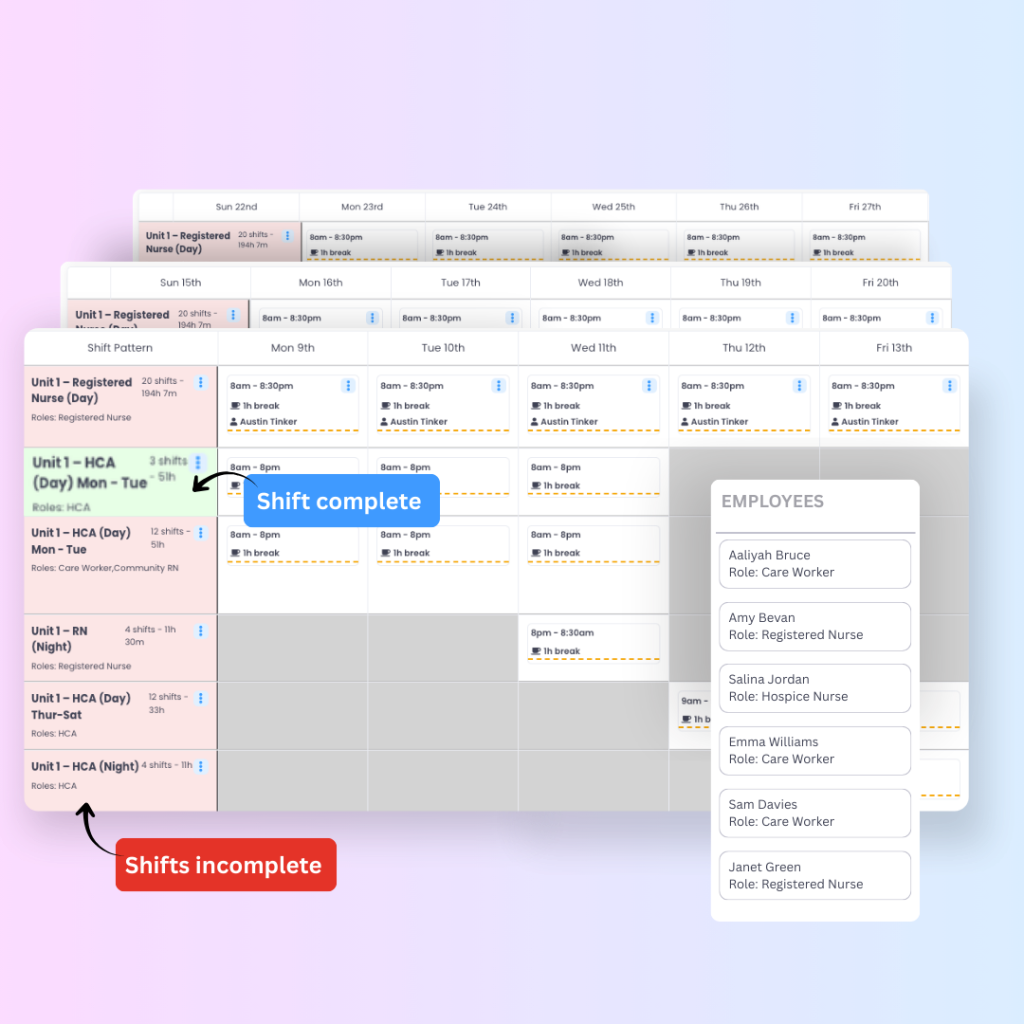
The value of rota management software is not only in creating schedules. It is in making those schedules easier to verify before they go live.
When scheduling, contracts, leave and staff availability are connected in one place, managers do not need to rely on memory or scattered notes to confirm the rota is complete. They can review the schedule with the context already visible.
That changes the final stage of planning from “I think this is done” to “I can see this is done”.
For hospices, that kind of confidence matters. It reduces last-minute corrections and helps managers publish schedules knowing fewer surprises are waiting on the other side.
How Evalu-8 HR helps hospice managers finish rotas with confidence
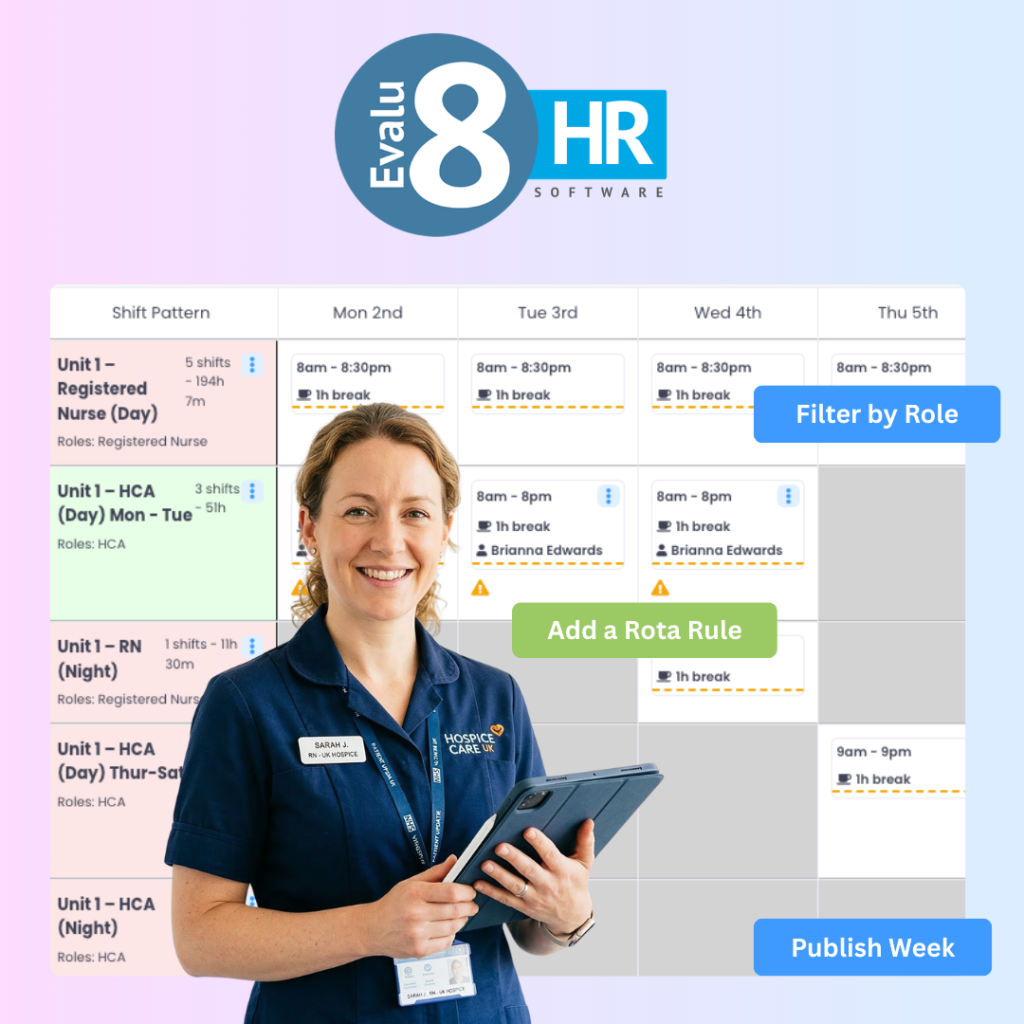
Evalu-8 HR includes rota management software for hospices designed to make the final checking process much clearer.
Instead of reviewing shifts, leave and staff hours across separate places, managers can assess the rota in one connected view. One of the practical advantages of Evalu-8 HR is that it makes rota completion more visible. Features such as colour changes on the rota help managers quickly see when a shift is fully covered, reducing the chance of overlooked gaps and making the final review process faster and more reliable.
For hospice teams, Evalu-8 HR helps managers:
Check coverage before the rota goes live
See whether shifts are fully covered by the right roles, rather than only spotting gaps once the rota is already in circulation.
Review rotas by employee, not just by shift
Quickly identify whether someone has been missed, under-scheduled or given an unbalanced pattern across the rota cycle.
Keep leave and availability tied to the rota
Because absence and availability connect directly to scheduling, it is easier to see when the rota still conflicts with booked time off or other limits.
Reduce end-of-process uncertainty
Instead of relying on manual checking and guesswork, managers can review the rota with much clearer visibility before publishing it.
Move away from fragile spreadsheet checks
Bring the key parts of rota planning into one system, making it easier to know when the schedule is genuinely complete.
The benefit is not just speed. It is certainty.
Want to see how rota management software supports structured scheduling
Visit our rota management software for hospices page.
The difference between a built rota and a finished rota
This is where many teams get caught out.
A built rota is one that has been assembled.
A finished rota is one that has been reviewed properly.
That difference matters. In hospice settings, the rota is not simply an admin document. It is the foundation for safe staffing, fair workload distribution and smoother day-to-day care delivery. The more reliable the final checking process becomes, the more reliable the rota itself becomes.
Summary
Knowing a hospice rota is finished is not about whether every box appears filled at a glance. It is about whether the rota has been checked by shift, by person and against real staff availability. That is where missed details usually show themselves.
For hospice managers, rota management software for hospices helps bring those checks into one place, making it easier to confirm coverage, balance hours and publish the rota with confidence. Sometimes the most important part of rota planning is not building the schedule. It is knowing it is ready.
FAQs
A hospice rota is complete when shifts have the right coverage, staff hours are balanced appropriately and leave or availability issues have been reflected before publishing.
One of the most common mistakes is assuming a rota is finished because every shift has a name on it, without checking role mix, leave conflicts or individual staff hours.
The final check helps catch small problems before the rota goes live, reducing last-minute gaps, unfair scheduling and avoidable rework.
Yes. Rota management software helps managers review coverage, availability and staff hours in one place, making it easier to confirm the rota is complete before publishing.