The best audit and inspection software for UK warehousing and logistics operations should do more than replace paper checklists.
It should help teams schedule recurring inspections across warehouses, depots, yards, loading areas and equipment, make checks easy to complete on the frontline and ensure failed items result in properly managed corrective action.
The five strongest options considered in this comparison are Evalu-8 EHS, GoAudits, SafetyCulture, Notify and Lumiform.
Based on the criteria used in this comparison, Evalu-8 EHS is the strongest overall fit for multi-site operators that want warehouse, depot and equipment inspections connected with corrective actions and wider EHS records. GoAudits is a strong standalone inspection platform with transparent pricing, while SafetyCulture is particularly suited to rapid mobile adoption. Notify connects inspections with wider safety and incident-management processes, and Lumiform is a credible option for QR-led fleet and equipment inspections.
The best warehouse and logistics inspection software at a glance
| Platform | Best suited to | Logistics-specific strength | Main consideration | Public pricing |
|---|---|---|---|---|
|
Evalu-8 EHS Best overall |
Multi-site operators wanting inspections connected with wider EHS management | Warehouse, depot, loading-bay and equipment checks linked with corrective actions, incidents and equipment records | Broader implementation than a simple checklist app | Tailored quotation |
| GoAudits | Teams wanting a focused standalone inspection application | Strong logistics inspection coverage, offline completion and clear entry pricing | Wider EHS processes may remain in separate systems | From $10 per user per month, billed annually |
| SafetyCulture | Logistics operations prioritising frontline mobile adoption | Mobile inspections, templates, issue reporting and operational visibility | Licence types and full-seat requirements need careful planning | Premium from $24 per full seat per month, billed annually |
| Notify | Safety-led organisations connecting audits, actions and incidents | UK safety platform with mobile and offline inspection completion | Pricing and contract structure require a tailored quote | Tailored quotation |
| Lumiform | QR-led fleet, vehicle, equipment and location checks | Conditional forms, QR identification, offline completion and automated follow-up | Wider EHS depth and final pricing require confirmation | Tailored quotation |
Why warehousing and logistics inspections are different
Warehousing and logistics operations bring together people, workplace vehicles, storage systems, visiting drivers, contractors, loading equipment and goods moving through the same environment.
A typical inspection programme could include:
- Warehouse safety inspections.
- Depot walk-throughs.
- Yard and workplace-transport checks.
- Loading-bay inspections.
- Pallet-racking inspections.
- Forklift and material-handling equipment checks.
- Vehicle and trailer-condition checks.
- Fire and emergency inspections.
- Daily housekeeping checks.
- Manual-handling inspections.
- Battery-charging-area checks.
- Spill-control and environmental inspections.
- Contractor and visiting-driver checks.
HSE’s warehousing guidance identifies areas such as manual handling, mechanical handling, workplace transport and working at height as important warehouse risks. HSE also recommends assessing the site, the vehicles being used and the people working around them as connected parts of the same workplace-transport system.
This makes logistics inspections more complex than simply placing an existing paper form onto a tablet.
People and vehicles operate in the same space
Warehouse yards, loading areas and distribution centres often contain:
- Forklifts.
- HGVs.
- Vans.
- Shunters.
- Pedestrians.
- Visiting drivers.
- Contractors.
- Loading and unloading teams.
HSE describes separating pedestrians from vehicle activity as the most effective way to protect people. Its workplace-transport checklist covers traffic routes, pedestrian controls, vehicle suitability, loading operations and other site-safety considerations.
Inspection software should therefore help teams inspect the whole operating environment, not only individual vehicles.
Checks take place at different frequencies
A logistics inspection programme may include:
- A forklift pre-use check before each shift.
- A daily warehouse housekeeping inspection.
- A weekly racking observation.
- A scheduled loading-bay inspection.
- A monthly depot audit.
- A formal group-level EHS audit.
- An additional inspection after an incident or operational change.
The platform needs to distinguish between these checks while still giving management one view of what is due, overdue and complete.
Many inspectors are deskless or occasional users
Warehouse supervisors, drivers, shift managers, engineers and operatives may only access safety software when they need to complete a check or respond to an action.
The system therefore needs to be straightforward on:
- Phones.
- Tablets.
- Shared devices.
- QR-accessed forms.
- Devices with poor connectivity.
A complicated desktop system may work well for the central safety team while creating poor adoption among the people expected to complete daily checks.
Connectivity cannot always be assumed
Inspections may be completed in:
- External yards.
- Large warehouse buildings.
- Cold-storage facilities.
- Plant rooms.
- Remote depots.
- Inside trailers.
- Areas with weak wireless coverage.
Offline completion should therefore be treated as an important operational requirement rather than a minor feature.
Failed checks can require immediate controls
A warehouse inspection might identify:
- Damaged pallet racking.
- A leaking forklift.
- A defective dock leveller.
- A blocked fire exit.
- A damaged trailer floor.
- An unprotected loading-bay edge.
- Poor pedestrian segregation.
- A spill across a traffic route.
- Unsafe stacking.
- A missing equipment guard.
The inspector may need to record not only the defect but also the immediate action taken, such as:
- Isolating equipment.
- Closing a loading bay.
- Cordoning off an area.
- Stopping a vehicle from leaving.
- Removing stock from damaged racking.
- Notifying the warehouse manager.
HSE states that loading areas should provide adequate space and suitable controls for risks such as falls, poor visibility and interaction with other people and traffic.
The inspection is therefore not complete when the form is submitted. It is complete when the immediate controls and longer-term resolution can be evidenced.
What should logistics teams look for in audit and inspection software?
Configurable inspection templates
The platform should allow the organisation to create different templates for:
- Warehouses.
- Yards.
- Loading bays.
- Forklifts.
- Vehicles.
- Trailers.
- Racking.
- Fire safety.
- Housekeeping.
- Contractor areas.
Central health and safety teams should be able to control the essential questions while allowing individual depots to record local details.
Without that balance, each site may develop its own checklist and apply a different inspection standard.
Recurring schedules and reminders
The software should show:
- Which inspection is due.
- The correct site or asset.
- The person responsible.
- The required frequency.
- The completion status.
- Any missed or overdue checks.
- When the next inspection is required.
This is particularly important where several inspection frequencies operate at once.
A monthly safety audit should not obscure a missed daily forklift check, and a completed warehouse inspection should not be mistaken for a formal equipment examination.
Mobile and offline completion
A logistics inspection platform should allow users to:
- Open the correct form on a phone or tablet.
- Complete checks without a reliable connection.
- Take photographs.
- Annotate evidence.
- Add notes.
- Record measurements.
- Capture signatures.
- Submit the inspection from the work area.
- Synchronise the record when connectivity returns.
The supplier should demonstrate this process using an actual mobile device rather than relying only on screenshots.
QR access
QR codes can make frontline inspection access considerably easier.
A user could scan:
- A forklift.
- A loading bay.
- A trailer.
- A racking zone.
- A warehouse area.
- A piece of lifting equipment.
- An emergency station.
The scan should open the current approved inspection rather than requiring the user to search through a list of forms.
QR access can also reduce the risk of someone completing the wrong checklist or using an outdated paper version.
Conditional logic
A routine inspection should remain quick when everything is satisfactory.
When a question fails, the system should be able to request additional information such as:
- A photograph.
- The exact location.
- The equipment identifier.
- A description of the defect.
- The severity.
- The immediate control applied.
- Whether the equipment has been isolated.
- The person notified.
- The action required.
This allows the inspection to collect more evidence only when it is needed.
Critical-failure handling
An overall inspection score should not hide a serious failure.
A warehouse could score 96 per cent while still having:
- A damaged racking upright.
- A defective forklift brake.
- A blocked emergency exit.
- An unsafe loading-bay edge.
- A serious vehicle and pedestrian conflict.
The platform should therefore distinguish between:
- General scores.
- Minor observations.
- Major non-conformances.
- Safety-critical failures.
A critical response may need to trigger an immediate notification or action regardless of the total percentage score.
Corrective-action management
A failed question should be capable of creating a corrective action with:
- A named owner.
- A deadline.
- A priority.
- Supporting evidence.
- Status updates.
- Notifications.
- Escalation.
- Closure evidence.
- Verification where required.
The action should remain linked to the original inspection.
Otherwise, the organisation may simply replace a paper checklist with a digital form while continuing to manage the important follow-up work in a separate spreadsheet.
Equipment, asset and location histories
A logistics team may need to see all inspections associated with:
- A forklift.
- A trailer.
- A loading bay.
- A depot.
- A racking zone.
- A warehouse aisle.
- A dock leveller.
- A piece of MHE.
This is different from recording the asset number as plain text within a form.
A connected history can help management establish:
- Whether the same fault keeps returning.
- When the asset was last inspected.
- Which actions remain open.
- Whether repair evidence was provided.
- Whether the item was returned to service.
- Which incidents or near misses involve the same asset.
Multi-site dashboards
Group health and safety teams should be able to compare:
- Completion rates.
- Inspection scores.
- Overdue checks.
- Open findings.
- Action close-out.
- Recurring failures.
- Site performance.
- Equipment categories.
- Time periods.
Comparison only becomes meaningful when sites use consistent templates, scoring rules and definitions.
Wider EHS connections
Buyers should decide whether they need a dedicated inspection application or a wider EHS platform.
Inspection findings may need to connect with:
- Accident and incident reporting.
- Risk assessments.
- Equipment management.
- COSHH.
- Training and competence.
- Contractors.
- Documents.
- Central task management.
This is one of the main differences between digitising a checklist and managing the wider safety process around it.
Inspection software versus logistics-management software
Not every form of logistics software solves the same problem.
Warehouse inspection software
This normally focuses on:
- Safety inspections.
- Operational checks.
- Evidence capture.
- Defects and findings.
- Corrective actions.
- Inspection reports.
- Compliance records.
Warehouse management systems
A warehouse management system usually focuses on:
- Stock movements.
- Inventory.
- Picking.
- Packing.
- Put-away.
- Order fulfilment.
- Warehouse locations.
A WMS may contain operational checks, but it is not automatically a complete safety-inspection platform.
Transport management systems
A transport management system typically focuses on:
- Route planning.
- Loads.
- Dispatch.
- Deliveries.
- Hauliers.
- Transport costs.
- Scheduling.
It may contain vehicle information without offering the depth required for workplace safety audits and corrective actions.
Telematics and fleet platforms
Fleet and telematics systems may provide:
- Vehicle tracking.
- Driver behaviour.
- Fuel use.
- Mileage.
- Maintenance alerts.
- Tachograph data.
These can be important operational systems, but they should not be assumed to cover warehouse, loading-bay, racking and wider EHS inspections.
Specialist fleet-compliance software
A logistics operator may also need dedicated systems for:
- DVSA compliance.
- Operator-licence management.
- Maintenance planning.
- Driver hours.
- Defect reporting.
- Tachographs.
The products in this comparison can support inspections and records, but they should not automatically be treated as substitutes for every specialist transport-compliance system.
The five best audit and inspection platforms for UK warehousing and logistics
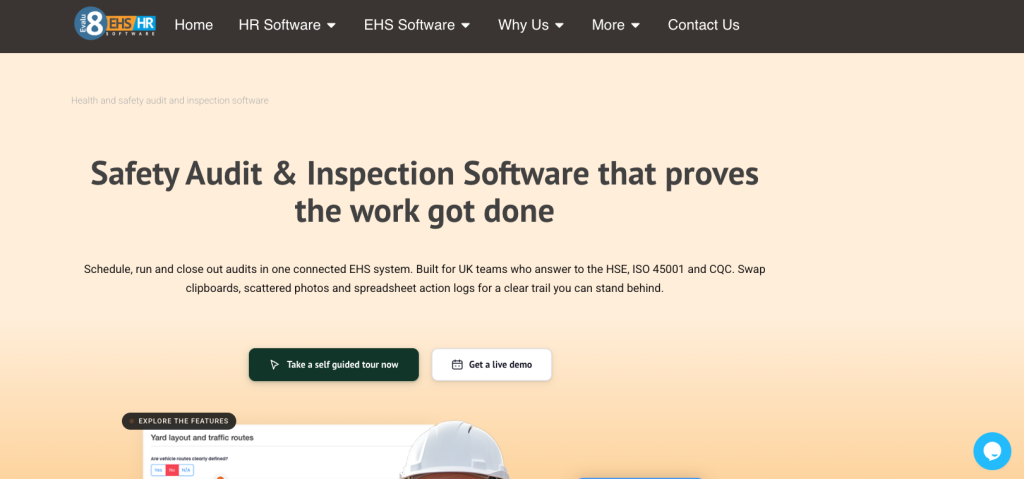
1. Evalu-8 EHS: best overall for connected logistics safety inspections
Evalu-8 EHS is the strongest overall option for logistics organisations that want inspections to form part of a wider, connected health and safety process.
The Audits & Inspections module supports structured checklists, conditional logic, rated and weighted scoring, photographs, video evidence, digital sign-off, offline completion, QR access and corrective-action creation.
Evalu-8 specifically identifies warehousing checks such as racking inspections, forklift and MHE pre-use checks, loading-bay safety checks, fire-safety checks, manual-handling checks and daily housekeeping audits.
Why Evalu-8 EHS fits warehousing and logistics
Evalu-8’s main advantage is the connection between:
- The scheduled inspection.
- The warehouse, depot, zone or asset.
- The failed question.
- The evidence.
- The corrective action.
- The responsible person.
- The completion record.
- Wider EHS information.
For example, a supervisor carrying out a weekly warehouse inspection could identify damaged pallet racking, take a photograph, record the precise aisle and bay and create an action for the warehouse manager directly from the finding.
The action can receive an owner, due date and evidence of completion while remaining linked to the original inspection. Evalu-8 also provides dashboards and reminders showing what is due, overdue and complete across sites, departments and assets.
Inspection creation and standardisation
Evalu-8 allows teams to:
- Build structured inspection checklists.
- Add guidance notes.
- Make fields mandatory.
- Request evidence.
- Use conditional questions.
- Apply rated and weighted scoring.
- Create one standard across multiple sites.
- Allow local teams to record site-specific information.
This is particularly useful for a group operating several warehouses or depots.
The central safety team can set the minimum inspection standard while each location records the relevant zone, asset and local finding.
Mobile, offline and QR access
Inspections can be completed on phones and tablets, including in poor-signal areas. Users can add photographs, videos and notes, collect digital sign-off and synchronise offline checks when connectivity returns.
QR codes can be attached to locations, zones, assets or equipment so the correct approved checklist opens when scanned.
In a logistics setting, QR access could be used for:
- Forklifts.
- Loading bays.
- Trailers.
- Warehouse zones.
- Racking areas.
- Battery-charging stations.
- Depot facilities.
Corrective-action close-out
Findings can be converted into corrective actions from within the inspection.
Each action can receive:
- An owner.
- A due date.
- Supporting evidence.
- Reminders.
- A completion record.
Evalu-8 retains reports, photographs, notes and sign-off as part of the same evidence trail.
This makes it suitable for organisations that currently complete inspections in one system and manage actions somewhere else.
Wider EHS integration
Evalu-8 is a broader EHS platform rather than an inspection-only application.
The wider system can also support:
- Accident and incident reporting.
- Risk assessments.
- COSHH.
- Equipment and asset management.
- Contractor management.
- Documents.
- Training and competence.
- Safety task management.
Its equipment module can be used to plan inspections and servicing, record faults and maintain service, calibration and certification histories with clear owners and due dates.
This becomes useful when a failed inspection should trigger activity beyond the original form.
A defective forklift, for example, may need:
- An equipment fault record.
- A corrective action.
- Maintenance evidence.
- A review of the relevant risk assessment.
- An incident investigation if the fault contributed to an event.
Best suited to
Evalu-8 EHS is best suited to:
- Multi-site warehousing and logistics groups.
- Organisations with several inspection types.
- Teams replacing forms and separate action spreadsheets.
- Businesses that want inspections connected with equipment and incidents.
- Central safety teams that need local completion and group oversight.
- UK organisations looking for a modular, wider EHS system.
Potential limitations
Evalu-8 may be more comprehensive than a small single-site warehouse needs if the only requirement is to digitise a few straightforward checks.
It also does not replace:
- A warehouse management system.
- A transport management system.
- A telematics platform.
- A route-planning product.
- A specialist DVSA or operator-licence system.
Pricing is tailored rather than available through a self-service checkout, so buyers need a quotation based on their licences and chosen modules.
Evalu-8 EHS pros
- Strong inspection-to-action workflow.
- Warehouse-specific inspection examples.
- Mobile and offline completion.
- QR access for assets and locations.
- Conditional logic and weighted scoring.
- Multi-site standardisation.
- Wider equipment, risk and incident connections.
- Complete finding and closure evidence trail.
Evalu-8 EHS cons
- Broader implementation than a basic checklist app.
- No simple public self-service price.
- May be more system than a very small warehouse needs.
- Does not replace specialist fleet, WMS or telematics software.
Evalu-8 EHS verdict
Evalu-8 EHS is the strongest overall option where the organisation needs to prove not only that inspections took place, but also that significant findings were assigned, controlled and closed properly across several logistics sites.
2. GoAudits: best standalone logistics inspection application
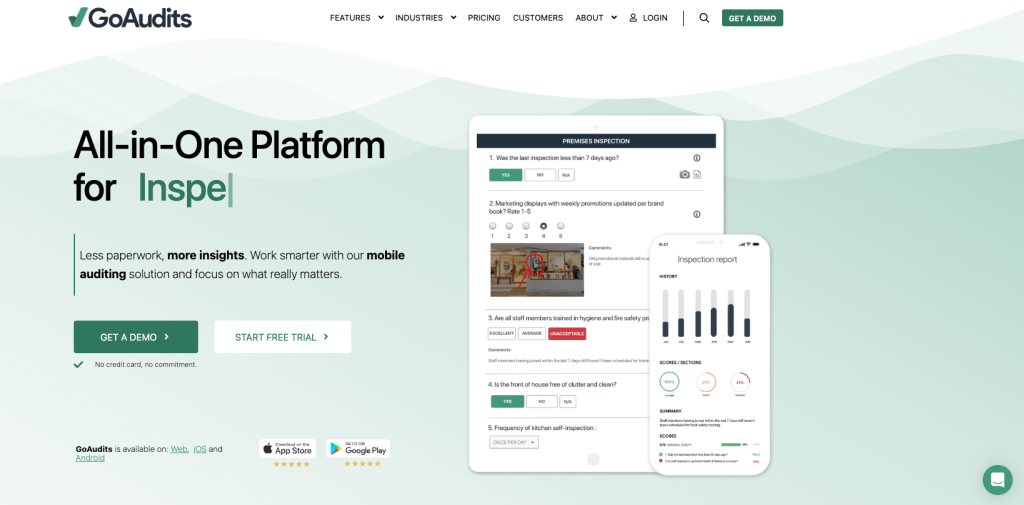
GoAudits is a focused audit and inspection platform with a dedicated transport and logistics proposition.
Its logistics coverage includes:
- Fleet and vehicle inspections.
- Warehouse walk-throughs.
- Depot checks.
- Yard inspections.
- Facility reviews.
- Departure and pre-operation checks.
- Operator assessments.
- Health and safety audits.
The platform supports mobile and offline completion, photographs, annotations, GPS information, electronic signatures, instant reports, dashboards and corrective-action tracking.
Why GoAudits fits logistics
GoAudits is particularly well suited to organisations whose main objective is replacing:
- Paper checklists.
- Spreadsheet inspection trackers.
- Manually compiled reports.
- Separate lists of corrective actions.
Its logistics product includes inspection examples for:
- Vehicles.
- Forklifts.
- Loading docks.
- Warehouses.
- Cold storage.
- Trucks.
- HSE audits.
GoAudits also provides a form builder and says customers can send existing checklists to be configured within the platform.
Mobile and offline inspections
The GoAudits mobile application works on phones and tablets and supports fully offline inspection completion.
Inspectors can capture:
- Photographs.
- Annotations.
- GPS data.
- Scores.
- Comments.
- Electronic signatures.
Completed inspections synchronise when connectivity returns.
This is useful for warehouse areas, external yards and remote depots where signal may be inconsistent.
Reports and corrective actions
GoAudits automatically generates reports containing inspection information, photographs, scores and comments.
Its dashboards can compare:
- Sites.
- Teams.
- Time periods.
- Scores.
- Open issues.
- Recurring failures.
Flagged findings can be converted into corrective actions with an owner and deadline, and closure can be evidenced with photographs and timestamps.
Pricing
GoAudits publishes two paid annual plans:
- Starter: $10 per user per month.
- Enterprise: $30 per user per month.
The Starter plan includes online and offline inspections, reports and action plans. The Enterprise plan adds functions including roles and permissions, scheduling, notifications, advanced reporting and advanced trends.
A 14-day trial is available, and the supplier states that the trial includes full Enterprise features.
Best suited to
GoAudits is best suited to:
- Small and mid-sized logistics operators.
- Organisations focused primarily on inspection digitisation.
- Teams requiring offline completion.
- Businesses wanting transparent entry pricing.
- Operators managing both vehicle and warehouse checks.
- Buyers that do not need a complete EHS platform.
Potential limitations
GoAudits is primarily positioned around audits, inspections and operational checks.
A logistics organisation may still require separate systems for:
- Risk assessments.
- COSHH.
- Incident investigations.
- Training records.
- Contractor management.
- Wider equipment management.
- Specialist transport compliance.
Scheduling and advanced reporting are also included in the higher-priced Enterprise plan rather than the entry plan.
GoAudits pros
- Strong transport and logistics inspection coverage.
- Transparent public pricing.
- Fully offline mobile completion.
- Vehicle, warehouse, yard and depot checks.
- Corrective-action tracking.
- Instant reports and cross-site dashboards.
- Free trial.
- Existing checklists can be configured.
GoAudits cons
- Wider EHS processes may remain separate.
- Scheduling and advanced analytics require the higher plan.
- Per-user costs need modelling for large frontline teams.
- Equipment-history depth should be tested during a demonstration.
GoAudits verdict
GoAudits is the strongest standalone inspection application in this comparison. It provides a focused route away from paper without requiring the organisation to implement a wider modular EHS system.
3. SafetyCulture: best for rapid mobile adoption
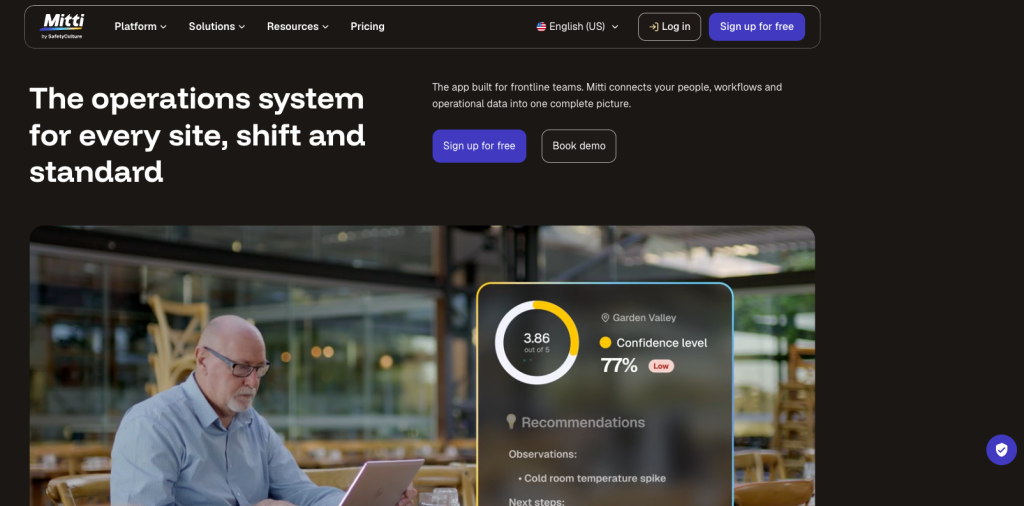
SafetyCulture is one of the best-known mobile inspection platforms and has a broad transport and logistics template ecosystem.
Its transport and logistics offering covers digital inspections and operational checks, including vehicle, driver, workplace, warehouse and safety-related templates. Its public library contains thousands of transport and logistics resources, including site, vehicle, loading-area, FLT, MHE and racking checks.
Why SafetyCulture fits logistics
SafetyCulture is particularly relevant where the organisation wants a large frontline workforce to complete mobile checks.
The platform can support:
- Digital inspection templates.
- Scheduled inspections.
- Photographs and attachments.
- Inspection reports.
- Issue reporting.
- Corrective actions.
- Operational analytics.
- Asset-related checks.
- Mobile access.
Its template ecosystem can provide useful starting points, although organisations should review any public template against their own operations, risks and legal responsibilities before adoption.
Mobile and offline inspections
SafetyCulture allows inspections to be stored on a mobile device so users can start, continue and complete them when internet access is limited or unstable.
This can be useful for:
- Remote yards.
- Vehicle cabs.
- Cold stores.
- Large warehouses.
- External loading areas.
Inspection reports can also be exported as PDF or Word documents, while bulk export options are available separately.
Licence structure
SafetyCulture offers different user types, including Full, Lite and Guest seats.
The available functions vary between those seat types, so logistics organisations should establish:
- Who needs to create templates.
- Who schedules inspections.
- Who completes frequent inspections.
- Who only needs occasional access.
- Who manages actions.
- Who requires reporting and administration.
This is especially important where a large number of warehouse supervisors, drivers and operatives could need access.
Pricing
SafetyCulture’s Premium Full seat is currently listed at $24 per user per month when billed annually.
A free plan is also available for small teams getting started with inspections and reports, although its features and active-template limits are more restricted than the paid plan.
Enterprise pricing is tailored.
Best suited to
SafetyCulture is best suited to:
- Mobile-first logistics operations.
- Large volumes of routine checks.
- Businesses wanting a broad template ecosystem.
- Teams combining safety, quality and operational inspections.
- Organisations focused on frontline engagement.
- Buyers willing to plan user types and permissions carefully.
Potential limitations
The licence structure requires careful modelling when many employees need more than occasional access.
Manufacturers and logistics teams should also confirm how SafetyCulture will connect with their existing:
- Risk assessments.
- COSHH processes.
- Incident investigations.
- Equipment records.
- Contractor management.
- Specialist fleet software.
A broad library of templates is useful, but it does not remove the need for competent internal review and operational configuration.
SafetyCulture pros
- Strong mobile inspection environment.
- Large transport and logistics template library.
- Offline inspection capability.
- Multiple seat types.
- Reports and operational analytics.
- Suitable for safety, quality and routine operational checks.
- Public Premium pricing.
SafetyCulture cons
- Costs require careful planning across seat types.
- A large frontline workforce may still create a significant licence requirement.
- Wider EHS records may remain in other systems.
- Generic public templates need internal review.
- Buyers should test the full inspection-to-action workflow using their own scenario.
SafetyCulture verdict
SafetyCulture is a strong option for logistics organisations prioritising rapid mobile adoption, a broad template ecosystem and large-scale frontline inspection activity.
4. Notify: best for inspections connected with incidents
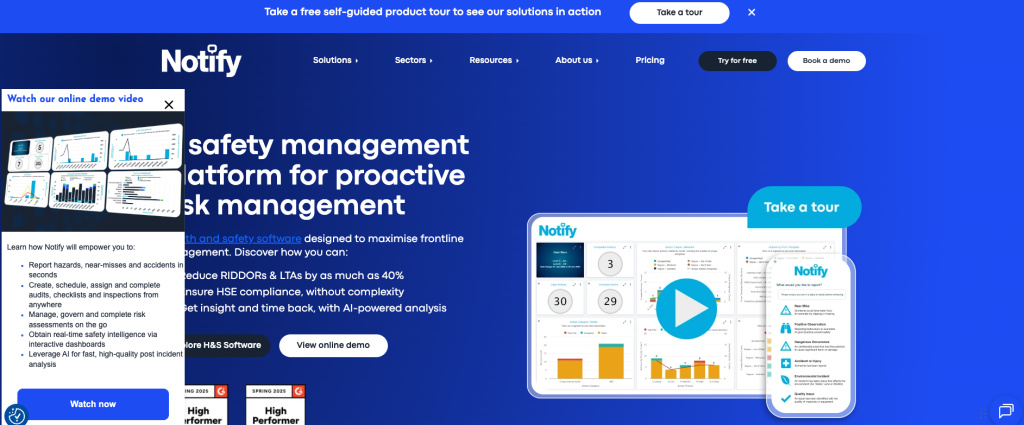
Notify is a UK health and safety platform offering modules for:
- Audits and inspections.
- Incident management.
- Action tracking.
- Risk assessments.
- Documents.
- Wider safety reporting.
Its transport and logistics proposition includes quality audits, safety and environmental inspections and vehicle checklists that can be completed using its mobile application, including when offline.
Why Notify fits logistics
Notify is a credible option where warehouse and depot inspections need to sit alongside incident and hazard reporting.
Its Audits & Inspections module supports:
- Customisable checklists.
- Recurring inspections.
- One-off checks.
- Mobile completion.
- Online and offline working.
- Findings.
- Corrective actions.
- Central records.
Notify also positions its platform around tracking findings to closure, assigning actions, setting deadlines and providing safety dashboards.
Logistics use cases
Potential logistics use cases include:
- Vehicle checklists.
- Depot inspections.
- Driver-safety checks.
- Loading-area inspections.
- Equipment pre-use checks.
- Warehouse safety audits.
- Environmental checks.
- Incident follow-up.
Notify specifically describes digital audits in transport and logistics as suitable for vehicle, depot, driver and loading-area checks.
Mobile and offline use
Notify says anyone in the organisation can use its audit-management software and mobile application to complete audits, inspections and checklists online or offline.
This is useful for operational environments where checks take place away from a desk or reliable connection.
Pricing
Notify does not publish one standard inspection price that applies to every organisation.
Its pricing depends on factors including:
- Modules selected.
- Management licences.
- Auditor numbers.
- Risk-assessor numbers.
Buyers therefore need a tailored quotation and should confirm the complete contract cost, licence structure and future expansion terms. Notify’s company information also describes subscription pricing and notes that three-year or five-year arrangements are typical.
Best suited to
Notify is best suited to:
- Safety-led logistics organisations.
- Businesses connecting audits with incidents and actions.
- Multi-site depot operations.
- Teams requiring offline inspections.
- Organisations wanting a modular UK safety platform.
Potential limitations
Notify’s public information does not provide one simple price for direct comparison.
Buyers should also ask the supplier to demonstrate:
- Asset and equipment histories.
- QR-based access.
- Action verification.
- Escalation rules.
- Data exports.
- Contract flexibility.
- How occasional frontline users are licensed.
Notify pros
- UK safety-specific platform.
- Audits connected with incidents and actions.
- Online and offline completion.
- Recurring and one-off inspections.
- Modular EHS structure.
- Relevant transport and logistics use cases.
Notify cons
- No simple public price.
- Commercial terms require direct confirmation.
- Equipment and asset-management depth should be demonstrated.
- Buyers need to test the complete closure workflow.
- May be broader than an inspection-only requirement.
Notify verdict
Notify is a credible alternative for logistics safety teams that want inspections, incidents, and corrective actions within one modular health and safety environment.
5. Lumiform: best for QR-led vehicle and equipment inspections
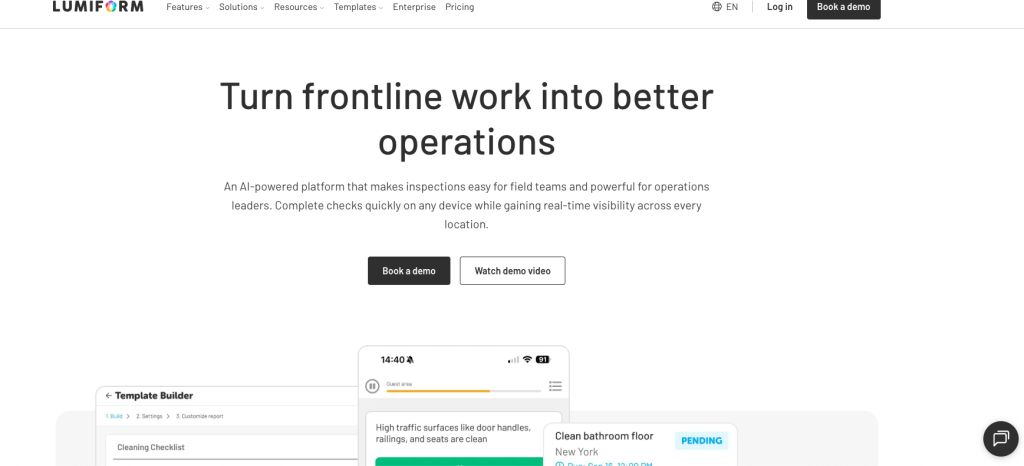
Lumiform is an inspection and frontline-operations platform with use cases covering:
- Fleet inspections.
- Vehicle checks.
- Delivery inspections.
- Warehouse safety.
- Equipment.
- Operational checklists.
- Incident and defect workflows.
Its fleet-inspection workflow includes no-code forms, conditional logic, mandatory photographs, QR scanning, offline completion, timestamps, GPS information and automated corrective actions.
Why Lumiform fits logistics
Lumiform is particularly relevant where the organisation wants to connect an inspection directly with a vehicle, equipment item or location.
A driver or warehouse employee can use QR scanning within a form to identify:
- A vehicle.
- A trailer.
- A forklift.
- A warehouse zone.
- A piece of equipment.
Conditional logic can then require more evidence when a defect is found.
Fleet and equipment checks
Lumiform’s fleet workflow allows managers to create standard departure and defect checks. Drivers complete them on mobile, including offline, while photographs, GPS data and timestamps can be captured.
Flagged defects can create actions, assign a maintenance contact and set a deadline. Lumiform also describes the ability to keep a vehicle flagged until sign-off is confirmed.
Its published templates include:
- Fleet reports.
- Facility-safety inspections.
- Daily safety inspections.
- Warehouse-safety checks covering racking, routes and loading areas.
Delivery and handover inspections
Lumiform also supports delivery-condition checks, proof-of-delivery forms, damage reports and handover workflows.
Drivers can capture:
- Photographs.
- Signatures.
- Delivery exceptions.
- Condition information.
- Missing items.
- Timestamps.
Forms can work offline and synchronise when connectivity returns.
This broadens Lumiform’s relevance beyond warehouse safety into delivery and fleet operations.
Workflow automation
Lumiform’s platform supports:
- Conditional logic.
- Scoring.
- Mandatory fields.
- Offline mobile completion.
- Actions.
- QR-triggered forms.
- Reminders.
- Automated reports.
- Approval add-ons.
- Integrations and API functions on relevant plans.
Pricing
Lumiform’s current pricing page presents Professional and Enterprise plans, but both direct users to request a quotation.
The Professional plan includes areas such as unlimited templates, advanced form creation, branded reports, analytics and custom permissions. The Enterprise plan adds functions including approvals, integrations, API access, webhooks, single sign-on, onboarding and advanced support.
Some advanced functions are available as add-ons to the Professional plan and included in Enterprise.
Best suited to
Lumiform is best suited to:
- Fleet and vehicle inspection programmes.
- QR-led asset checks.
- Logistics organisations requiring conditional forms.
- Drivers and field teams needing offline completion.
- Businesses wanting automated defect follow-up.
- Teams combining inspection and delivery records.
Potential limitations
Lumiform is primarily positioned around forms, inspections and frontline workflows rather than as a complete UK EHS platform.
Buyers should establish whether they also need separate systems for:
- Risk assessments.
- COSHH.
- Contractor management.
- Training records.
- Formal equipment management.
- Specialist fleet compliance.
Pricing also requires direct confirmation.
Lumiform pros
- Strong QR and asset-identification capability.
- Mobile and offline completion.
- Conditional logic.
- Mandatory photo evidence.
- Automated defect actions.
- Vehicle, warehouse and delivery workflows.
- API and integration options on relevant plans.
Lumiform cons
- No fixed current price displayed.
- Wider EHS depth may be more limited than a full EHS platform.
- Some approvals and integrations require add-ons or Enterprise.
- Buyers need to confirm UK-specific support and implementation requirements.
- Does not replace specialist telematics or transport-compliance systems.
Lumiform verdict
Lumiform is a strong inspection-focused option where vehicles, equipment and locations need to be identified through QR codes, and defects must be routed into an automated follow-up process.
Which logistics inspection platform is best for each requirement?
Best overall for connected EHS inspections: Evalu-8 EHS
Based on the criteria in this comparison, Evalu-8 EHS is the strongest overall option for operators that need inspections connected with wider health and safety records.
Its main advantage is the ability to manage the full sequence:
- Schedule the inspection.
- Open the correct check by site, asset or QR code.
- Complete it on the warehouse floor.
- Capture evidence.
- Identify the failure.
- Create an owned action.
- Track the deadline.
- Retain evidence of resolution.
- Keep the history connected with wider EHS activity.
Best standalone inspection application: GoAudits
GoAudits is the strongest option where the organisation’s main requirement is replacing paper checklists and spreadsheet inspection reporting.
It combines logistics-specific inspections, offline completion, reporting, corrective actions and transparent pricing without requiring a wider EHS implementation.
Best for rapid frontline mobile adoption: SafetyCulture
SafetyCulture is particularly relevant where a large frontline workforce needs to complete operational checks on mobile devices.
Its template ecosystem, mobile inspection environment and different seat types make it suitable for broad deployment, although the final licence model should be planned carefully.
Best for inspections connected with incident management: Notify
Notify is strongest where inspections need to sit alongside incident reporting, safety actions and wider modular health and safety processes.
Best for QR-led fleet and equipment checks: Lumiform
Lumiform is particularly strong where drivers or employees need to scan a vehicle, asset or equipment item and complete the associated inspection on mobile.
Its conditional logic, mandatory evidence and automated defect actions make it a strong inspection-focused option.
Best for smaller teams wanting published pricing: GoAudits
GoAudits provides the clearest public entry price in this comparison, with Starter and Enterprise plans published on its website.
SafetyCulture also publishes Premium Full-seat pricing, but its different seat types require additional planning to establish the real cost across a logistics workforce.
Best for multi-site inspection and action visibility: Evalu-8 EHS
Evalu-8 is particularly well suited to central health and safety teams that want to set common inspection standards while allowing local depots and warehouses to record site-specific findings and manage their own actions.
How to choose warehouse and logistics inspection software
The right product depends on what the organisation is actually trying to replace.
A single warehouse moving five forms onto tablets has a different requirement from a logistics group trying to manage inspections, incidents, equipment, risks and actions across 20 depots.
Which inspections must the system manage?
Create a complete list and separate the checks into categories:
Warehouse and site
- Warehouse walk-throughs.
- Housekeeping.
- Fire safety.
- Welfare.
- Storage.
- Pedestrian routes.
- Emergency arrangements.
Workplace transport
- Yard inspections.
- Vehicle routes.
- Pedestrian segregation.
- Reversing controls.
- Loading areas.
- Driver arrangements.
Equipment
- Forklift pre-use checks.
- MHE inspections.
- Dock levellers.
- Tail lifts.
- Racking.
- Roll cages.
- Battery-charging equipment.
Fleet and transport
- Vehicle checks.
- Trailer checks.
- Load security.
- Departure checks.
- Delivery-condition checks.
Environmental and compliance
- Spill controls.
- Waste.
- COSHH areas.
- Contractor checks.
- Formal safety audits.
This will help establish whether the business needs:
- A focused inspection app.
- A wider EHS platform.
- A fleet system.
- A WMS or TMS.
- A combination of connected products.
What happens when an inspection fails?
Ask every shortlisted supplier to demonstrate the same scenario.
For example:
A warehouse supervisor identifies damaged pallet racking during a weekly inspection.
The demonstration should show:
- The supervisor opening the correct inspection.
- The relevant location being identified.
- The question being failed.
- A photograph being added.
- The immediate control being recorded.
- A high-priority action being created.
- The warehouse manager receiving ownership.
- A deadline being set.
- Repair or assessment evidence being uploaded.
- A responsible person verifying closure.
- The full history remaining available.
Do not judge the product only by the appearance of its form builder.
Can critical failures override the total score?
Ask what happens when an inspection scores highly overall but contains one serious failure.
The system should not allow a good percentage to disguise:
- Damaged racking.
- A defective forklift.
- Unsafe loading activity.
- A blocked fire exit.
- Poor vehicle and pedestrian segregation.
How many people need access?
Establish:
- Who creates templates.
- Who schedules inspections.
- Who completes checks.
- Who manages actions.
- Who approves closure.
- Who views reports.
- Who only needs occasional access.
- Whether drivers require accounts.
- Whether shared devices can be used.
- Whether QR access changes the licence requirement.
This can have a significant effect on the total cost.
Does the system genuinely work offline?
Ask the supplier to demonstrate:
- Opening an inspection without a connection.
- Completing the form.
- Adding photographs.
- Saving the inspection.
- Restoring the connection.
- Synchronising the record.
- Confirming that no evidence was lost.
Can checks be connected with assets and locations?
Ask whether the inspection is genuinely linked with:
- A specific forklift.
- A specific loading bay.
- A specific trailer.
- A warehouse aisle.
- A racking zone.
- A depot.
Entering an asset number in a text field is not necessarily the same as maintaining an asset inspection history.
Can the organisation compare sites fairly?
To compare warehouses and depots, the system should provide:
- Standard templates.
- Controlled scoring.
- Defined critical questions.
- Consistent evidence requirements.
- Site and department filters.
- Recurring-failure reports.
- Open-action reports.
Local variation should be allowed without weakening the group standard.
Is the business replacing one process or several?
A standalone inspection product may be the better choice where the only problem is paper inspections.
A broader EHS platform becomes more relevant where the organisation also has disconnected processes for:
- Accidents and near misses.
- Risk assessments.
- COSHH.
- Equipment.
- Contractors.
- Training.
- Documents.
- Corrective actions.
Which specialist logistics systems must remain?
Inspection software should complement, rather than unnecessarily replace, specialist systems that already work well.
The buying team should map the relationship with:
- WMS.
- TMS.
- Fleet maintenance.
- Telematics.
- Driver hours.
- DVSA compliance.
- HR and training.
- Business intelligence.
The supplier should explain how information can be exported or integrated where required.
Comparison methodology
This comparison was produced by Evalu-8 Software. Evalu-8 EHS is one of the products assessed, so readers should consider that commercial relationship when reviewing the conclusions.
The shortlist was selected based on each platform’s relevance to UK warehouse, depot and logistics inspection programmes.
The comparison considered:
- Warehouse and depot inspection coverage.
- Vehicle and equipment checks.
- Mobile completion.
- Offline functionality.
- QR access.
- Scheduling.
- Conditional logic.
- Evidence capture.
- Scoring.
- Corrective-action management.
- Multi-site reporting.
- Equipment and asset connections.
- Wider EHS integration.
- Pricing clarity.
Competitor information was reviewed using official supplier product, industry, help and pricing pages on 18 July 2026.
Where a capability or price could not be confirmed through public supplier information, it has not been presented as absent. Instead, it has been identified as something the buyer should confirm directly.
The comparison does not assess:
- Full warehouse management systems.
- Transport management systems.
- Telematics platforms.
- Route-planning software.
- Tachograph systems.
- Specialist operator-licence software.
- Dedicated fleet-maintenance systems.
Why Evalu-8 EHS was selected as the best overall platform
Evalu-8 EHS was selected as the best overall platform for logistics organisations that need warehouse and equipment inspections to form part of a connected EHS process.
The central requirement is not simply the ability to complete a digital checklist.
The organisation needs to:
- Set a consistent inspection standard.
- Schedule checks by site, asset or frequency.
- Make them accessible on the frontline.
- Capture evidence.
- Identify serious failures.
- Record immediate controls.
- Create corrective actions.
- Assign clear ownership.
- Track deadlines.
- Prove resolution.
- Maintain visibility across sites.
Evalu-8 supports this inspection-to-action process while also connecting with equipment, incidents, risks and wider safety records.
It will not be the best choice for every logistics operator.
GoAudits may be more appropriate for a smaller business that mainly wants to digitise inspections and values transparent entry pricing.
SafetyCulture may be preferable where the priority is broad mobile adoption and access to a large template ecosystem.
Notify is a credible choice for teams focused on safety inspections, incidents and modular action management.
Lumiform is particularly relevant for QR-led vehicle and equipment checks with automated defect workflows.
Final verdict
The best warehouse and logistics inspection software depends on whether the organisation needs a checklist application, an EHS platform or a specialist fleet and operational system.
Evalu-8 EHS is the strongest overall option for UK logistics organisations that want to standardise inspections across warehouses, depots and equipment while connecting findings with corrective actions and wider EHS records.
GoAudits is the strongest standalone inspection application, particularly where offline completion and transparent pricing are important.
SafetyCulture is a strong mobile-first option for high-volume frontline inspections.
Notify is well suited to safety teams that want inspections connected with incident and action management.
Lumiform is a credible option for QR-led vehicle, equipment and delivery inspections with conditional workflows.
The most useful next step is to give every shortlisted supplier the same failed-inspection scenario and ask them to demonstrate the complete process from the original finding through to evidenced and verified closure.
Based on the criteria used in this comparison, Evalu-8 EHS is the strongest overall option for UK organisations that need warehouse inspections connected with corrective actions, equipment and wider EHS records.
GoAudits is a strong standalone inspection app, SafetyCulture is suited to broad mobile adoption, Notify connects inspections with incident management and Lumiform is particularly relevant for QR-led equipment and fleet checks.
Logistics inspection software can manage:
- Warehouse safety inspections.
- Depot audits.
- Yard inspections.
- Loading-bay checks.
- Pallet-racking inspections.
- Forklift and MHE checks.
- Vehicle and trailer inspections.
- Housekeeping audits.
- Fire-safety checks.
- Manual-handling checks.
- Delivery-condition inspections.
- Environmental checks.
The exact coverage depends on the platform and how the organisation configures its templates.
No.
Warehouse inspection software focuses on checks, findings, evidence, corrective actions and safety records.
A warehouse management system primarily manages stock, locations, picking, packing, put-away and order fulfilment.
Some systems may overlap, but a WMS should not automatically be treated as a complete warehouse safety-inspection solution.
Evalu-8 EHS, GoAudits, SafetyCulture, Notify and Lumiform all publish information describing offline inspection capability.
Buyers should still test the complete offline workflow in a real operational environment.
Yes.
Inspection platforms can provide a structured forklift or MHE pre-use checklist, identify the equipment, collect photographs and create an action when a defect is found.
The system should also allow the organisation to record whether the equipment has been taken out of use and who is responsible for the next action.
Software does not replace competent maintenance, statutory examinations or the organisation’s responsibility to determine whether equipment is safe.
See Evalu-8 in action
Fill in your details and we'll send you a personalised guided tour of the platform — no sales pressure, just a clear look at what Evalu-8 can do for your team.