
Facilities management has a risk-assessment problem that generic software comparisons often miss.
The same FM team can be responsible for an office reception, roof plant, service risers, water systems, electrical switch rooms, car parks, lifts, fire doors, cleaning operations, contractors and an engineer working alone at 9pm.
The assessment also changes depending on what is happening to the building.
A plant room during normal occupation is one risk.
A contractor isolating and replacing a pump inside that plant room is another.
Opening a ceiling void in a 1970s office introduces questions about asbestos information that do not exist during routine maintenance.
Sending an engineer onto a roof to inspect an AHU introduces access, fragile surfaces, work at height, weather and rescue considerations.
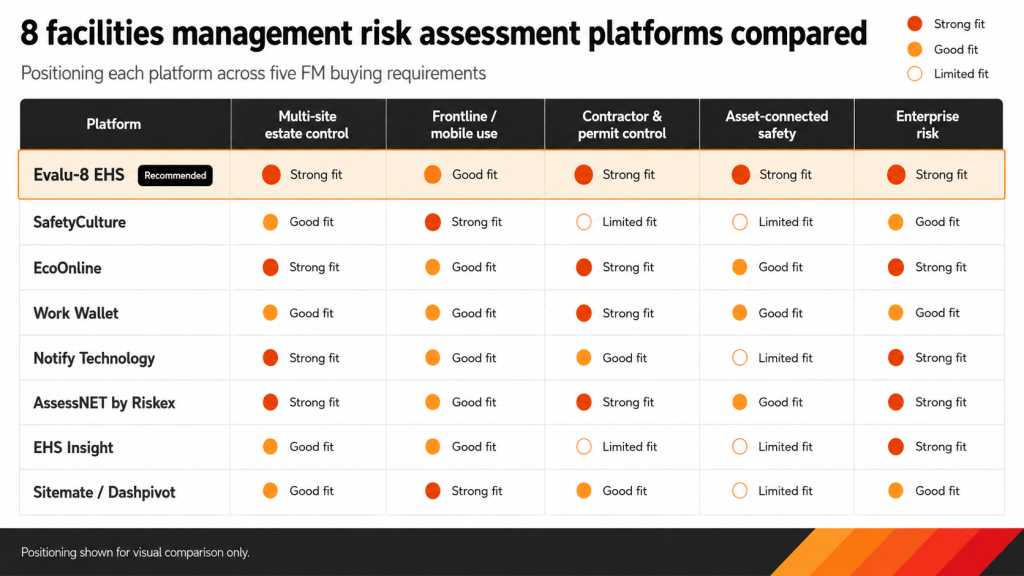
For most UK facilities and estates teams, Evalu-8 EHS is our best overall risk assessment software choice because risk assessments can be managed alongside equipment, contractors, training, inspections, incidents and corrective actions.
Two considerably better-known providers also deserve consideration. SafetyCulture is particularly strong where widespread mobile inspections, risk forms and frontline participation drive the purchase. EcoOnline is the strongest recognised alternative for larger estates needing broader risk management, point-of-work assessments, permits and chemical-safety processes.
The other five providers have a smaller presence in the FM risk-assessment conversation but offer credible alternatives for particular requirements: Work Wallet, Notify Technology, AssessNET by Riskex, EHS Insight and Sitemate/Dashpivot.
| Rank | Software | Best for | Pricing approach |
|---|---|---|---|
| 1 |
Evalu-8 EHS
Recommended |
UK FM and estates teams wanting risk assessments connected with assets, contractors and wider EHS. | Core EHS from £2.50 per licence per month, minimum 10 licences. Risk Assessments is an additional module. |
| 2 | SafetyCulture | Large frontline FM teams completing inspections and risk forms from mobile devices. | Free plan available. Premium full seats from $24 per user per month when billed annually. |
| 3 | EcoOnline | Large or higher-risk estates needing risk assessment, point-of-work control, permits and chemical safety. | Bespoke quotation. |
| 4 | Work Wallet | FM contractors and maintenance teams wanting risk assessments closely connected with jobs and permits. | Tailored quotation. |
| 5 | Notify Technology | Multi-site FM organisations wanting tightly governed templates, approvals and acknowledgements. | Tailored quotation. |
| 6 | AssessNET by Riskex | Estates teams wanting risk, fire, DSE, contractor, COSHH and permit modules in one UK system. | Quote-based, with a seven-day trial currently available. |
| 7 | EHS Insight | Organisations wanting structured HIRA plus Field Level Risk Assessments. | Tailored quotation according to users, modules and implementation. |
| 8 | Sitemate / Dashpivot | Field-heavy FM teams wanting highly configurable mobile forms, evidence and site-level assessments. | Per-user and enterprise pricing. |
Quick recommendation: Choose Evalu-8 when a risk assessment needs to remain connected with the building, equipment, contractor, employee, inspection or action behind it. Choose SafetyCulture where mobile participation and inspection volume matter more than deep FM risk governance. Consider EcoOnline where permits, control of work, chemical safety or point-of-work assessments are central. Work Wallet is particularly interesting for outsourced FM and engineering teams whose assessments need to follow individual jobs.
Evalu-8 currently publishes Core EHS at £2.50 per licence per month with a minimum of 10 licences, while specialist modules are added according to the required package. SafetyCulture currently publishes Premium full-seat pricing from $24 per month when billed annually.
Not simply:
Hazard → likelihood → severity → score
What risks should FM risk assessment software be able to manage?
The exact register depends on the estate, but several areas are particularly important.
Contractor maintenance
FM teams regularly use specialist contractors for:
- HVAC
- Electrical systems
- Lifts
- Fire systems
- Roofing
- Water treatment
- Doors and access systems
- Grounds maintenance
- Pest control
- Cleaning
- Building fabric
- Asbestos
- Mechanical equipment
The assessment needs to reflect both the contractor’s task and what surrounds it.
Before work begins, the facilities team may need to establish:
- Scope
- Access
- Building-specific hazards
- Isolations
- Permits
- Competence
- Equipment
- Other people affected
- Emergency arrangements
- Simultaneous work
- Safe handback
HSE advises clients and those engaging contractors to discuss how the work will be completed, what equipment and facilities are required, how the work may affect others and what controls will be used. Risk assessments and method statements can form part of this process.
Asbestos and intrusive maintenance
This is one of the clearest examples of why FM risk information cannot sit in disconnected systems.
The duty to manage asbestos covers non-domestic premises including offices, warehouses, factories, hospitals and schools. Dutyholders need to identify asbestos-containing materials, maintain suitable information and provide relevant information to people who may disturb asbestos.
That means a risk assessment for:
“Install new data cabling above suspended ceiling”
may be impossible to assess properly without first establishing:
- The age of the building
- Relevant asbestos survey information
- What materials may be disturbed
- Where drilling or fixing will take place
- Whether additional survey information is required
- Who needs access to the information
General risk assessment software does not replace the asbestos register, asbestos-management plan or competent asbestos assessment.
It should make it easier to keep the task risk assessment connected with the information that determines whether the work can proceed.
Legionella and water systems
Facilities and estates teams may also carry responsibilities around water systems.
HSE states that employers and people in control of premises have duties to understand and manage legionella risks. Its Approved Code of Practice covers risk assessment, the responsible person, the control scheme, review of controls and associated responsibilities.
This is another important buying boundary.
A generic workplace risk assessment platform does not automatically become a complete legionella-management system.
The FM team may need to connect:
- Specialist legionella risk assessment
- Responsible-person information
- Water-system assets
- Monitoring
- Flushing
- Temperature checks
- Remedial actions
- Contractor activity
- Supporting records
Risk assessment software should support the surrounding control process without pretending to replace competent water-hygiene expertise.
Work at height and roof access
Roof work is highly relevant to FM because maintenance workers routinely need access to:
- AHUs
- Condensers
- Solar panels
- Roof-mounted plant
- Gutters
- Rooflights
- Antennas
- Extraction
- Building fabric
HSE states that roof work is hazardous even when the task takes only a few minutes and identifies fragile roof materials and rooflights as major causes of serious incidents. Maintenance workers are specifically among those exposed.
The assessment may need to consider:
- Access route
- Roof edges
- Fragile materials
- Rooflights
- Weather
- Suitable equipment
- Rescue
- Competence
- Supervision
- Falling objects
- Occupied areas below
- Condition of the roof
- Whether the work can be avoided
Plant rooms and isolation
Plant rooms create another distinctly FM risk environment.
They can combine:
- Electrical systems
- Moving machinery
- Hot surfaces
- Pressurised systems
- Chemicals
- Water
- Gas
- Restricted access
- Noise
- Heat
- Poor lighting
- Contractors working simultaneously
Maintenance can also expose people to hazards that are controlled during normal operation.
The assessment should therefore consider the task state, not just the normal operating state.
For higher-risk maintenance, that can involve electrical, mechanical, hydraulic or pneumatic isolation and a Permit to Work.
A risk assessment determines the hazards and controls.
A Permit to Work formally authorises defined high-risk work once required precautions are in place.
They are connected, but they are not the same record. EcoOnline similarly describes risk assessment and permit authorisation as related but distinct parts of a control-of-work process.
Lone and out-of-hours working
Facilities management often involves people working when the building is quiet.
Examples include:
- Security officers
- Cleaners
- Engineers
- Caretakers
- Maintenance staff
- Call-out teams
- Mobile FM employees
HSE says employers must manage the risks before people work alone and specifically identifies engineers, security staff and cleaners as examples of lone workers.
A facilities-management assessment may therefore need to consider:
- The task
- Location
- Access
- Communication
- Supervision
- Check-ins
- Emergency response
- First aid
- Violence and aggression
- Medical suitability where relevant
- Whether help can reach the worker
The software should also help distinguish the risk assessment from the lone-worker monitoring system used after controls have been defined.
Occupants and members of the public
FM work often takes place in occupied environments.
The people affected may have nothing to do with the work itself.
A maintenance task might introduce:
- Open ceiling voids
- Trailing cables
- Noise
- Dust
- Temporary barriers
- Changed escape routes
- Restricted toilets
- Lift shutdowns
- Hot surfaces
- Vehicles
- Contractor access
The risk assessment should therefore consider who uses the building, not just who is carrying out the task.
General FM risk assessment software does not replace specialist building-safety processes
This is an important software-buying boundary.
A facilities team may use one EHS platform as the central management layer.
That does not mean every specialist safety process can be collapsed into one generic risk assessment.
Fire risk assessment
General risk software can help store actions, supporting evidence and review information.
It does not automatically provide the competence or complete specialist workflow required for every fire risk assessment.
Asbestos management
A workplace risk assessment does not replace:
- Asbestos survey
- Asbestos register
- Management plan
- Refurbishment/demolition information where relevant
- Specialist assessment of asbestos work
Legionella
A general assessment does not replace a suitable legionella risk assessment, control scheme, responsible-person process or required monitoring.
Statutory inspection
A checklist cannot turn an ordinary FM employee into the competent person needed for a specialist examination.
Permit to Work
A risk assessment informs the precautions.
The permit controls authorisation for a particular high-risk task.
RAMS
The risk assessment identifies hazards and controls.
The method statement explains how the work will be completed safely.
An FM platform may connect these records.
It should not blur why each one exists.
How we compared the software
This article is published by Evalu-8, which provides one of the platforms being compared.
Evalu-8 is ranked first because its current product structure fits the FM buying situation described above. We have also deliberately included two more recognisable providers and five credible alternatives with smaller market profiles or more specialised propositions.
We assessed the platforms against twelve FM-specific requirements.
The 8 best safety risk assessment software systems for facilities management
1. Evalu-8 EHS: Best overall risk assessment software for facilities management
Best for
UK in-house FM teams, estates departments and facilities organisations wanting risk assessments connected with equipment, contractors, inspections, incidents and actions.
Why Evalu-8 suits facilities management
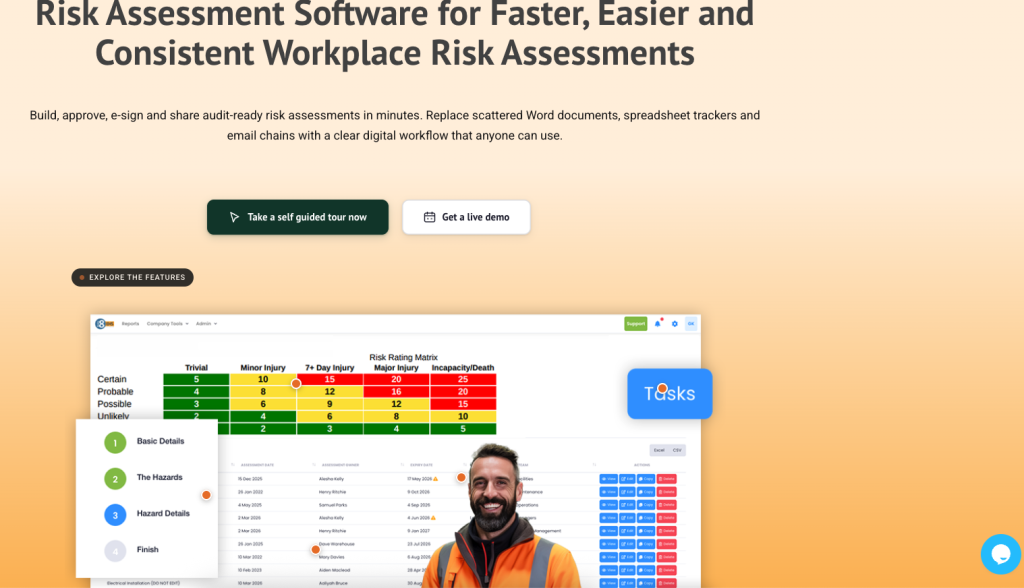
Evalu-8 provides dedicated digital risk assessment software for creating, reviewing, approving, signing and sharing assessments through a controlled workflow.
Assessments can record the task, location or activity, hazards, controls and required actions. Reusable hazard information helps organisations create consistent starting points without forcing every building into an identical assessment. QR codes can provide access to current assessments at machines, zones or tasks, while review dates and version history help users identify which assessment is live.
That translates naturally into FM use cases such as:
- Plant-room risk assessments
- Roof access
- General workplace areas
- Car parks
- Contractor maintenance
- Lone work
- Cleaning
- Grounds activity
- Equipment maintenance
- Work at height
- Building access
- Occupied-area maintenance
The main reason Evalu-8 ranks first is what can sit around the assessment.
The wider EHS platform includes equipment management, contractor management, training, audits and inspections, incidents, actions and other safety processes.
For example, an estates team discovers during a building inspection that a roof access hatch is damaged.
With a connected system, that finding can potentially remain associated with:
- The inspection
- The affected equipment or area
- A corrective action
- The responsible person
- Evidence of repair
- The relevant risk assessment
Evalu-8’s task-management workflow allows actions to be raised from risk assessments, audits, inspections and incidents, with owners, due dates and close-out evidence.
That connected approach is particularly useful in FM because the risk assessment often depends on information held somewhere else.
Pricing
Evalu-8 publishes Core EHS at £2.50 per licence per month, with a minimum of 10 licences.
Risk Assessments and other specialist modules are added according to the required package, so FM buyers should obtain a complete quotation for the actual module and user combination required.
Strengths
- Dedicated UK risk-assessment workflow
- Explicit Facilities Management use case in the current product
- Multi-site control with local detail
- QR access for machines, zones and tasks
- Review and expiry reminders
- Approval, signature and acknowledgement
- Actions can remain connected with the assessment
- Equipment management within the wider platform
- Contractor management
- Audits and inspections
- Incident and near-miss reporting
- Lone-worker capability available within the wider EHS product
- Modular approach
Limitations and questions to verify
- More functionality than a very small single-building FM team may need
- Final Risk Assessment module pricing requires a quotation
- Specialist asbestos, fire and legionella processes still require appropriate competence and supporting records
- Buyers should demonstrate their preferred Permit to Work workflow
- Point-of-work or dynamic assessment requirements should be tested against the exact operational model
- Complex CAFM or building-management-system integrations should be confirmed rather than assumed
Verdict
Evalu-8 is the strongest overall option in this comparison for FM teams wanting risk assessment to operate as part of a connected estate safety process, rather than another collection of forms.
Its main advantage is not generating an assessment faster.
It is keeping the assessment closer to the equipment, contractor activity, inspections and actions that should determine whether it remains suitable.
2. SafetyCulture: Best recognised option for frontline FM inspections and risk forms
Best for
Large property and facilities teams prioritising mobile usability, inspections and large-scale frontline participation.
Why SafetyCulture suits facilities management
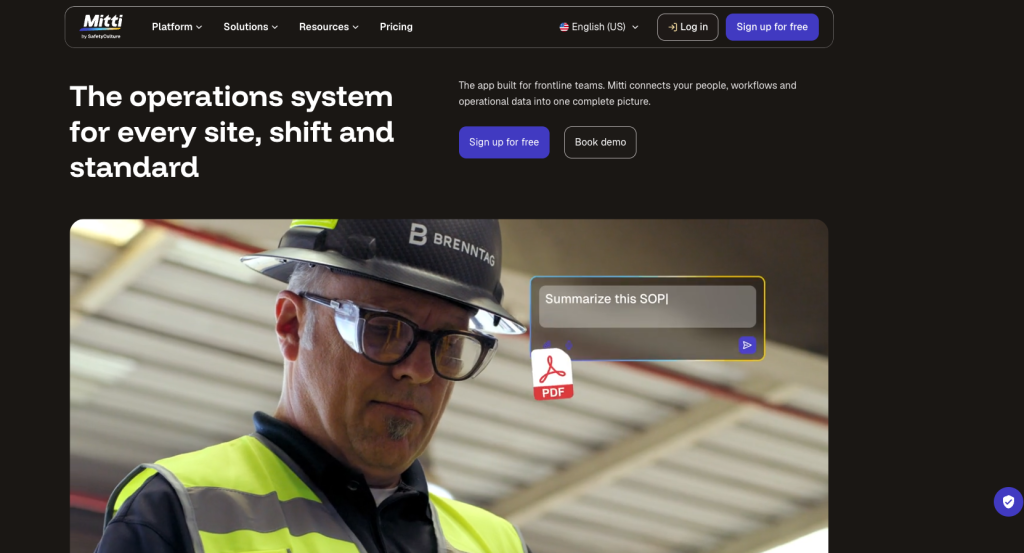
SafetyCulture has a dedicated Facilities Management proposition built around property inspections, fire-safety checks, maintenance activity and other facility risk assessments.
That is important because many FM teams do not buy software for risk assessments alone.
They may want one frontline platform covering:
- Daily building checks
- Cleaning inspections
- Property inspections
- Fire checks
- Maintenance inspections
- Safety walks
- Risk-assessment forms
- Issue reporting
- Corrective actions
SafetyCulture’s biggest strength is therefore likely to be adoption.
A building manager, cleaner, maintenance supervisor and regional facilities manager can all participate in different workflows through the same broad mobile platform.
Pricing
SafetyCulture offers a free plan, while Premium full seats currently start at $24 per user per month when billed annually.
Strengths
- Well-established provider
- Dedicated Facilities Management positioning
- Mature mobile experience
- Large template ecosystem
- Property and building inspections
- Risk-assessment forms
- Issue reporting
- Corrective actions
- Broad operational use
- Free starting option
- Transparent Premium pricing
Limitations and questions to verify
- A flexible form does not automatically equal a controlled specialist risk-management process
- Public templates require competent review
- Building and asset relationships should be tested against the required depth
- Contractor approvals and Permit to Work may require additional process configuration
- Buyers should test assessment approval and version-control requirements
- Specialist asbestos, legionella or fire processes should not be inferred from the availability of templates
- Large numbers of full paid users can materially alter total cost
Demonstration test
Ask SafetyCulture to run one building through:
- Weekly workplace inspection
- Roof-access assessment
- Contractor maintenance risk assessment
- Fire-door inspection
- Remedial action
Then ask it to show how a critical inspection finding changes the relevant risk information rather than simply appearing in a separate dashboard.
Verdict
SafetyCulture is one of the strongest choices when frontline FM participation and inspection volume lead the buying decision.
Buyers should investigate the deeper governance around formal risk assessment rather than assuming its strong inspection capability automatically covers every FM risk-management requirement.
3. EcoOnline: Best recognised option for control of work and higher-risk estates
Best for
Large estates, healthcare, infrastructure and higher-risk FM operations where risk assessment needs to connect with point-of-work checks, Permit to Work, contractors or chemical safety.
Why EcoOnline suits facilities management
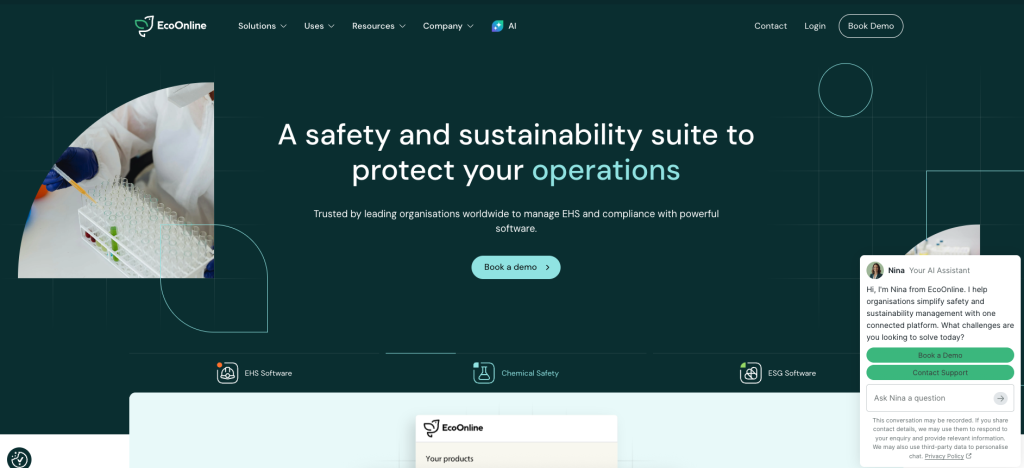
EcoOnline provides dedicated Risk Assessment and Point of Work Risk Assessment functionality within a broader EHS and Control of Work ecosystem.
Its risk-management product supports centralised assessments, hazards, controls, actions and multi-site dashboards.
Its wider Control of Work proposition is particularly relevant to FM.
Facilities teams routinely control higher-risk tasks such as:
- Hot work
- Electrical work
- Mechanical isolation
- Confined-space entry
- Roof access
- Intrusive maintenance
- Contractor engineering work
EcoOnline’s own guidance distinguishes the risk assessment from the Permit to Work: the assessment identifies hazards and required controls, while the permit formally authorises work once those precautions are in place.
That makes EcoOnline particularly relevant when the FM problem is not only:
“How do we write a better risk assessment?”
but:
“How do we control higher-risk work from planning to authorisation and close-out?”
EcoOnline also has significant chemical-safety functionality, which may matter in large estates managing cleaning chemicals, laboratories, maintenance substances or specialist facilities.
Pricing
EcoOnline uses quote-based EHS pricing depending on features, users and the required implementation.
Strengths
- Established EHS provider
- Dedicated risk management
- Point-of-work assessment
- Control of Work
- Permit to Work
- Chemical-management depth
- Contractor-oriented high-risk work processes
- Incident and inspection capability
- Multi-site enterprise reporting
- Suitable for complex estates
Limitations and questions to verify
- No simple public entry price
- Likely to be more platform than a smaller FM team needs
- Implementation and product scope require careful definition
- Buyers should establish which functions sit in separate modules
- Asset-management depth should be tested against FM requirements
- Specialist building systems may still require dedicated software outside the EHS platform
Demonstration test
Use a hospital or large commercial estate where three contractors are simultaneously carrying out:
- Hot work
- Electrical maintenance
- Water-system work
Ask EcoOnline to show how risk assessments, permits, contractor activity, conflicts and final handback are coordinated.
Verdict
EcoOnline is the strongest well-known option here when Control of Work is as important as the risk assessment itself.
It is likely to make more sense for complex or higher-risk estates than for a small FM team managing a limited property portfolio.
4. Work Wallet: Best for outsourced FM and maintenance-led risk assessment
Best for
FM service providers, engineering teams and facilities contractors that need risk assessments connected directly with jobs, permits and mobile work.
Why Work Wallet suits facilities management
Work Wallet takes a particularly operational approach.
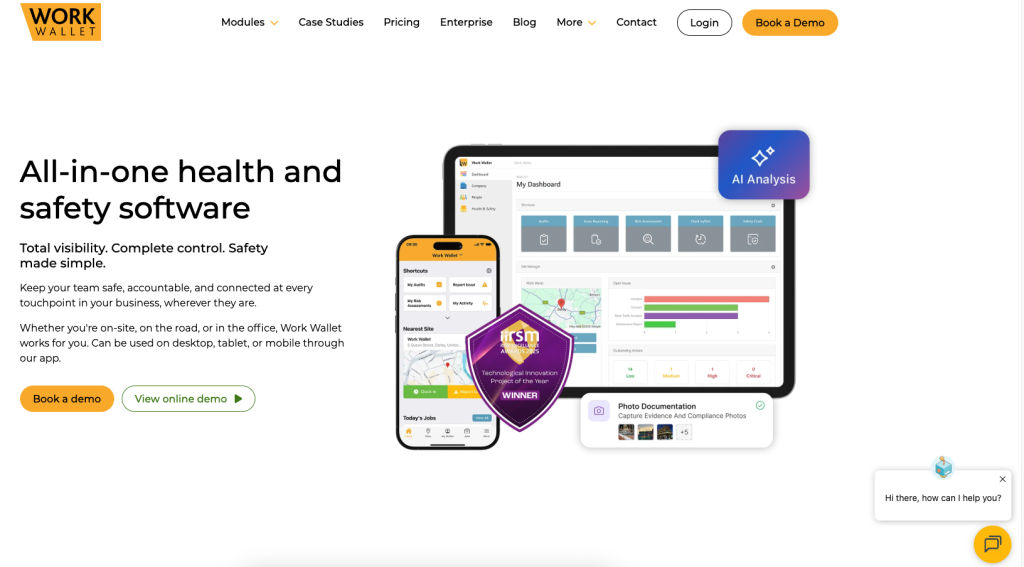
Its Risk Assessments module supports mobile creation, task and hazard libraries, COSHH information and direct links between assessments and live jobs.
This is highly relevant to outsourced FM.
An engineer is usually not opening a generic “Building 17 Risk Assessment”.
They are opening:
Job 10482: replace pump P-04 in basement plant room.
The risk information needs to follow that actual work.
Work Wallet’s wider platform includes Risk Assessments, Permit to Work, contractor management, audits, incident reporting, lone-worker monitoring and other mobile safety processes. Its current product information specifically identifies facilities management among the sectors where this type of safety-management workflow is used.
It also provides point-of-work assessment functionality for workers dealing with changing field conditions.
Pricing
Work Wallet uses tailored pricing according to modules, users and organisation requirements rather than publishing one universal Risk Assessment package price.
Strengths
- Strong job-linked risk workflow
- Mobile-first
- Point-of-work assessments
- Permit to Work
- Contractor management
- Lone-worker monitoring
- Incident and audit modules
- COSHH libraries
- Suitable for mobile engineering teams
- Particularly relevant to outsourced FM
Limitations and questions to verify
- Less widely recognised than the two major providers above
- No fixed public package price
- Estate-wide strategic risk governance should be tested separately from job-level workflows
- Buyers should confirm how deep asset and maintenance histories go
- Building-specific asbestos and legionella information still requires appropriate external governance
- Central control of templates across very large estates should be demonstrated
Demonstration test
Give Work Wallet an FM reactive-maintenance scenario:
An engineer is sent to investigate a leaking valve inside a plant room at an occupied site. The engineer discovers a different valve arrangement and signs that previous maintenance work has altered the area.
Ask the supplier to demonstrate how the job, point-of-work assessment, permit, asset information, contractor/engineer record and revised controls stay connected.
Verdict
Work Wallet is arguably the most interesting lower-profile option for service-led and outsourced FM organisations.
Its job-centric approach can be a better operational match than a platform designed primarily around a central corporate risk register.
5. Notify Technology: Best for controlled risk standards across a multi-site estate
Best for
Facilities and estates teams that need one centrally governed assessment process across many buildings while still allowing site-level variation.
Why Notify suits facilities management
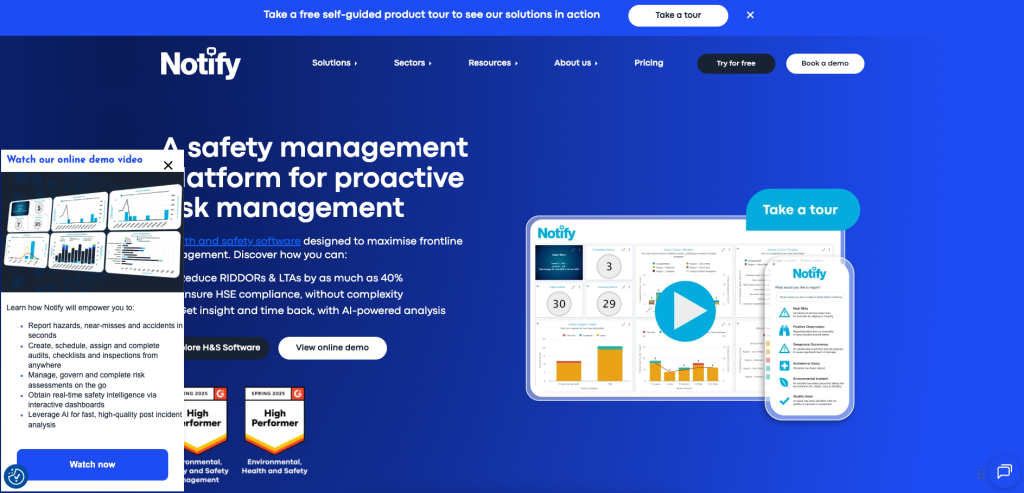
Notify’s dedicated Risk Assessment software focuses heavily on governance.
Current functionality includes:
- Configurable templates
- Configurable matrices
- Locked company-level controls
- Independent approval
- Mobile completion
- Review reminders
- QR and secure-link distribution
- Digital acknowledgements
- Version histories
This is particularly relevant to FM because decentralised estates often develop different versions of the same supposedly standard assessment.
For example:
- Building A uses one contractor-maintenance template.
- Building B copied it two years ago.
- Building C removed half of the company controls.
- Building D has a different matrix.
- Nobody can explain which is the approved standard.
Notify allows central teams to establish common controls while retaining flexibility around the actual building or work.
Its risk-assessment product also supports different structures including point-of-work and hybrid assessments, while digital access and sign-off can include employees and contractors.
Pricing
Notify uses tailored pricing rather than one standard public risk-assessment figure.
Strengths
- Dedicated UK risk-assessment system
- Strong central governance
- Locked controls
- Independent approvals
- Configurable assessment types
- Mobile access
- QR and link distribution
- Sign-off and acknowledgement
- Review reminders
- Strong fit for multi-site standardisation
Limitations and questions to verify
- Less recognised than SafetyCulture and EcoOnline
- Quote-based pricing
- Asset-management depth should be tested
- Permit requirements should be scoped separately
- Specialist building-safety processes remain outside a general risk assessment
- Outsourced FM providers should test how client, contract and job structures are represented
Demonstration test
Ask Notify to create a central contractor-maintenance assessment standard for 30 buildings.
Then give three buildings different:
- Access arrangements
- Asbestos information
- Occupancy
- Plant
- Local emergency procedures
The supplier should preserve the company standard without forcing the three buildings to have identical assessments.
Verdict
Notify is one of the strongest lower-profile candidates for an in-house multi-site estates team where governance and consistency are the main reasons for replacing Word and Excel.
6. AssessNET by Riskex: Best for broad UK estates compliance in one system
Best for
Facilities teams wanting a broad UK health and safety system covering general risk assessments alongside fire, DSE, COSHH, contractors, permits and inspections.
Why AssessNET suits facilities management
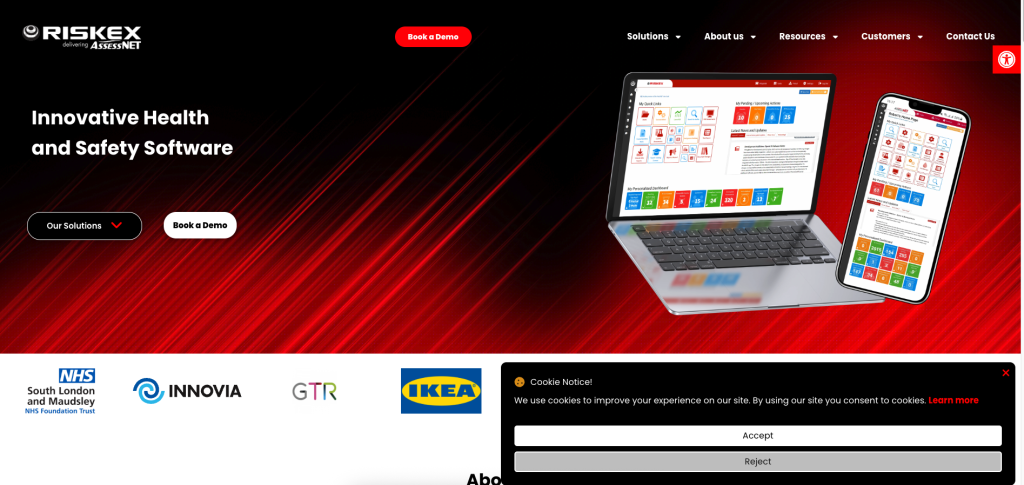
AssessNET is a long-established UK EHS platform from Riskex with a broad module range.
Its current product suite includes modules for:
- Risk Assessment
- COSHH/SDS
- Accident and Incident
- Contractor management
- DSE
- Fire Risk Assessment
- Manual Handling
- Method Statements
- Permit to Work
- Safety Audits
- Safety Inspections
- Training
It also provides dashboards, document management, task management, a portal and API/BI capabilities.
This broad mix gives AssessNET an interesting FM fit.
An estates team may have risks spread across office workers, contractors, building fire processes, chemicals, high-risk maintenance and routine inspections.
AssessNET is therefore less about one particularly distinctive risk-assessment workflow and more about covering a wide range of traditional FM safety processes within one UK system.
Its Permit to Work module specifically addresses high-risk work involving third-party contractors and suppliers.
Pricing
Standard subscription pricing is not published openly. Riskex currently offers a seven-day free trial of AssessNET.
Strengths
- UK-focused platform
- Very broad module mix
- Dedicated Risk Assessment module
- Fire Risk Assessment module
- DSE
- COSHH/SDS
- Permit to Work
- Contractor management
- Safety audits and inspections
- Training
- Document and task management
- Free trial route
Limitations and questions to verify
- No transparent standard subscription price
- Buyers should test the current mobile experience with real FM employees
- Point-of-work assessment requirements should be demonstrated
- Asset and equipment depth should be compared with specialist FM requirements
- The broad module catalogue means buyers need to scope which products genuinely need replacing
- Modern integrations and external contractor workflows should be demonstrated rather than inferred from module names
Demonstration test
Ask AssessNET to manage one commercial building across:
- General premises risk
- DSE
- Contractor maintenance
- COSHH
- Fire-related actions
- Permit to Work
- Follow-up inspection
Then ask the supplier to show whether management can see the complete outstanding risk picture without manually combining reports.
Verdict
AssessNET is a credible lower-profile option for FM teams that want breadth across traditional UK safety processes.
It could be particularly attractive to estates departments replacing several separate compliance trackers at once.
7. EHS Insight: Best for structured HIRA and field-level assessments
Best for
Large estates and technical FM organisations that want analytical risk management plus a separate assessment of the conditions found at the actual job.
Why EHS Insight suits facilities management
EHS Insight provides a dedicated Hazard Identification and Risk Assessment, or HIRA, workflow.
It supports:
- Hazard identification
- Inherent risk
- Controls
- Risk owners
- Residual risk
- Review
- Risk reporting
The system also includes a Field Level Risk Assessment, designed to assess the risks present at a specific job and record the controls applied there.
That distinction has a strong FM use case.
The organisation can have a controlled assessment for:
Servicing rooftop air-handling equipment.
The engineer can then perform a field-level check because:
- The weather has changed.
- Another contractor is on the roof.
- The normal access door is unavailable.
- A guardrail has been damaged.
- The plant cannot be isolated as expected.
The planned assessment provides the standard.
The field-level process checks whether those assumptions remain true.
Pricing
EHS Insight now uses tailored pricing based on the number of employees and contractors, selected modules and implementation needs.
Strengths
- Structured HIRA
- Inherent and residual risk
- Risk owners
- Field Level Risk Assessment
- Scheduled reviews
- Wider audit, incident and training capabilities
- Useful for technically complex work
- Suitable for organisations wanting analytical risk data
Limitations and questions to verify
- Lower UK FM market visibility
- UK terminology and processes should be validated
- Permit-to-work and contractor workflows should be tested
- Asset and CAFM integrations need demonstration
- May require more configuration than a straightforward UK risk-assessment application
- Buyers should test how easy the field process is for occasional contractors and service engineers
Demonstration test
Use a standard rooftop maintenance assessment and then introduce:
- High wind
- Damaged edge protection
- A second contractor
- Changed access
Ask EHS Insight to show how the field assessment identifies the difference and how the information reaches the central risk-management process.
Verdict
EHS Insight is particularly interesting for FM teams that want to distinguish the controlled planned assessment from what the engineer actually finds at the job.
8. Sitemate / Dashpivot: Best for configurable field-first FM risk assessment
Best for
Property-maintenance and FM organisations wanting highly configurable mobile forms, site evidence and offline field workflows.
Why Sitemate suits facilities management
Sitemate’s risk assessment workflow runs through its Dashpivot field-management platform.
Current functionality includes mobile assessments, photographs, voice notes, timestamps, digital signatures, corrective actions and dashboard reporting.
Its template library includes relevant examples for FM such as:
- Lone-working risk assessments
- Building fire risk assessments
- Plant and equipment risk assessments
- Contractor induction
- Structural assessments
Its lone-working material explicitly includes maintenance, repairs, technical services, security and cleaning/facilities services.
Sitemate also now incorporates its Storm AI tooling into risk-assessment creation. It can use photographs, voice notes or existing forms to help populate structured assessment information, after which supervisors or safety personnel can review and approve it.
That should be treated as drafting assistance.
A photograph or voice note cannot independently determine whether a roof, asbestos condition, electrical isolation or engineering control is safe.
Pricing
Sitemate/Dashpivot uses contributor-based and enterprise pricing rather than a single universal FM package.
Strengths
- Strong field-first design
- Mobile data collection
- Photographs and evidence
- GPS and timestamps
- Digital signatures
- Corrective actions
- Highly configurable forms
- Relevant building and lone-worker templates
- Suitable for contractor-heavy site activity
- AI-assisted form drafting and capture
Limitations and questions to verify
- Not a dedicated UK facilities-management EHS suite
- Requires good internal form and workflow governance
- UK-specific legal processes need competent configuration
- Contractor, permit and asset relationships should be tested
- AI-generated content needs human verification
- Central estate-level governance may require more configuration than specialist risk platforms
Demonstration test
Ask Sitemate to digitise:
- Roof-access assessment
- Plant-room maintenance assessment
- Lone-worker check
- Contractor induction
- Building inspection
Then ask how common building, contractor and corrective-action information can be analysed without duplicating records across five separate forms.
Verdict
Sitemate is the strongest field-form option in this shortlist for FM businesses wanting configurable evidence collection close to the work.
It is best suited to an organisation prepared to design and govern its own FM safety system rather than expecting a ready-made UK facilities-management structure.
Capability and fit comparison
| FM requirement | Evalu-8 | SafetyCulture | EcoOnline | Work Wallet | Notify | AssessNET | EHS Insight | Sitemate |
|---|---|---|---|---|---|---|---|---|
| Dedicated risk assessments | Native | Configurable | Native | Native | Native | Native | Native HIRA | Configurable |
| Explicit FM/building fit | Native FM positioning | Native FM positioning | Enterprise/configurable | Strong operational fit | Configurable | Broad estates fit | Configurable | Field/building templates |
| Multi-site estate control | Native | Available | Native enterprise | Available | Core strength | Available | Available | Configurable |
| Equipment context | Connected module | Asset workflows | Verify | Asset workflows | Verify | Verify | Verify | Configurable |
| Contractor management | Connected module | Configurable | Wider EHS/CoW | Connected module | Wider platform | Native module | Wider platform | Configurable |
| Point-of-work assessment | Test/configure | Mobile forms | Native POWRA | Native operational use | Supported assessment type | Verify | Native FLRA | Field-first |
| Permit to Work | Scope separately | Configure/verify | Native CoW | Native module | Scope separately | Native module | Verify | Configurable |
| Lone-worker connection | Connected capability | Configure | Wider ecosystem | Native capability | Lone-working assessment | Risk-assessment based | Configurable | Relevant templates |
| Actions | Connected | Available | Available | Available | Available | Task module | CAPA/risk controls | Available |
| Specialist fire/COSHH breadth | Additional modules/processes | Templates | Strong chemical ecosystem | COSHH library | Configurable assessment types | Broad module set | Wider platform | Templates |
| Best-fit size | SME to mid-market | Small to enterprise | Mid-market/enterprise | SME/mid-market | Mid-market | SME/mid-market | Mid-market/enterprise | Field teams to enterprise |
| Transparent entry pricing | Core published | Yes | No | No | No | No | No | Plan-based |
This table is based on current first-party product information. “Configurable”, “verify” and “scope separately” are deliberate. Buyers should make each supplier demonstrate the actual FM process rather than treating similar feature labels as proof of equivalent capability.
Which risk assessment software is right for your facilities-management operation?
Choose Evalu-8 EHS when:
- You manage several UK buildings or sites.
- Assessments need to connect with equipment.
- Contractor information matters.
- Inspections should feed back into risk.
- Incidents and actions are currently disconnected.
- Lone workers form part of the operation.
- You want modular EHS rather than a large enterprise implementation.
- You want one operational safety environment rather than another document tool.
Choose SafetyCulture when:
- Building inspections dominate the workload.
- Frontline mobile adoption is the priority.
- Large numbers of employees complete routine checks.
- You want a large template ecosystem.
- Safety, cleaning, property and quality inspections overlap.
- Formal risk governance can be configured around the frontline platform.
Choose EcoOnline when:
- You operate a large or higher-risk estate.
- Control of Work is important.
- Permit to Work is central.
- Chemical management matters.
- Contractors perform significant high-risk work.
- Point-of-work assessment is required.
- A wider enterprise EHS implementation is proportionate.
Choose Work Wallet when:
- You provide outsourced FM services.
- Engineers work across multiple customer sites.
- Risk assessments need to follow individual jobs.
- Permits and contractor work are frequent.
- Lone working matters.
- Mobile operational workflow is more important than corporate risk analytics.
Choose Notify when:
- You manage many buildings internally.
- Different sites currently use inconsistent assessments.
- You want centrally locked controls.
- Independent approval matters.
- QR distribution and acknowledgement are useful.
- Strong risk governance is the main buying driver.
Choose AssessNET when:
- You want risk, DSE, COSHH, fire, contractors and permits in one system.
- Traditional UK compliance processes dominate the requirement.
- A broad module suite is more valuable than one specialist risk workflow.
- You want a trial before committing.
Choose EHS Insight when:
- You want HIRA and Field Level Risk Assessments.
- Technical maintenance work changes frequently.
- Inherent and residual risk analysis matters.
- You want a broader EHS programme around risk.
Choose Sitemate when:
- Site-based evidence collection is the main requirement.
- FM teams need highly configurable mobile forms.
- Photographs, voice notes and field evidence matter.
- You are comfortable designing the workflows internally.
- AI-assisted capture is attractive but will remain subject to human review.
How to test FM risk assessment software properly
Do not allow the supplier to demonstrate:
Office slips, trips and falls.
Almost any software can make that look good.
Give every supplier the same realistic FM job.
The scenario
Your facilities team manages a portfolio of twelve occupied commercial buildings. One is a four-storey office constructed in the 1970s. An HVAC contractor needs to replace a failed AHU motor on the roof during the weekend. The motor cannot be carried manually and the electrical supply needs isolating. The building has known asbestos-containing materials documented elsewhere in the estate records. Security staff will remain in the building while the work takes place.
During planning, ask the supplier to demonstrate:
- How the building is selected.
- How the specific task is identified.
- How the contractor is associated with the work.
- How the current building risk information is found.
- How asbestos information is referenced or attached.
- How roof access is assessed.
- How work at height is considered.
- How electrical isolation is recorded.
- How lifting/manual handling is addressed.
- How lone or reduced staffing is considered.
- How security employees are included as people potentially affected.
- How emergency arrangements are recorded.
- How further controls receive owners.
- How outstanding controls remain visible.
- How approval works.
- How supporting RAMS or permits are linked.
- How the contractor accesses the approved information.
- How the current version is identified.
Then introduce a change:
The planned access route is unavailable and the contractor proposes routing the replacement equipment through a service area and drilling new fixings.
Ask the supplier to show:
- How the worker records that the original plan no longer applies.
- How work is stopped rather than simply accepted.
- How the assessment is reopened.
- How the alternative route is assessed.
- How asbestos information is reconsidered before intrusive work.
- How a revised method or supporting documentation is requested.
- How the assessment is reapproved.
- How the earlier version is retained.
- How the contractor receives the revision.
- How the final work is handed back.
- How an inspection verifies the area afterwards.
- How any lessons update future assessments.
- How the same issue can be identified across the other eleven buildings.
- How management can see outstanding high-risk actions across the complete estate.
That demonstration tells you far more than asking:
Can I customise the risk matrix?
The better buying question is:
Can the system control what happens when the information the original assessment relied upon is no longer true?
The biggest FM risk-assessment mistake: assessing the contractor's task but not the building
Consider an HVAC contractor replacing equipment on a roof.
Their standard assessment may adequately cover:
- Tools
- Electrical work
- Manual handling
- Work at height
- PPE
But they may not know:
- Where asbestos is present
- Whether the roof has fragile materials
- Which access route is permitted
- Whether another contractor is working nearby
- Whether the fire route below must remain open
- Whether occupants remain inside the building
- Which areas are alarmed
- Which plant isolation affects other tenants
- How emergency access works at the weekend
That information may sit with the facilities team.
A suitable FM process therefore combines:
Contractor knowledge of the work
with
FM knowledge of the building
The risk assessment should reflect both.
Risk assessment versus RAMS versus Permit to Work in facilities management
These three records are often confused.
Risk assessment
Identifies:
- Hazards
- People at risk
- Existing controls
- Further controls
- Remaining risk
Method statement
Explains:
- How the task will be completed
- In what sequence
- By whom
- Using which equipment
- Under which precautions
Together, the Risk Assessment and Method Statement may form the RAMS pack.
Permit to Work
Provides formal authorisation for specified higher-risk work to proceed under defined conditions.
HSE describes permits as a formal communication system between site management, plant supervisors/operators and those completing the work. Examples include hot work, work on hazardous pipework and electrical or mechanical isolation.
An FM team may need all three.
Putting them into software does not make them interchangeable.
Point-of-work assessments are particularly useful in FM
FM engineers encounter conditions that are difficult to see from a desk.
The planned assessment may say:
Access roof using fixed internal staircase.
The engineer arrives and finds:
Staircase closed due to unrelated building work.
Or:
Isolate pump using valve V4.
The actual equipment has been altered since the drawing was produced.
This is where a Point of Work or Field Level Risk Assessment can be valuable.
It asks:
Do the conditions I can see now still match the assumptions used when this work was planned?
Work Wallet, EcoOnline and EHS Insight all provide specific point-of-work or field-level concepts within their current products.
The important part is not having another checklist.
The worker needs authority to stop and escalate when the answer is no.
What should trigger an FM risk-assessment review?
FM risk assessments should not rely on expiry reminders alone.
Possible review triggers include:
- Building refurbishment
- Change of use
- New plant
- Plant modification
- New contractor
- New access route
- New tenant
- Changed occupancy
- Accident
- Near miss
- Inspection finding
- Water-system change
- Asbestos information update
- New roof equipment
- Fire-strategy change
- New cleaning chemical
- Changed security arrangements
- New lone-working pattern
A calendar date is useful as a backstop.
It should not be the only reason the risk assessment is ever opened again.
Can AI write facilities-management risk assessments?
AI can help with some parts of the process.
Potential uses include:
- Converting old forms into structured digital templates
- Suggesting common hazard categories
- Drafting descriptions
- Summarising inspection findings
- Organising photographic observations
- Helping prepare a first version of a point-of-work form
Sitemate, for example, currently uses its Storm tooling to turn voice notes, photographs and existing records into structured assessment information for subsequent review.
AI cannot independently:
- Check the asbestos register
- Determine whether drilling will disturb ACMs
- Confirm a roof is non-fragile
- Inspect an isolation
- Assess the condition of edge protection
- Confirm a contractor’s competence
- Test a water system
- Establish whether a fire risk assessment remains suitable
- Determine whether the building can safely remain occupied during work
The safest model is:
AI assists → competent person checks → building information is verified → controls are implemented → assessment is approved
Not:
AI generates → FM manager clicks approve
Evalu-8 EHS does not currently use AI to create EHS risk assessments, so its proposition in this comparison is based on controlled digital workflow and connected safety records rather than AI-assisted authoring.
FM risk assessments often involve three different layers
One reason facilities-management assessments become difficult to control is that different types of risk get mixed together.
1. The building or estate risk
This concerns the environment itself.
Examples include:
- Common areas
- Car parks
- External walkways
- Plant rooms
- Roofs
- Service areas
- Workplace transport
- Public access
- Slips and trips
- Storage
- Emergency arrangements
- General workplace conditions
2. The maintenance or service activity
This concerns the task being performed.
Examples include:
- Changing an AHU motor
- Replacing a pump
- Cleaning a water tank
- Servicing a boiler
- Inspecting a roof
- Repairing a fire door
- Electrical fault finding
- Replacing lighting
- Clearing drainage
- Maintaining an automatic gate
3. The interface between the work and the occupied building
This is where FM becomes particularly different from many other risk-assessment environments.
The task may affect:
- Employees
- Tenants
- Patients
- Pupils
- Residents
- Customers
- Members of the public
- Other contractors
- Security arrangements
- Fire routes
- Water supplies
- Building access
- Business continuity
A contractor may have completed the activity many times.
That does not mean their standard assessment reflects the circumstances of your building today.
Why facilities management needs a different risk assessment software comparison
FM sits in an unusual position.
The facilities team may not perform every hazardous activity itself, but it can influence, commission or control an enormous range of work.
That can include:
Electrical maintenance
HVAC servicing
Roof inspections
Lift maintenance
Legionella control activity
Fire-safety inspections
Cleaning
Security
Grounds maintenance
Asbestos-related building management
Contractor maintenance
Hot work
Plant replacement
Minor refurbishment
Work at height
Lone working
Access into restricted areas
For work at height, HSE explicitly notes that the legal duties can apply to facilities managers and building owners who control the work of others. Work must be properly planned and organised, suitable people need to be competent, and the risks must be assessed.
That illustrates the wider FM challenge.
The facilities manager cannot simply ask:
Has the contractor provided a risk assessment?
They may also need to ask:
Does it reflect this building?
Has the contractor seen the relevant asbestos information?
Is the roof-access method suitable?
Is the correct plant being isolated?
Are building occupants affected?
Is another contractor working nearby?
Does a permit apply?
Has the equipment changed since the previous assessment?
Does the work affect the water system?
Is the engineer working alone?
What happens if conditions change once the job starts?
A risk assessment system designed for facilities management should therefore help manage the relationship between:
Building → activity → contractor → equipment → supporting information → controls → actions → change
1. Multi-site and building context
Can assessments be organised by estate, site, building, zone, plant room or task?
2. Contractor workflow
Can the system help FM teams manage assessments involving external contractors and supporting documentation?
3. Plant and equipment context
Can assessments remain connected with relevant assets, equipment information or inspection history?
4. Building-risk information
Can users reference or attach supporting information such as asbestos records, plans, photographs and specialist assessments?
5. Planned versus point-of-work risk
Can a worker check whether the actual site conditions still match the assessment prepared earlier?
6. Permit and high-risk work interface
Can the system work sensibly alongside permits, RAMS, isolations and controlled maintenance processes?
7. Mobile and field access
Can engineers and supervisors access current risk information where the work is happening?
8. Actions
Can additional controls receive an owner, deadline, status and close-out evidence?
9. Approval, version and review control
Can users see which assessment is current, when it was reviewed and what changed?
10. Communication
Can the relevant employees or contractors receive, access or acknowledge current information?
11. Wider FM safety connection
Can risk information connect with inspections, incidents, training, lone working, contractor management and other safety processes?
12. Commercial fit
Does the product make sense for the size and operating model of the FM organisation?
We have not produced an artificial percentage score.
A platform can contain a risk matrix and still be a poor fit for facilities management.
The real test is what happens when the building, contractor or job changes.
Do facilities teams legally need risk assessment software?
No.
There is no general UK requirement to purchase a specific risk-assessment application.
The underlying obligation is to assess and manage relevant workplace risks appropriately.
HSE’s simple assessment framework expects organisations to record who could be harmed, existing controls, further action required, the person responsible and the required deadline.
Software becomes valuable when the control problem gets bigger.
Typical FM triggers include:
- Dozens or hundreds of buildings
- Large risk-assessment registers
- Different sites using different templates
- Contractors emailing PDFs
- Review dates being missed
- Old versions remaining accessible
- Actions tracked separately
- Equipment information held elsewhere
- Inspections disconnected from assessment owners
- Asbestos information difficult for contractors to access
- Mobile engineers unable to see current controls
- No estate-wide view of high residual risk
The business case is not:
Risk-assessment software makes our buildings compliant.
It is:
Risk-assessment software gives competent facilities teams a more controlled way to manage the risk information they are already responsible for.
Implementation checklist for facilities management
Before moving FM risk assessments into a new platform:
- Build a register of current assessments.
- Separate building-level and task-level assessments.
- Identify specialist assessments such as asbestos, legionella and fire.
- Do not blindly import obsolete documents.
- Identify assessment owners.
- Identify competent reviewers.
- Standardise the risk matrix where appropriate.
- Define centrally controlled hazards and controls.
- Identify where sites need local flexibility.
- Map buildings, zones and plant.
- Decide how equipment will connect with assessments.
- Map contractor processes.
- Define when RAMS are required.
- Define when permits are required.
- Define point-of-work escalation.
- Decide how asbestos information will be made available.
- Define action ownership.
- Define high-risk escalation.
- Decide how lone-working assessments connect with operational monitoring.
- Map inspections that should trigger reassessment.
- Map incident and near-miss review triggers.
- Test mobile access in plant rooms and basements.
- Pilot a real contractor-maintenance task.
- Introduce an unexpected change during the pilot.
- Test an overdue action.
- Test a rejected contractor document.
- Test a revised assessment.
- Train risk-assessment authors and approvers separately.
- Train engineers on when to stop and escalate.
- Review whether the system improves controls rather than simply reducing administration.
Final recommendation
Evalu-8 EHS is our best overall safety risk assessment software choice for facilities management in 2026.
Its main advantage is that the risk assessment can form part of the wider estate safety picture.
Relevant information can sit alongside:
- Equipment
- Contractors
- Training
- Inspections
- Incidents
- Corrective actions
- Documents
- Lone-worker processes
- Wider EHS reporting
SafetyCulture is the strongest recognised alternative for inspection-heavy FM organisations prioritising frontline adoption.
EcoOnline is the stronger recognised enterprise choice where Control of Work, Permit to Work, chemical safety and point-of-work assessment are important.
Among the lower-profile options, Work Wallet stands out for outsourced FM and mobile maintenance teams, while Notify Technology offers particularly strong assessment governance across multi-site estates.
AssessNET deserves consideration where the requirement spans traditional FM compliance areas including DSE, fire, COSHH, contractors and permits.
EHS Insight provides a useful planned-risk plus field-level assessment model.
Sitemate is the most configurable field-first choice for organisations prepared to build their own processes around mobile forms and evidence.
The deciding question should not be:
Which software gives us the best facilities-management risk assessment template?
It should be:
Which system helps us combine what we know about the work with what we know about the building, and control what happens when either one changes?
That is the difference between digitising FM risk assessments and managing facilities risk.
Evalu-8 EHS is our best overall choice for UK FM teams because risk assessments can operate alongside equipment, contractor, inspection, incident and corrective-action processes. SafetyCulture is a strong mobile inspection-led alternative, while EcoOnline suits more complex Control of Work environments.
It depends on the work and building. Typical areas include premises safety, contractors, plant and equipment, roof access, work at height, lone working, maintenance, electrical and mechanical hazards, occupants, substances and emergency arrangements.
No. General risk assessment software does not replace the dutyholder’s asbestos register, management plan or specialist asbestos information. Relevant information should be accessible to people whose work could disturb asbestos.
No. HSE places specific responsibilities around legionella risk assessment, competent management, control schemes, monitoring and records. General FM risk software can support the wider process but should not be presented as a substitute.
Contractors may need to provide suitable risk information for the work they control, but the facilities team still needs to consider building-specific hazards, other people affected, interfaces and its own responsibilities.
See Evalu-8 in action
Fill in your details and we'll send you a personalised guided tour of the platform — no sales pressure, just a clear look at what Evalu-8 can do for your team.