
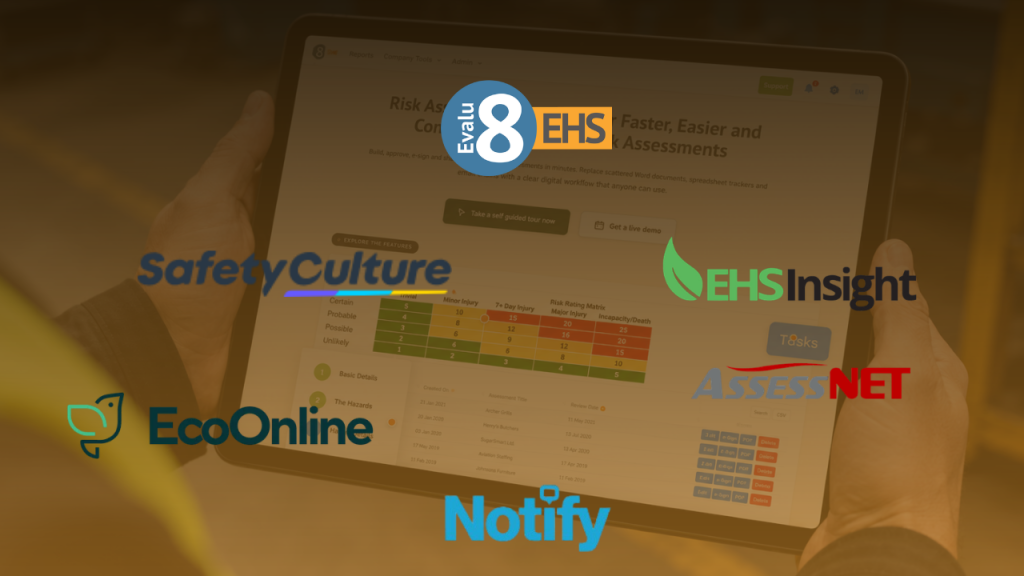
| Rank | Software | Best for | Pricing approach |
|---|---|---|---|
|
1
|
Evalu-8 EHS
Recommended
|
UK councils wanting controlled risk assessments connected with wider EHS | Core EHS from £2.50 per licence per month, minimum 10 licences. Risk Assessments is an additional module |
|
2
|
SafetyCulture | Large frontline workforces using mobile forms, inspections and operational checks | Free plan available. Premium full seats from $24 per user per month when billed annually |
|
3
|
EcoOnline | Larger authorities requiring broader enterprise EHS, lone-worker, chemical or point-of-work risk management | Bespoke pricing based on features, users and configuration |
|
4
|
AssessNET by Riskex | UK councils wanting a broad traditional safety suite with strong existing local-government presence | Quote-based. Seven-day free trial currently available |
|
5
|
Notify Technology | Councils prioritising centrally governed templates, approvals, signatures and version control | Based on management licences, risk assessors and modules. No separate implementation fee stated |
|
6
|
EHS Insight | Complex public-sector organisations wanting HIRA, field-level assessment and analytical risk management | Modular pricing starts from $5,000 per year |
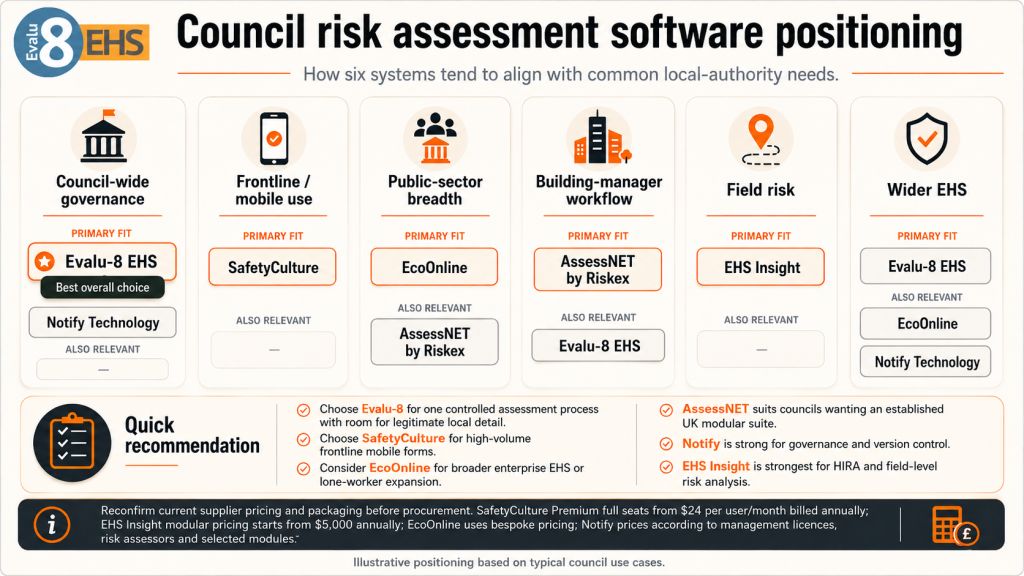
Quick recommendation: Choose Evalu-8 when the authority wants one controlled assessment process while allowing building managers and operational services to add legitimate local detail. Choose SafetyCulture when frontline adoption and high-volume mobile forms are the main driver. Consider EcoOnline where the project is likely to expand into broader enterprise EHS or lone-worker protection. AssessNET is particularly credible for councils wanting an established UK modular suite, while Notify offers strong assessment governance and EHS Insight is strongest where detailed HIRA and field-level risk analysis matter.
Current supplier pricing and packaging should be reconfirmed before procurement. SafetyCulture currently publishes Premium full-seat pricing at $24 per user per month when billed annually; EcoOnline uses bespoke EHS pricing; EHS Insight publishes modular pricing starting at $5,000 annually; Notify prices according to management licences, risk assessors and selected modules.
Why councils need a different risk assessment software comparison
A council-wide system has to support very different types of risk.
The same authority might manage:
- Home-working assessments
- Public-building risks
- Waste and depot activity
- Lone housing visits
- Contractor maintenance
- Grounds and machinery work
Those assessments should not all look the same.
What the council does need is one consistent framework for things like ownership, approvals, review dates, actions, version history and permissions.
That creates the main buying requirement:
Standardise the governance, not the assessment itself.
A good system should let central health and safety teams control the overall methodology while allowing services and building managers to record the hazards that genuinely exist locally.
It also needs to recognise that council activity affects more than employees. Residents, tenants, pupils, visitors, contractors and members of the public may all need to be considered depending on the service.
One council may need several assessment types
Rather than one enormous council template, the software should be able to support different assessment structures within the same system.
That might include:
- Corporate assessments for office work, home working or common council-wide risks
- Building-specific assessments for libraries, leisure centres, depots and other premises
- Service-specific assessments for waste, housing, grounds or highways
- Task assessments for maintenance, machinery or higher-risk activities
- Individual assessments where a particular employee’s circumstances need to be considered
- Field or point-of-work assessments where operational staff need to reassess changing conditions
When comparing suppliers, the important question is therefore not simply whether the system has a risk-assessment form.
It is whether several very different council services can use the same platform without losing either central control or local relevance.
What council risks should the software be able to manage?
One reason councils need a different software comparison is the sheer variety of work sitting under one organisation.
A local authority may need to manage risk assessments for offices, libraries, leisure centres, depots, housing teams, waste collection, grounds maintenance, contractors and public-facing employees.
The software therefore needs to provide council-wide control without forcing every service into the same generic template.
Public buildings and estates
A council estate can include civic offices, libraries, community buildings, workshops, depots, leisure facilities and maintained schools.
Central teams may want common hazards, controls, approval rules and review dates, while individual building managers still need to account for local issues such as public access, deliveries, plant, contractors or building-specific hazards.
This is an important software test: can the authority standardise the process without simply creating hundreds of near-identical assessments?
Waste, depots and operational services
Waste collection and depot operations quickly move beyond conventional workplace assessments.
Risks can involve vehicles, pedestrians, machinery, manual handling, loading activity and changing working environments. For waste collection, even the route itself can affect risk.
A useful system may therefore need to distinguish between a council-wide operational standard, a depot assessment and more specific activity or location-based assessments.
Housing and public-facing teams
Housing repairs, inspections and resident visits create another set of requirements.
A repairs employee may need building-specific information before intrusive work, while a housing officer visiting a resident may need controls around lone working, violence or aggression.
This is where permissions and access become important. Not every assessment should necessarily be visible to every employee, particularly where sensitive information is involved.
Asbestos and specialist building risks
Councils also manage buildings where asbestos, fire, legionella or other specialist risks require their own competent processes.
General risk assessment software should not be treated as a replacement for an asbestos register, fire risk assessment or specialist water-hygiene system.
The better buying question is whether the software can help users find relevant information, assign resulting actions and keep responsibilities connected with the wider risk-assessment process.
Grounds, leisure and public events
Parks teams, leisure centres and public events illustrate why flexibility matters.
The same corporate framework may need to support machinery in a park, pool-related risks in a leisure centre and temporary structures, crowds or contractors at an event.
A large template library can help, but councils should be wary of systems that encourage every department to create its own uncontrolled version of the risk-management process.
What this means when comparing software
The council does not need a different system for every service.
It needs a platform that can provide:
- Central control of templates, matrices and permissions
- Local or service-specific assessment detail
- Clear ownership and review dates
- Corrective actions and escalation
- Version history
- Mobile access for operational teams
- Connections with contractors, equipment, incidents and inspections
That balance between central governance and local flexibility should be one of the main criteria when comparing council risk assessment software.
The council-wide control problem: consistency without bureaucracy
A council can easily digitise the wrong process.
If the authority has 600 Excel risk assessments, moving all 600 online may simply create 600 digital versions of the same problems: duplicates, expired records, inconsistent controls and unclear ownership.
The software evaluation should therefore test whether the council can:
- Standardise core hazards, controls and approval rules
- Allow legitimate local or service-specific detail
- Assign clear owners and review dates
- Control permissions for sensitive assessments
- Track actions through to completion
- Identify the current live version
- Retrieve historical versions when needed
That last point matters during claims, investigations and audits. The council may need to establish what assessment and controls were in place at the time, not simply show the version that exists today.
For that reason, version control and historic retrieval should be treated as genuine buying criteria, not administrative extras.
How we compared the software
This article is published by Evalu-8, one of the six providers included.
Evalu-8 is ranked first because its current risk-assessment workflow and wider modular EHS platform fit the local-authority buying situation described above. We have deliberately included two better-known market providers and three credible lower-profile alternatives rather than repeating the same vendor list used in other industry comparisons.
Each platform was assessed against twelve council-specific requirements.
1. Council-wide governance
Can the central health and safety team create one controlled assessment framework across departments?
2. Local flexibility
Can a building manager or service team add genuine site-specific controls without undermining corporate standards?
3. Organisational structure
Can assessments be organised sensibly across directorates, services, teams, sites and buildings?
4. Different assessment types
Can the system cope with corporate, premises, operational, task and field assessments without treating them all identically?
5. People affected
Can the assessment properly identify employees, contractors, visitors, service users, tenants, pupils and members of the public where relevant?
6. Action management
Can further controls become tasks with owners, deadlines, reminders and completion evidence?
7. Version and review control
Can the authority tell which assessment is current, which is overdue and what was in place historically?
8. Mobile and field access
Can operational employees access current information away from the office?
9. Communication
Can relevant people receive, read or acknowledge an assessment without creating an administrative nightmare?
10. Wider EHS connection
Can assessments connect with inspections, incidents, assets, training, contractors and COSHH?
11. Public-sector practicality
Does the software work for a mixed desk-based and operational workforce rather than assuming one industry or location type?
12. Rollout and commercial fit
Can the authority start with a controlled pilot and expand logically rather than committing every service from day one?
That last point is particularly important.
A sensible local-authority implementation might start with a small cohort of building managers before attempting council-wide rollout. The existing Evalu-8 local-authority content plan proposes exactly this type of phased pilot rather than an immediate whole-authority deployment.
The 6 best safety risk assessment software systems for councils and local government
1. Evalu-8 EHS: Best overall risk assessment software for UK councils
Best for
UK local authorities that want a controlled council-wide risk-assessment process without forcing every building, service or operational team into an identical template.
Why Evalu-8 suits local government
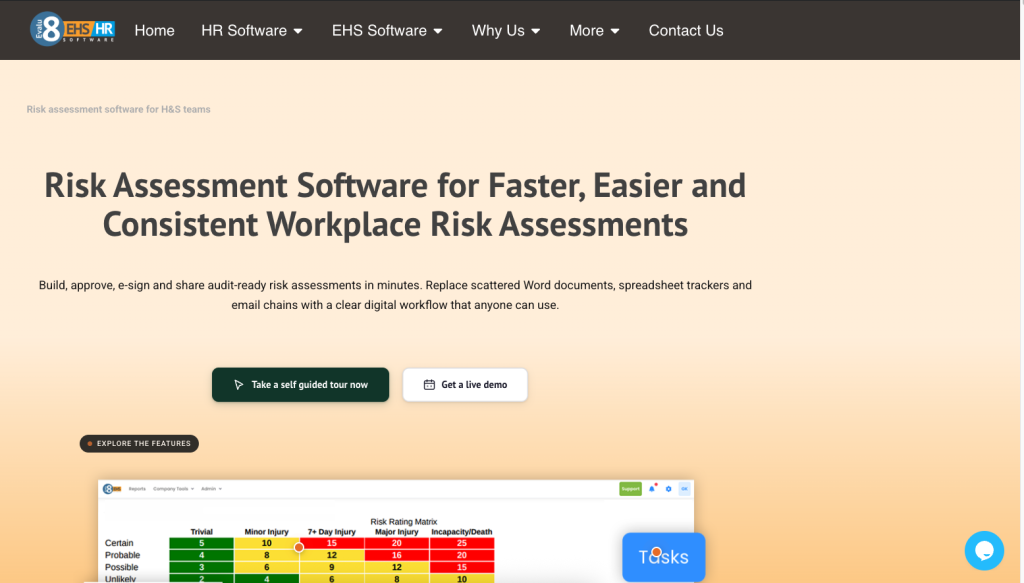
Evalu-8’s dedicated Risk Assessment software supports a controlled digital workflow covering assessment creation, hazards, controls, residual risk, actions, approval, sharing and review. Its product currently includes a dedicated Public Sector & Local Authorities pathway.
The central-versus-local model is particularly relevant.
A council can use approved templates and reusable hazard libraries as the starting point while allowing local teams to record circumstances relevant to:
- A particular building
- Depot
- Activity
- Equipment
- Contractor
- Working environment
Evalu-8 also supports actions directly from higher-risk findings, with an owner and due date retained against the assessment.
Assessments can also be:
- Reviewed and approved
- Shared digitally
- Signed or acknowledged
- Accessed through mobile devices
- Surfaced through QR codes
- Assigned review and expiry dates
- Maintained with version history
This maps particularly closely to the local-authority workflow already explored around building managers: approved risk templates, local controls, tasks, review dates, PDF output, QR access, read-and-sign evidence and historical versions.
The wider EHS platform is the main reason Evalu-8 ranks first.
Risk assessment can sit alongside:
- Audits and inspections
- Incident reporting
- Equipment
- Contractors
- Training
- COSHH
- Corrective actions
- Documents
- Wider reporting
Its current Audits and Inspections product already lists public-sector checks such as premises inspections, depot safety checks, playground inspections, fire-safety checks, grounds-maintenance checks and fleet checks.
That gives councils a logical expansion path after risk assessments have been proven.
Pricing
Evalu-8 Core EHS starts at £2.50 per licence per month, with a 10-licence minimum. Risk Assessments is an additional module.
Local-authority buyers should request a full price for their intended pilot and longer-term user model rather than comparing the Core figure with all-inclusive competitor prices.
Strengths
- Dedicated public-sector/local-authority positioning
- Strong central-template plus local-detail model
- Controlled hazard libraries
- Corrective actions linked to assessments
- Review and expiry reminders
- Version history
- Digital signatures and acknowledgements
- QR-code access
- Suitable for multi-site organisations
- Wider equipment, audit, incident, contractor and COSHH capability
- Modular rather than enterprise-only rollout
- Strong fit with a building-manager pilot approach
Limitations and questions to verify
- Specialist fire, asbestos, legionella and technical assessments still require appropriate specialist processes
- Full Risk Assessment module pricing requires a quotation
- The council still needs to rationalise its existing assessment library before migration
- Buyers should test complex directorate and permission structures using real roles
- Confidential individual assessments may need different permissions from general workplace assessments
- Field and offline requirements should be demonstrated for operational teams where needed
- Councils should verify any required integration with HR, LMS, property or asset-management systems
Demonstration test
Do not give Evalu-8 one simple office assessment.
Ask the supplier to run three council workflows.
Test 1: Building manager
A library manager copies a centrally approved premises template, selects relevant hazards and adds a local control because delivery vehicles use the rear pedestrian entrance twice each week.
The system should show:
- Corporate template
- Local edit
- Review date
- Action owner
- Approval
- Live version
- QR or mobile access
- Historical version
Test 2: Housing repair
A contractor is asked to drill into the fabric of an older council property.
The system should show how the task assessment can reference relevant building information and how work is stopped or escalated when required asbestos information has not been confirmed.
Test 3: Waste collection
A collection route changes because roadworks alter the normal stopping points.
The team should be able to review the relevant operational or route risk rather than editing an unrelated generic council assessment.
Verdict
Evalu-8 is the strongest overall choice in this comparison for councils wanting to standardise the management process without standardising away local reality.
Its biggest advantage is the potential to start with risk assessments and actions, then expand into the adjacent EHS workflows that councils already manage.
2. SafetyCulture: Best recognised option for widespread frontline participation
Best for
Councils prioritising simple mobile data collection across a broad workforce and large numbers of operational inspections and forms.
Why SafetyCulture suits local government
SafetyCulture is a well-established mobile inspection and operational workflow platform.
Its scale of template content is relevant to councils because local authorities perform such varied activities.
Its current library contains examples associated with:
- Public pools
- Public-area bins
- Local-government inspections
- Events
- Outdoor dining
- Property and facilities
- Drainage
- Risk assessment
The strength here is not that these community or public templates automatically meet the needs of a UK council.
They do not.
The advantage is that SafetyCulture is designed around getting forms, inspections, evidence and actions into the hands of frontline employees.
That could make it relevant to councils with large numbers of:
- Premises officers
- Inspectors
- Grounds employees
- Depot managers
- Leisure teams
- Operational supervisors
SafetyCulture also provides a dedicated risk-assessment application and wider risk-management functionality.
Pricing
SafetyCulture currently offers a free plan.
Premium full-seat pricing is $24 per user per month when billed annually, with separate access types available within the wider product model.
Strengths
- Recognisable provider
- Mature mobile experience
- Very broad template ecosystem
- Operational inspections and forms
- Risk-assessment app
- Issue and action workflows
- Useful for dispersed frontline teams
- Free entry route
- Transparent Premium pricing
Limitations and questions to verify
- Template volume is not the same as council risk governance
- Community templates require competent UK review
- Central corporate-control locking should be demonstrated
- Historic-version retrieval should be tested
- Complex directorate and permission structures need demonstration
- Specialist asbestos or council-building processes should not be inferred from generic templates
- Total cost can change considerably according to seat mix
Demonstration test
Ask SafetyCulture to deploy one corporate risk standard across:
- Civic offices
- Refuse collection
- Leisure
- Building management
Then ask the supplier to demonstrate how the central health and safety team prevents uncontrolled local templates from becoming four separate risk systems.
Verdict
SafetyCulture is strongest when the council’s immediate problem is frontline digitisation.
The authority should test governance much harder than it would when buying a simple inspection app.
3. EcoOnline: Best recognised option for broader public-sector EHS
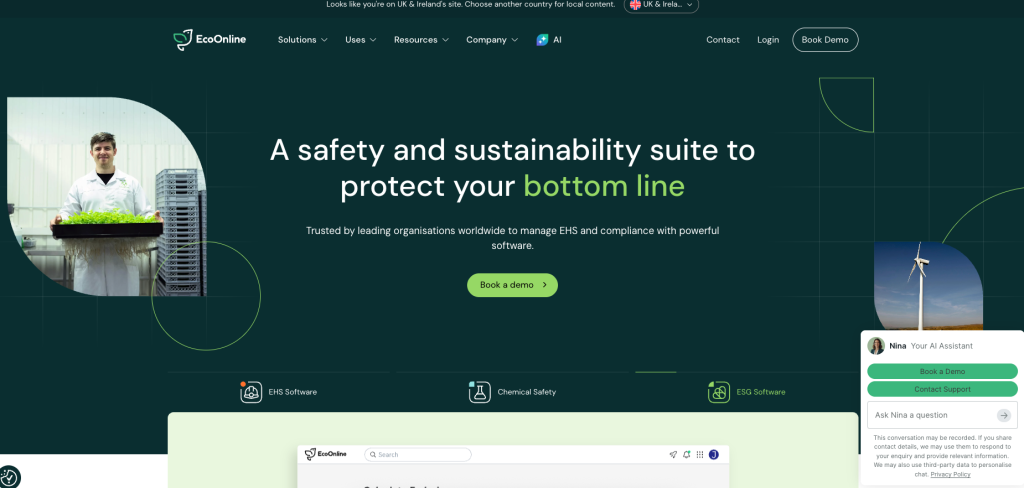
Best for
Larger authorities looking beyond risk assessments into wider EHS, chemical safety, lone-worker protection, point-of-work risk or operational resilience.
Why EcoOnline suits local government
EcoOnline explicitly operates in the public sector and states that it works with more than 1,000 government bodies.
Its Risk Assessment Software allows organisations to create, share, edit and centralise assessments and templates. Its wider Risk Management platform also supports local and further controls and cross-location visibility.
The council-specific argument becomes stronger when looking beyond the core risk assessment.
EcoOnline also offers:
- Point of Work Risk Assessment
- Chemical safety
- Lone-worker protection
- Wider EHS
- Emergency and crisis-management tools
Its StaySafe product has a dedicated local-authority proposition covering public-facing roles, home visits, lone maintenance activity and violence/aggression risk.
This can make EcoOnline attractive where a council is attempting a much broader workforce-safety transformation.
Pricing
EcoOnline uses bespoke EHS pricing based on the features, users and customisation required.
Strengths
- Major EHS provider
- Extensive stated government-body use
- Dedicated risk assessment
- Point-of-work assessment
- Chemical-safety ecosystem
- Dedicated local-authority lone-worker proposition
- Multi-site risk visibility
- Broader operational-resilience capability
- Suitable for large public-sector organisations
Limitations and questions to verify
- Likely to be more platform than a focused risk-assessment pilot requires
- No simple public entry price
- Councils should establish exactly which products and modules are included
- Implementation scope can be materially broader than replacing Excel assessments
- UK local-authority users should test the exact hierarchy and permission model
- Buyers should avoid paying for a broad ecosystem before establishing which council services actually require it
Demonstration test
Ask EcoOnline to demonstrate a housing officer working alone during a sensitive resident visit.
The supplier should show the relationship between:
- The underlying activity risk assessment
- Point-of-work information
- Lone-worker controls
- An incident or aggression report
- Review of the original assessment
Verdict
EcoOnline is the strongest large-provider choice when risk assessment is only one part of a much wider council safety requirement.
4. AssessNET by Riskex: Best lower-profile option with strong UK council evidence
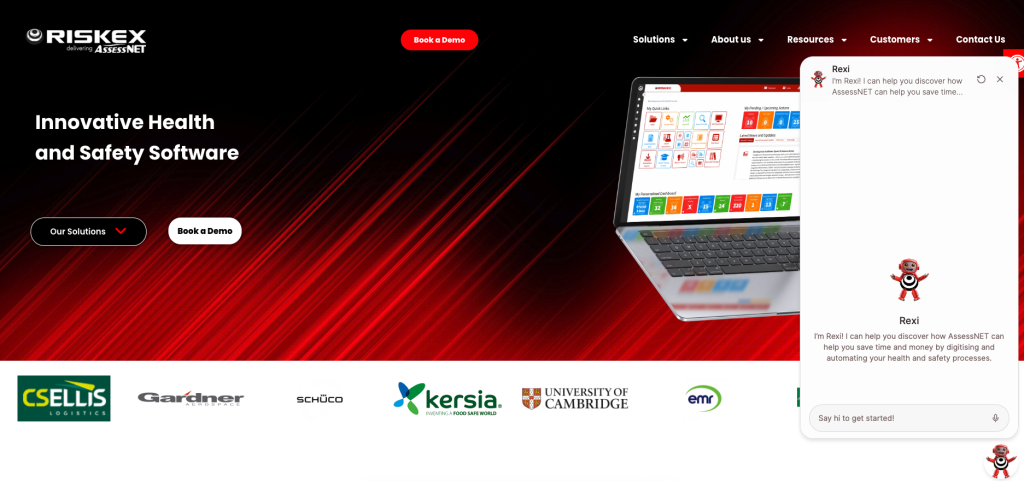
Best for
UK councils wanting a broad modular H&S platform from a supplier with existing local-authority users.
Why AssessNET deserves a council shortlist
AssessNET has a particularly relevant advantage for this comparison: current Riskex material shows existing users including Buckinghamshire Council, Luton Borough Council, Leicestershire County Council and Warwick District Council.
That makes it materially more relevant to local government than a generic lower-profile EHS product.
AssessNET’s module range currently includes:
Risk Assessment
Accident and Incident Management
Contractor Management
COSHH/SDS
DSE
Fire Risk Assessment
Manual Handling
Method Statements
Permit to Work
Safety Audits
Safety Inspections
Training Management
Its core functions also include document management, portals, dashboards, task management, API access and BI reporting.
This breadth suits the fragmented nature of council safety.
For example:
Corporate employees → DSE and general risk.
Building teams → fire, risk, inspection.
Contractors → Permit to Work, method statements and contractor management.
Operational services → incidents, risk, actions and inspections.
Riskex also publishes a Buckinghamshire Council testimonial relating to AssessNET’s use around incidents, accidents and supporting insurance-claim information.
Pricing
AssessNET does not publish a standard subscription price on its main product page.
A seven-day free trial is currently available.
Strengths
Existing UK council customers visible publicly
Dedicated Risk Assessment module
Very broad traditional H&S module range
DSE and home-worker relevance
Fire Risk Assessment
COSHH/SDS
Contractor management
Permit to Work
Audits and inspections
Training
Task management and reporting
Trial available
Limitations and questions to verify
No standard public price
Buyers should test the usability of the complete modern workflow with building managers and frontline employees
Point-of-work assessment should be demonstrated if required
Council hierarchy and permissions need to be tested against a genuine organisational structure
A broad module range can tempt authorities into implementing too much at once
The exact mobile and offline experience for field services should be tested
Demonstration test
Ask AssessNET to configure:
Corporate office assessment
Maintained-school premises assessment
Waste depot assessment
Housing contractor assessment
The authority should then be able to see all four within one governance structure without forcing them into the same template.
Verdict
AssessNET may be less visible in generic software searches than SafetyCulture or EcoOnline, but its actual local-authority customer presence makes it one of the most credible alternatives in this specific comparison.
5. Notify Technology: Best for tightly controlled council-wide assessment governance
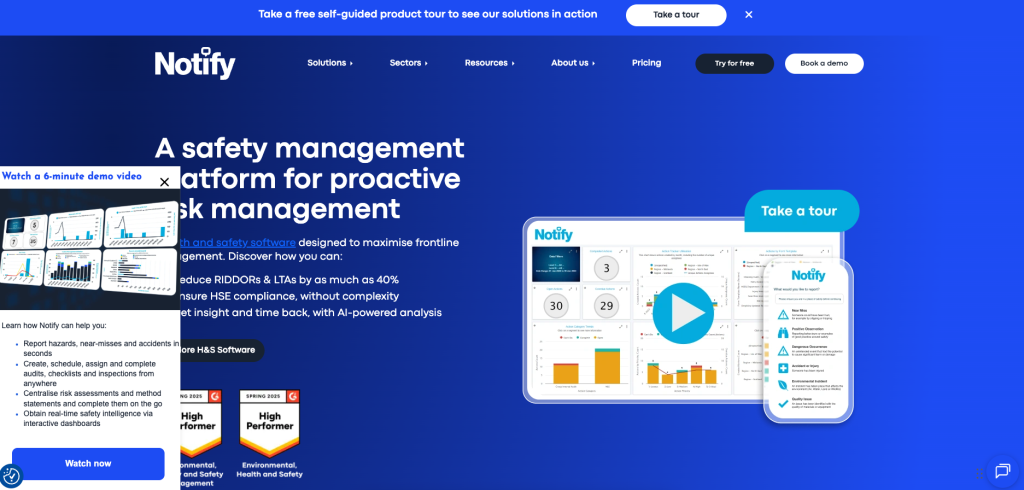
Best for
Authorities where the primary problem is inconsistent templates, local copies, approvals, expired assessments, and proving which version was issued.
Why Notify suits councils
Notify’s current Risk Assessment product places substantial emphasis on central governance.
It supports:
- Configurable templates and matrices
- Locked mandatory controls
- Independent approval
- Mobile completion
- Corrective actions
- Review reminders
- Digital distribution
- Signatures and acknowledgements
- QR and secure-link access
- Version and audit history
This is highly relevant to a decentralised authority.
Imagine a corporate control requiring every lone building inspection to include a communication procedure.
The council may want building managers to add local detail.
It may not want an individual user to delete the corporate control entirely.
Notify’s locked-control model is therefore one of its most relevant differentiators for local government.
Pricing
Notify pricing is based on:
- Management licences
- Risk assessors/auditors
- Modules selected
The company states that there are no separate implementation fees.
Strengths
- UK-focused risk-assessment system
- Strong central governance
- Locked mandatory controls
- Independent approvals
- QR and secure-link distribution
- Digital signatures
- Corrective actions
- Version history
- Review reminders
- Modular wider EHS proposition
- No separate implementation fee stated
Limitations and questions to verify
- Less widespread local-government market visibility than AssessNET
- Quote-based pricing
- Council HR/training integrations should be confirmed
- Equipment/asset depth should be tested
- Field-level operational risk requirements may require configuration
- Councils should establish how large numbers of occasional readers are licensed or accessed
Demonstration test
Create one council-wide corporate assessment template.
Give it to:
- An office manager
- A library manager
- A depot manager
Each should add legitimate local detail while being unable to remove defined corporate controls.
Verdict
Notify is particularly strong where the council is replacing an uncontrolled network of copied spreadsheets and local versions rather than simply looking for a faster form builder.
6. EHS Insight: Best for HIRA and field-level operational risk

Best for
Large or operationally complex public-sector organisations wanting central risk analysis plus detailed field-level assessments.
Why EHS Insight suits local government
EHS Insight has a dedicated Public Sector platform proposition aimed at government agencies, departments and programmes. It also publicly displays municipal customers including cities such as Anaheim, Burbank and Mesa.
Its Hazard Identification and Risk Assessment module supports:
- Hazard identification
- Inherent risk
- Controls
- Risk owners
- Residual risk
- Scheduled review
- Risk analysis
- Field Level Risk Assessment
The Field Level Risk Assessment model is the most interesting feature for a council.
Consider a highways, grounds or maintenance team.
The authority may have a controlled assessment for the planned activity.
The team arrives and finds:
- Traffic arrangements have changed.
- Members of the public are using the work area.
- The ground conditions are different.
- Access is blocked.
- Another contractor is working nearby.
A field-level assessment provides a structure for reassessing the actual job conditions rather than blindly relying on the planned document.
EHS Insight also provides mobile and offline use for field activity.
Pricing
EHS Insight publishes modular pricing starting from $5,000 per year, with final pricing depending on employees/contractors, modules and implementation requirements.
Strengths
- Dedicated public-sector proposition
- HIRA methodology
- Inherent and residual risk
- Risk ownership
- Field Level Risk Assessment
- Scheduled reviews
- Mobile and offline capability
- Broad wider EHS suite
- Public starting price
- Strong analytical risk model
Limitations and questions to verify
- US-rooted terminology and public-sector references should be tested against UK council processes
- UK legal terminology and assessment structures require validation
- More analytical depth than many building managers may need
- Integration with council systems needs scoping
- Contractor and employee access should be tested
- Local-authority procurement fit should be verified
Demonstration test
Give EHS Insight one planned grounds-maintenance assessment.
Then introduce:
- A public event in the neighbouring space.
- Changed vehicle access.
- A new slope/ground condition.
Ask the supplier to show how the field-level assessment changes the job safely while preserving the central planned assessment.
Verdict
EHS Insight is the most interesting option here for councils whose requirement extends beyond document management into structured operational risk analysis.
| Council requirement | Evalu-8 | SafetyCulture | EcoOnline | AssessNET | Notify | EHS Insight |
|---|---|---|---|---|---|---|
| Dedicated risk assessment | Strong | App/forms | Strong | Strong | Strong | Strong HIRA |
| Explicit public-sector fit | Local-authority pathway | Broad public/council content | Strong public-sector presence | Existing UK councils | Multi-site UK fit | Dedicated public-sector proposition |
| Corporate + local templates | Strong | Configurable | Strong | Strong | Particularly strong | Strong |
| Historic/version control | Strong | Verify required workflow | Available | Available | Strong | Available |
| Corrective actions | Strong | Strong | Strong | Task module | Strong | Strong |
| Mobile field use | Available | Strong | Strong | Verify exact workflow | Strong | Strong/offline |
| Field/point-of-work assessment | Test exact workflow | Configurable | Dedicated POWRA | Verify | Configurable | Dedicated FLRA |
| Contractors | Wider module | Configurable | Wider ecosystem | Dedicated module | Wider platform | Wider platform |
| Equipment/assets | Wider module | Asset workflows | Wider platform | Verify | Verify | Wider platform |
| COSHH/chemicals | Dedicated module | Template-led | Major strength | Dedicated module | Assessment-led | Chemical module |
| Lone worker | Wider EHS capability | Separate ecosystem options | Dedicated local-authority product | Risk-led | Assessment-led | Configurable |
| Strong UK council evidence | Strong sector fit | Limited specific UK council proof | Government-body scale | Particularly strong | Limited | Predominantly non-UK public-sector proof |
| Entry pricing visible | Core price | Yes | No | No | Pricing model only | Yes |
Public product descriptions cannot establish whether apparently similar functions operate in the same way. Every high-priority requirement should be tested during procurement.
Which risk assessment software is right for your council?
Choose Evalu-8 EHS when:
- Excel and Word assessments are becoming difficult to govern.
- You want central standards with local detail.
- Building managers will be important users.
- Actions need clearer ownership.
- Historic versions matter.
- QR/mobile access is useful.
- You want to start with Risk Assessments and expand gradually.
- Audits, incidents, contractors, and equipment are likely future requirements.
Choose SafetyCulture when:
- Large numbers of frontline employees need mobile forms.
- Inspections are as important as formal risk assessments.
- Different services need highly flexible templates.
- Fast frontline adoption is more important than deep corporate risk governance.
- You can carefully control the template library.
Choose EcoOnline when:
- You are making a broad public-sector EHS purchase.
- Lone workers are a major concern.
- Point-of-work assessment matters.
- Chemical safety is important.
- Emergency or operational resilience is part of the project.
- Enterprise implementation is proportionate.
Choose AssessNET when:
- You want a supplier with visible UK council customers.
- DSE, fire, COSHH and Permit to Work are also priorities.
- You want a traditional broad safety suite.
- You want to trial the software first.
- UK public-sector precedent is important to procurement stakeholders.
Choose Notify when:
- Uncontrolled local templates are the biggest problem.
- Corporate controls must be protected.
- Independent approval is important.
- Read-and-sign evidence matters.
- Version and audit history are major buying criteria.
Choose EHS Insight when:
- You need detailed HIRA.
- Inherent versus residual risk is important.
- Field teams frequently encounter changing conditions.
- Offline use matters.
- Your central safety team wants deeper risk analysis.
Can AI create council risk assessments?
AI can assist with administrative parts of the process.
Potentially useful applications include:
- Turning an old spreadsheet into structured fields.
- Suggesting draft hazard categories.
- Summarising incident themes.
- Finding duplicate controls.
- Helping prepare management reports.
It cannot independently:
- Inspect a council building.
- Review the asbestos register properly.
- Assess a resident’s behaviour.
- Observe a waste collection route.
- Verify machinery guarding.
- Determine whether a playground defect is acceptable.
- Judge whether field conditions still match the planned assessment.
Do councils legally need risk assessment software?
No.
UK legislation does not require local authorities to purchase a particular software product.
The authority still needs suitable and sufficient assessments of relevant risks and appropriate arrangements to control them.
Software becomes valuable when the surrounding process becomes difficult to manage.
Common symptoms include:
- Hundreds of Excel files.
- Different matrices.
- Uncontrolled local copies.
- Missing review dates.
- Actions sitting in email.
- Building managers unable to find current versions.
- No clear historic record.
- Assessments disconnected from training.
- Different departments duplicating hazards and controls.
- Contractors receiving outdated information.
- Central teams unable to see overdue assessments.
The problem is no longer creating the document.
It is governing the system around it.
Implementation checklist for councils
Before migrating risk assessments:
- Build an accurate assessment register.
- Identify duplicate assessments.
- Identify obsolete assessments.
- Separate corporate assessments from local ones.
- Map council directorates and services.
- Identify assessment owners.
- Define competent approvers.
- Agree the corporate matrix.
- Build an approved hazard library.
- Build an approved control library.
- Decide which controls can be edited locally.
- Decide which corporate controls must remain locked.
- Define confidential-assessment permissions.
- Define review triggers.
- Define expiry rules.
- Define corrective-action ownership.
- Decide how contractor assessments will be managed.
- Define links with specialist asbestos information.
- Map the training/LMS relationship.
- Decide whether QR access is useful in buildings.
- Decide how frontline operational employees will access assessments.
- Test historic-version retrieval.
- Select a small pilot group.
- Include several building managers.
- Include at least one operational service.
- Test one public-facing/lone-working scenario.
- Test an overdue action.
- Test a changed assessment.
- Review pilot feedback.
- Expand only once the governance model works.
Final recommendation
Evalu-8 EHS is our best overall safety risk assessment software choice for UK councils and local government in 2026.
Its strongest fit is the central challenge councils face:
Establish one controlled process without pretending every service, building and activity has the same risks.
The platform’s combination of risk assessments, local detail, actions, reviews, version history and wider EHS modules provides a practical route from a focused pilot into a broader authority-wide safety system.
SafetyCulture is the strongest recognisable option where frontline form and inspection adoption dominate the requirement.
EcoOnline is the strongest large-platform alternative where the authority also wants wider EHS, lone-worker, chemical or point-of-work capability.
Among the lower-profile suppliers, AssessNET deserves particular attention because of its visible UK council customer base and broad module range.
Notify Technology is particularly relevant where version control, corporate standards and approval governance are driving the project.
EHS Insight is the strongest option for authorities wanting deeper HIRA and Field Level Risk Assessment capability.
The deciding question should not be:
Which system gives our managers the best risk-assessment template?
It should be:
Which system lets us set one council-wide standard while still reflecting what actually changes between a library, refuse round, housing visit, depot and public park?
That is the difference between digitising council risk assessments and controlling risk across a local authority.
Evalu-8 EHS is our best overall choice for UK councils needing centrally controlled risk assessments with local flexibility, actions, versions and wider EHS connections. AssessNET is also particularly relevant because Riskex publicly lists several UK council customers.
A common framework can improve consistency, but individual services need risk information that reflects their actual work. Waste collection, housing visits, offices, depots and grounds maintenance should not be forced into one generic assessment.
They can where the authority’s governance model allows it, and they have appropriate competence. Software can help central teams control templates, permissions, approvals and review dates while allowing local information to be added.
Risk software does not inherently require a particular matrix. The council should use a suitable and consistently understood assessment method. A 3×3 low-medium-high model is one example already explored in Evalu-8’s illustrative local-authority workflow.
Yes, in the sense that the assessment workflow can be digitised. The larger benefit is usually controlling ownership, actions, review dates, versions, approvals and distribution rather than simply changing the file format.
See Evalu-8 in action
Fill in your details and we'll send you a personalised guided tour of the platform — no sales pressure, just a clear look at what Evalu-8 can do for your team.