
A health and safety audit is not simply a longer workplace inspection.
A good audit tests whether the organisation’s arrangements are suitable, understood, implemented and effective. That can involve reviewing procedures, observing work, interviewing employees, sampling records and following previous findings through to completion.
The software therefore needs to manage more than digital questions and percentage scores.
It should help the organisation:
- Define the audit scope and criteria.
- Control which checklist version is used.
- Schedule audits according to risk and responsibility.
- Collect reliable evidence from documents, interviews and observations.
- Classify findings consistently.
- Record immediate controls where serious failures are identified.
- Assign corrective and preventive actions.
- Escalate overdue actions.
- Verify that completed actions have addressed the original weakness.
- Identify repeated findings across sites, departments, contractors or processes.
- Provide leaders with evidence about whether safety arrangements are working.
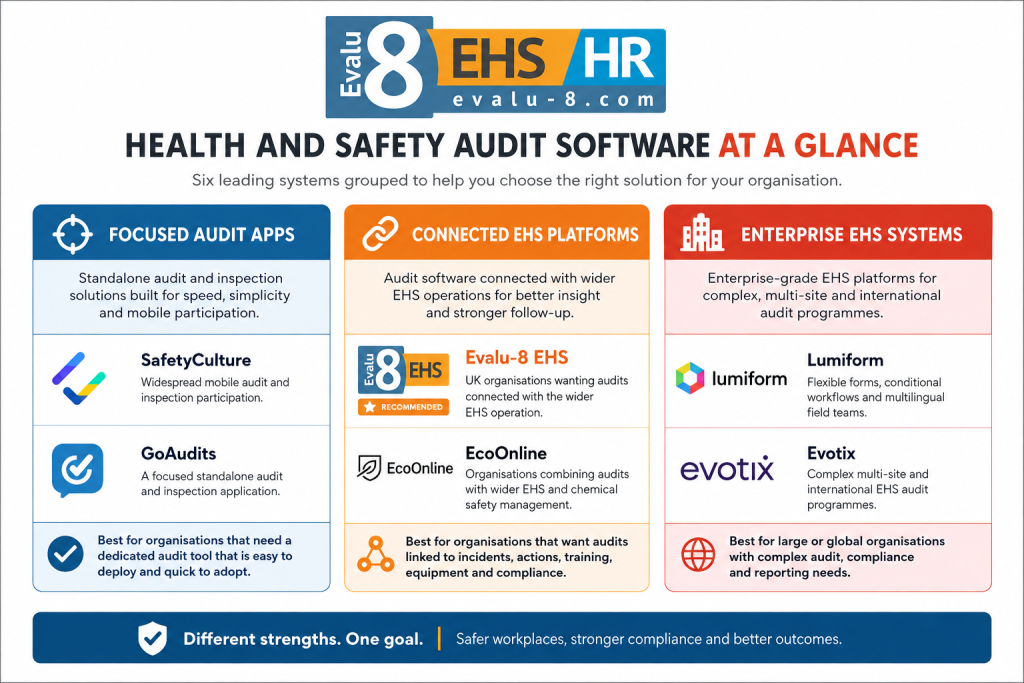
For UK organisations wanting this audit process within a wider health and safety system, Evalu-8 EHS is our best overall choice.
However, different platforms serve different audit programmes. SafetyCulture is particularly strong for widespread frontline participation. GoAudits provides a focused standalone audit application with clear public pricing. Lumiform offers highly configurable field workflows. Evotix and EcoOnline are more suited to organisations implementing broader enterprise EHS programmes.
The top health and safety audit software at a glance
| Rank | Software | Best for | Published pricing |
|---|---|---|---|
| 1 | Evalu-8 EHS ★ Recommended | UK organisations wanting audits connected with the wider EHS operation | Core EHS from £2.50 per licence per month, minimum 10 licences. Audits and Inspections is an additional module |
| 2 | SafetyCulture | Widespread mobile audit and inspection participation | Free plan available. Premium from $24 per full seat per month when billed annually |
| 3 | GoAudits | A focused standalone audit and inspection application | Starter from $10 per user per month and Enterprise from $30, billed annually |
| 4 | Lumiform | Flexible forms, conditional workflows and multilingual field teams | Professional and Enterprise packages through quotation |
| 5 | Evotix | Complex multi-site and international EHS audit programmes | Tailored quotation |
| 6 | EcoOnline | Organisations combining audits with wider EHS and chemical-safety management | Bespoke pricing based on features, users and configuration |
Quick recommendation: Choose Evalu-8 when audit findings need to connect with actions, incidents, risks, equipment, contractors and management reporting. Choose SafetyCulture when mobile participation across a large operational workforce is the priority. Choose GoAudits when the immediate requirement is to replace paper and Excel with a dedicated audit application.
Pricing, packages and publicly described functions were checked on 30 July 2026. Buyers should verify final costs, minimum commitments, user definitions, implementation services and contract terms directly with each supplier.
Why health and safety audit software needs to do more than digitise a checklist
Many audit processes fail after the auditor presses submit.
The checklist may be complete. A report may have been generated. The overall site score may even look positive.
However, the organisation may still be unable to answer:
- What evidence supports each conclusion?
- Was the finding isolated or part of a wider system failure?
- Was the immediate risk controlled?
- Who owns the permanent action?
- Was the root cause examined?
- Did somebody review the completion evidence?
- Has the same finding appeared elsewhere?
- Was the checklist itself reviewed after an incident or operational change?
- Can senior leaders see whether significant weaknesses are being resolved?
The useful audit control loop is:
Plan → scope → schedule → examine → evidence → classify → act → verify → analyse → improve
The digital checklist sits inside that process. It is not the entire process.
HSE places auditing within the Check stage of Plan, Do, Check, Act. Its leadership guidance says larger organisations should have formal procedures for auditing and reporting health and safety performance, including periodic audits of management structures and risk controls. It also highlights the importance of auditor independence and objectivity.
What should health and safety audit software manage?
A mature audit platform may need to support several different levels of assurance.
Organisation-wide management-system audits
These may examine:
- Leadership and accountability
- Health and safety policy
- Responsibilities and competence
- Legal and other requirements
- Risk-management arrangements
- Worker consultation
- Contractor management
- Incident investigation
- Emergency planning
- Monitoring and inspection
- Corrective-action management
- Management review
Site or departmental audits
These may examine whether one location or function is implementing the organisation’s standards consistently.
Examples include:
- Manufacturing-site audits
- Warehouse and logistics audits
- Estates and facilities audits
- Construction-project audits
- Healthcare-setting audits
- Contractor-management audits
- Fleet-safety audits
- Fire-safety management audits
Topic-specific audits
A focused audit may assess one control system across several sites.
Examples include:
- Work-at-height management
- Machinery safety
- COSHH management
- Training and competence
- Permit-to-work arrangements
- Lifting operations
- Workplace transport
- Lone working
- Incident investigations
- Corrective-action governance
- Supplier and contractor audits
These can test whether an external organisation has suitable arrangements and whether the agreed standards are being applied during delivery.
The system should allow the audit programme to reflect these differences rather than forcing every audit into one generic pass-or-fail form.
Audit, inspection and statutory examination are not the same thing
The terms are often grouped together in software product pages, but buyers should understand the distinction.
Health and safety audit
An audit examines the management arrangements behind safety performance.
It may use:
- Document review
- Employee and manager interviews
- Workplace observations
- Record sampling
- Previous findings
- Incident trends
- Inspection histories
- Corrective-action evidence
An audit might ask whether machinery inspections are planned, completed by suitable people, reviewed and acted upon consistently.
Workplace inspection
An inspection normally examines current physical conditions, equipment or work practices.
It might identify:
- A missing machine guard
- A blocked fire exit
- Damaged racking
- An unlabelled chemical container
- Poor housekeeping
- An expired inspection tag
Statutory inspection or thorough examination
Some equipment and activities have specific legal inspection or examination requirements.
For example, HSE explains that inspections of work equipment should be determined through risk assessment, while a LOLER thorough examination is a systematic examination completed by a competent person with specific reporting requirements. Ordinary checklist software does not make a routine employee inspection equivalent to a statutory thorough examination.
A platform may help schedule and store these records. It does not replace the competence, independence, or technical examination required.
The three types of software buyers often confuse
1. Digital checklist applications
These products are primarily designed to replace paper forms.
They commonly provide:
- Form builders
- Mobile completion
- Photographs
- Scoring
- Automatic PDF reports
- Basic action tracking
They can be suitable when the main problem is paper administration.
2. Audit-management platforms
These go further by managing the audit programme itself.
They may support:
- Audit scopes
- Annual programmes
- Auditor assignments
- Approval workflows
- Finding classification
- CAPA
- Verification
- Repeat-finding analysis
- Management reporting
3. Connected EHS systems
A connected EHS system links the audit with the wider records being examined.
A machinery finding, for example, may remain connected with:
- The equipment profile
- Its inspection history
- The relevant risk assessment
- A near-miss report
- The responsible manager
- The corrective action
- The resulting training or procedure review
The right category depends on the problem the organisation is trying to solve.
How we compared the software
This article is published by Evalu-8, which provides one of the systems included in the comparison.
We have ranked Evalu-8 first, but have not treated it as the best choice for every audit programme. Each supplier was assessed against the same health and safety audit buying standard.
We considered:
- Audit-programme planning: Can the organisation manage annual programmes, recurring schedules, responsibilities and risk-based frequencies?
- Scope and criteria: Can the auditor clearly record what is being audited and against which legal, internal, contractual or standards-based criteria?
- Template governance: Can central teams control approved questions, guidance, versions and permissions?
- Evidence collection: Can users capture observations, interviews, documents, photographs, notes, signatures and other relevant evidence?
- Field usability: Can audits be completed practically on phones and tablets, including in areas without reliable connectivity?
- Finding classification: Can critical, major, minor, observation and positive-practice findings be treated differently?
- Scoring design: Can critical failures remain visible rather than being hidden by a high overall percentage?
- Corrective and preventive actions: Can findings receive owners, priorities, deadlines, reminders and escalation?
- Verification: Can a reviewer accept or reject completion evidence and confirm whether the action was effective?
- Analysis: Can the organisation identify overdue actions, recurring findings and weak areas across sites or functions?
- Wider EHS connection: Can findings remain connected with risks, incidents, equipment, contractors, training and documents?
- Implementation and governance: Are the security, permissions, integrations, support and licensing arrangements suitable?
We have not created an invented numerical score. Public feature pages can confirm that a function exists, but they cannot prove that it will work effectively within a particular audit programme.
The top six health and safety audit software systems
1. Evalu-8 EHS: Best overall health and safety audit software
Best for
UK organisations that want audits and inspections connected with corrective actions and the wider health and safety operation.
Why Evalu-8 stands out
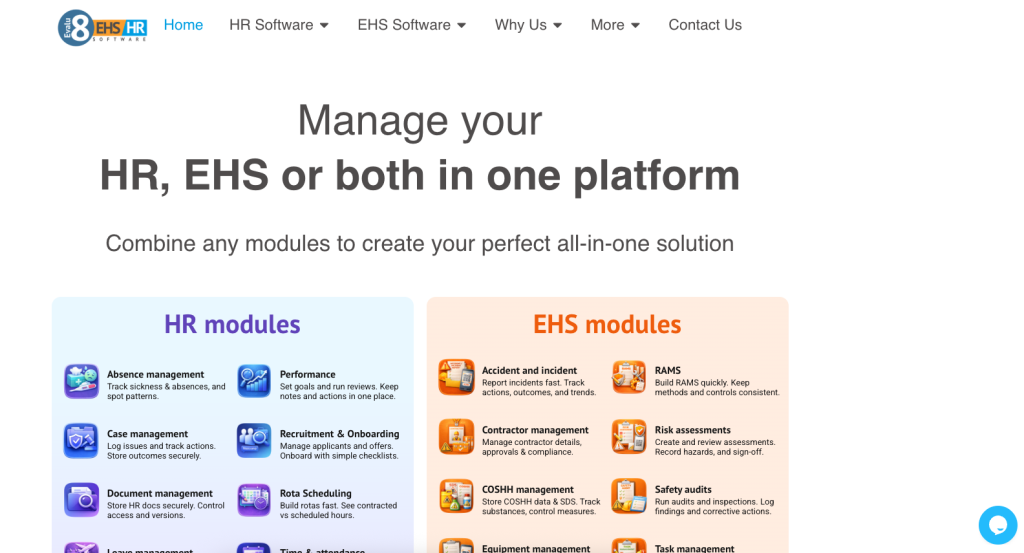
Evalu-8 allows organisations to build structured audit and inspection templates using questions, guidance, scoring, mandatory fields and evidence requirements.
Central health and safety teams can standardise the core questions used across the organisation while allowing local teams to record relevant site-specific information. This is particularly useful for multi-site businesses that need comparable results without pretending every workplace has identical risks.
Audits and inspections can be scheduled by:
- Location
- Department
- Asset
- Risk level
- Frequency
- Responsible person
Dashboards and reminders show which checks are due, overdue or complete.
Auditors can complete forms through mobile devices, including in offline environments, and capture photographs, annotations, notes and signatures. A failed question can require additional information or lead directly into a corrective action with an owner, due date and completion evidence.
The main distinction is what can sit around the audit.
Evalu-8 Core EHS includes:
- Personnel profiles
- Training management
- Equipment maintenance and management
- Contractor profiles
- Documents and electronic signatures
- Tasks
- Workflows and automation
- Dashboards and reporting
Additional modules include risk assessments, RAMS, COSHH, incidents and audits and inspections.
This allows the audit to examine and remain connected with the underlying EHS information.
For example, an audit finding about repeated forklift defects can be reviewed alongside:
- The relevant equipment profile
- Previous inspections
- Maintenance records
- Reported incidents
- Driver training
- Assigned actions
- Management dashboards
Pricing
Evalu-8 Core EHS is published at £2.50 per licence per month, with a minimum of 10 licences.
Audits and Inspections is an additional module, so buyers should request a complete quotation based on the number of administrators, auditors, managers and operational users required. Evalu-8 states that training is covered through the one-off setup fee rather than a separate recurring training charge.
Strengths
- Audit and inspection checklists within a connected EHS platform
- Organisation-wide and site-specific templates
- Conditional questions and mandatory evidence
- Scoring and custom fields
- Recurring schedules and reminders
- Offline mobile completion
- Photographs, annotation, notes and signatures
- Corrective-action ownership and deadlines
- Equipment, training and contractor context
- Incidents and risk assessments available within the wider platform
- Multi-site dashboards
- Modular UK pricing
- UK-based support and development
Limitations and questions to verify
- More functionality than a small organisation may need for occasional audits
- Full module pricing requires a quotation
- The organisation must design and govern its own audit content
- It is not a specialist certification-body or external-auditor management platform
- Buyers should test whether the close-out and effectiveness-review workflow matches their required level of independence
- Complex global organisations should verify language, integration and enterprise-governance requirements
Demonstration test
Ask Evalu-8 to run a multi-site audit of machinery safety and corrective-action governance.
The system should show how the organisation can:
- Use a centrally controlled audit template.
- Add site-specific machinery questions.
- Sample equipment and training records.
- Capture photographs and interview notes.
- Raise a critical finding for a missing guard.
- Record the immediate isolation.
- Assign the permanent corrective action.
- Link the issue with the equipment record.
- Require completion evidence.
- Send the action to a different person for verification.
- Identify whether a similar finding exists at another site.
- Present the trend to management.
Verdict
Evalu-8 is the strongest overall option for organisations that need more than a digital audit form.
Its main advantage is that the evidence, findings, and action do not need to become another isolated data set.
2. SafetyCulture: Best for widespread mobile audit participation
Best for
Organisations that need large numbers of employees and managers to complete operational audits, inspections and checks through a mature mobile platform.
Why SafetyCulture stands out
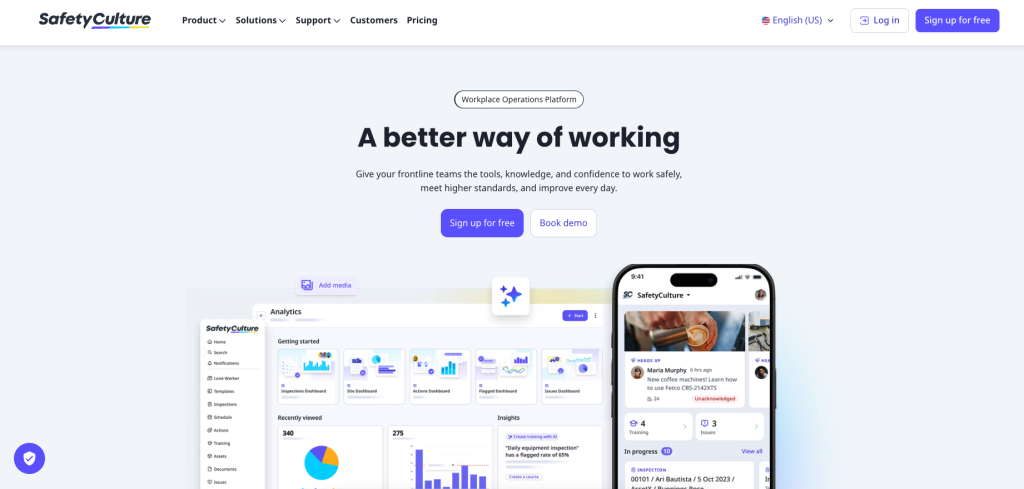
SafetyCulture combines digital inspections with actions, issue reporting, analytics, training, documents and asset-related functions.
Its strength is making operational checks accessible to a broad workforce. Users can create templates, complete inspections through mobile devices, add evidence and raise actions while the work is being examined.
The mobile application supports offline inspections, although users need to make sure the relevant inspections and assets are stored on the device before entering areas without connectivity. Information synchronises when the device reconnects.
The platform also allows actions to be raised from inspections and provides an Agenda view that brings assigned inspections, actions, issues and training tasks together.
SafetyCulture’s current plans also include AI credits for functions such as content creation, report generation and operational insights. The amount and available functionality depend on the plan and seat type.
Where SafetyCulture fits well
The platform is particularly relevant when the audit programme includes a high volume of:
- Workplace inspections
- Retail or hospitality audits
- Manufacturing checks
- 5S audits
- Site safety tours
- Vehicle and equipment checks
- Quality audits
- Facilities inspections
- Contractor observations
Its template ecosystem can help teams begin quickly, although externally sourced templates should always be checked against the organisation’s actual criteria and risks.
Pricing
SafetyCulture offers:
- Free: $0 for teams of up to 10, with five active inspection templates and basic functionality
- Premium annual: $24 per full seat per month
- Premium monthly: $29 per full seat per month
- Enterprise: Custom pricing
Premium adds unlimited active templates, advanced analytics, integrations, permissions, and additional security functions. SafetyCulture also offers full, lite, and guest seat types, so the total cost depends on what each person needs to do.
Strengths
- Mature mobile inspection experience
- Online and offline completion
- Large template ecosystem
- Actions and issue reporting
- Photographs and other field evidence
- Scheduling
- Advanced analytics on paid plans
- Training and document functions
- Asset-management capability
- Different user and seat types
- Free entry plan
- Wide operational use beyond health and safety
Limitations and questions to verify
- Buyers must model the required mix of full, lite and guest seats carefully
- The platform’s breadth may add unnecessary functions for a focused audit team
- Public templates should not be accepted without competent review
- Formal audit requirements such as scope, auditor independence and effectiveness checks should be tested
- The organisation should confirm how critical findings override percentage scores
- Buyers should test the process for rejecting weak completion evidence
- Organisations wanting one connected UK EHS record should examine how audit data connects with their existing risks, equipment and incidents
Demonstration test
Give SafetyCulture a formal contractor-management audit rather than a short site inspection.
Ask the supplier to show:
- Audit scope and criteria
- Auditor assignment
- Document and interview evidence
- Major and minor finding classification
- Corrective actions assigned to internal and external owners
- Approval of completion evidence
- Repeat-finding reporting
- A management summary across several sites
Verdict
SafetyCulture is one of the strongest options for organisations prioritising mobile adoption and high-volume operational checks.
Buyers running formal management-system audits should make sure the platform can manage the depth of evidence, classification and verification they require.
3. GoAudits: Best focused standalone audit application
Best for
Small and mid-sized organisations that want a practical replacement for paper, Word and Excel without implementing a complete EHS platform.
Why GoAudits stands out
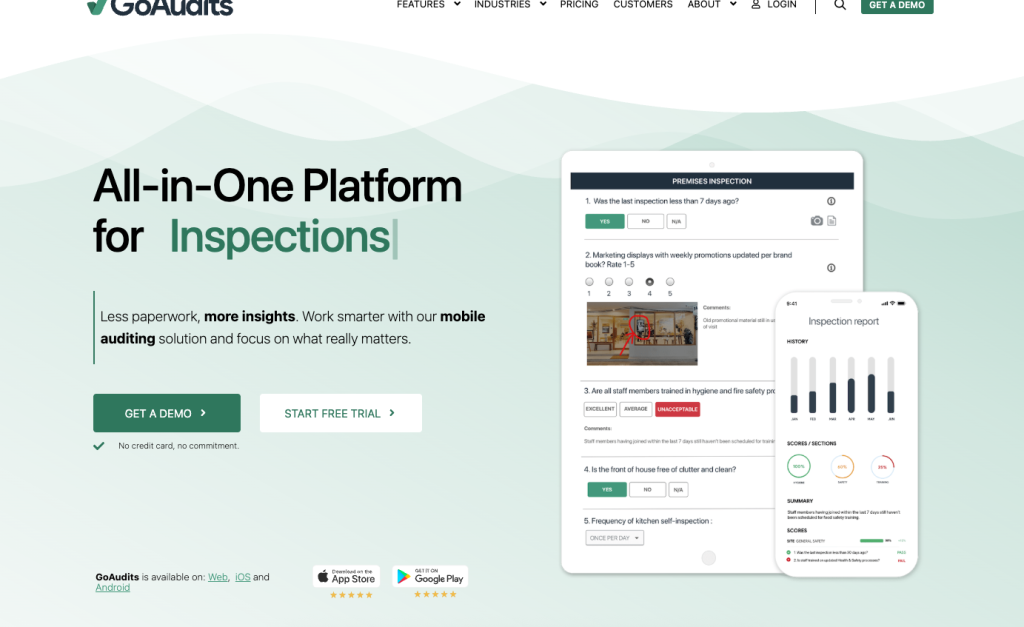
GoAudits focuses on the audit and inspection process.
Users can complete audits on phones, tablets and computers, both online and offline. The application supports photographs, annotations, comments, conditional questions, mandatory questions, and scoring. Reports can be generated automatically when an audit is submitted.
Findings can be turned into actions with:
- Assignees
- Due dates
- Priorities
- Email notifications
- Dashboard tracking
- Completion evidence
External action owners can be added using their email address without necessarily becoming full paid users.
GoAudits also provides dashboards and reports for reviewing failures, scores, action status, and performance across locations.
Pricing
GoAudits publishes two annual plans:
- Starter: $10 per user per month
- Enterprise: $30 per user per month
Starter includes online and offline audits, instant reports and action plans.
Enterprise adds unlimited locations and templates, scheduling, notifications, roles, permissions, advanced trends, consolidated reports and greater drill-down capability. A 14-day free trial is available, and VAT may be charged to UK and EU customers.
Strengths
- Focused audit and inspection product
- Transparent public pricing
- Fully functional offline
- Conditional and mandatory questions
- Smart scoring
- Photographs and annotation
- Instant reports
- Corrective-action plans
- Unlimited action assignees
- Multi-site dashboards on the higher plan
- Free checklist setup
- 14-day trial
Limitations and questions to verify
- Scheduling, permissions and advanced reporting require the Enterprise plan
- Starter is limited to one company or department, 25 locations and 10 templates
- Broader EHS records may remain in separate platforms
- Buyers should test whether action completion can require independent acceptance
- Formal root-cause and CAPA requirements may need additional processes
- Organisations should confirm how checklist versions and local variations are governed
- A focused inspection tool may not connect findings with equipment, incidents or risk assessments automatically
Demonstration test
Ask GoAudits to run an annual health and safety management audit across three sites.
Require it to demonstrate:
- Central template control
- Local evidence
- Offline completion
- Major and minor findings
- External action owners
- Overdue-action escalation
- Consolidated findings
- Repeat issues by site
- Verification of completed actions
Verdict
GoAudits is one of the clearest choices for an organisation that primarily needs to digitise audits and follow-up actions.
Its defined product scope and visible pricing make it easier to evaluate than many larger EHS suites.
4. Lumiform: Best for flexible audit forms and workflows
Best for
Distributed organisations that need configurable forms, conditional logic, multilingual support and automated field workflows.
Why Lumiform stands out
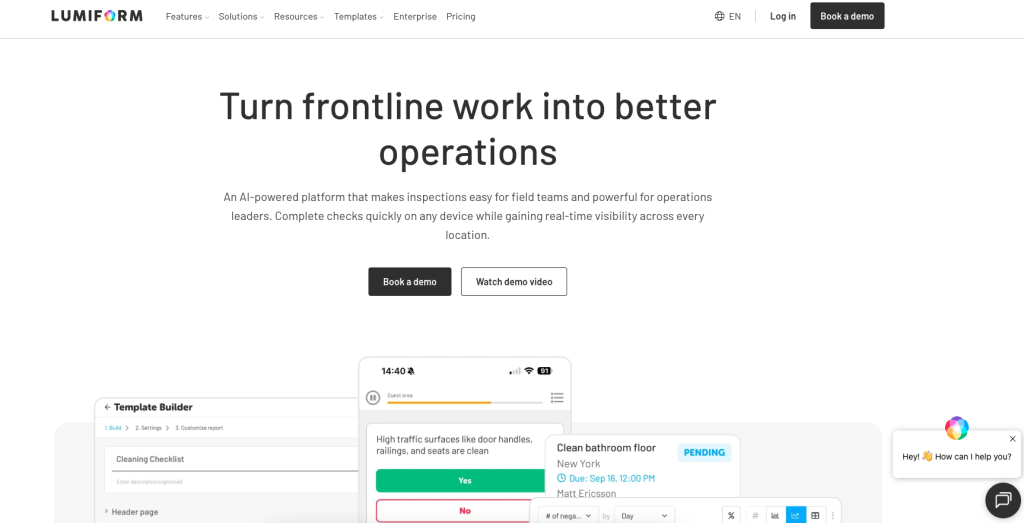
Lumiform is a configurable inspection and audit platform built around a no-code form builder.
The system supports:
- Unlimited templates
- Multiple response types
- Mandatory fields
- Conditional logic
- Scoring
- Form and activity logs
- Photographs
- Electronic signatures
- Voice-to-text
- Offline mobile completion
- Actions and attachments
- Workflow automation
- Schedules and reminders
- QR-triggered forms
- Custom reports
- Analytics and dashboards
- Multiple languages
A failed or out-of-range response can automatically generate a corrective action and route it to the relevant person. Forms completed offline are stored locally and synchronised when connectivity returns.
This flexibility may be useful where one organisation needs to manage very different audit processes across facilities, manufacturing, logistics, construction and service operations.
Pricing
Lumiform currently offers Professional and Enterprise plans through quotation.
Professional includes form creation, mobile use, actions, analytics, permissions and workflow functions.
Enterprise includes the broader feature set, including approvals, integrations, API access, webhooks, SSO, advanced support and onboarding services. These enterprise functions can also be purchased as add-ons to Professional.
Strengths
- Highly configurable forms
- AI-assisted form creation and form upload
- Conditional logic
- Offline mobile completion
- Voice-to-text
- Electronic signatures
- Action workflows
- Unlimited third-party actions
- QR-triggered forms
- Custom reports and dashboards
- Multilingual capability
- Strong cross-industry flexibility
Limitations and questions to verify
- No standard public price
- Approvals and integrations may require add-ons on the Professional plan
- Highly flexible tools require strong internal template governance
- The organisation must define its own finding classifications and audit logic
- Buyers should test central version control and local template restrictions
- Formal auditor-independence and effectiveness-review workflows should be demonstrated
- Configuring a poor existing audit form digitally will not improve the underlying audit quality
Demonstration test
Ask Lumiform to configure one audit containing:
- Organisation-wide core questions
- Manufacturing-specific questions
- Site-specific questions
- Conditional evidence requirements
- Critical-failure rules
- External corrective-action owners
- Manager approval
- A rejected close-out
- A recurring follow-up audit
Verdict
Lumiform is a strong option when the audit process cannot be represented by a rigid standard form.
Its flexibility is an advantage for organisations with the resources and discipline to design and govern their workflows properly.
5. Evotix: Best for complex enterprise audit programmes
Best for
Large, multi-site or international organisations running connected EHS audit, CAPA and risk-management programmes.
Why Evotix stands out
Evotix provides audit and inspection functionality as part of a wider enterprise EHS platform.
Its published audit workflow covers:
- Planning audit programmes
- Setting scope and cadence
- Shared templates and question libraries
- Automatic scheduling
- Role or location assignments
- Reminders
- Online and offline mobile audits
- Photographs, notes and signatures
- Corrective and preventive actions
- Owners and due dates
- Evidence
- Trends and audit packs
The broader Evotix platform covers incidents, contractor management, training, risk assessment, management of change, permits, process safety, occupational health and environmental management.
Its EvoAI functionality is positioned within these workflows to assist with finding patterns, prioritising actions and identifying previous controls.
Pricing
Evotix does not publish a standard price.
The company offers separate Professional and Enterprise propositions and provides tailored quotations. Buyers should request a total-cost model covering implementation, configuration, migration, integrations, languages, mobile users, administrators and ongoing support.
Strengths
- Full enterprise audit lifecycle
- Audit-programme planning
- Shared templates and guidance
- Mobile and offline audits
- Corrective and preventive actions
- Evidence and trends
- Wider EHS integration
- Risk and management-of-change connections
- AI-assisted insights
- Multi-site and global configuration
- Professional and Enterprise product routes
Limitations and questions to verify
- Likely to require a more substantial implementation than a focused audit app
- No public entry price
- Internal administration may be significant
- The frontline experience should be tested with real auditors and operational employees
- The buyer should confirm which functions are included in Professional rather than Enterprise
- AI-generated insights still require competent review
- The implementation may be disproportionate for a smaller UK organisation with a relatively simple audit programme
Demonstration test
Ask Evotix to manage an annual group EHS audit programme covering ten sites in several countries.
The supplier should show:
- Group and local audit templates
- Different legal or operational criteria
- Auditor permissions
- Offline evidence collection
- CAPA
- Verification
- Repeat findings by site and business unit
- Management-of-change links
- Executive reporting
- Full export of the audit trail
Verdict
Evotix is the strongest enterprise option in this shortlist for organisations needing a configurable audit lifecycle within a substantial EHS programme.
It should be treated as an enterprise-platform decision rather than a quick checklist replacement.
6. EcoOnline: Best for audits within an established EHS and chemical-safety ecosystem
Best for
Multi-site or higher-risk organisations combining health and safety audits with incidents, risks, chemical management and wider EHS reporting.
Why EcoOnline stands out
EcoOnline’s audit and inspection software supports customised audits, dynamic questions, automatic scheduling, notifications, offline field completion and detailed audit trails.
Audit, inspection and observation information feeds into a central EHS system where users can identify non-conformities, assign corrective and preventive actions and review trends through dashboards.
The wider EcoOnline platform includes:
- Incident and near-miss reporting
- Risk management
- Corrective-action tracking
- Training
- Permit-to-work functions
- Contractor management
- Chemical and SDS management
- Environmental and sustainability functions
- Mobile reporting
- QR reporting
This makes EcoOnline particularly relevant where audits examine chemical storage, hazardous substances, environmental controls or other processes already managed within its ecosystem.
Pricing
EcoOnline uses bespoke pricing based on the features, users and customisation included in the package.
Buyers should request costs for:
- Audits and inspections
- Corrective actions
- Risk management
- Chemical-management modules
- Incident reporting
- Mobile users
- Languages
- Implementation
- Support
- Integrations
- Data migration
Strengths
- Audits inside a wider EHS system
- Dynamic questions
- Automatic scheduling and notifications
- Offline field completion
- Corrective and preventive actions
- Detailed audit trail
- Multi-site dashboards
- Incident and risk connections
- Strong chemical-safety ecosystem
- Contractor and permit functions
- Environmental and sustainability options
- Multilingual and enterprise suitability
Limitations and questions to verify
- No transparent standard price
- Product breadth may be unnecessary for a narrow audit requirement
- The audit module is likely to deliver most value as part of the wider EcoOnline ecosystem
- Buyers should test detailed finding classification and critical-failure scoring
- Action verification should be demonstrated rather than inferred from action tracking
- Existing chemical or EHS architecture may influence the commercial case more than the audit module alone
- The organisation should confirm which data, implementation and support services are included
Demonstration test
Ask EcoOnline to run a combined audit covering:
- Chemical storage
- COSHH management
- Incident follow-up
- Contractor control
- Corrective actions
- Environmental inspections
The supplier should demonstrate how findings remain connected with the wider records and how repeated weaknesses can be reviewed across sites.
Verdict
EcoOnline is a logical shortlist choice for organisations already using its chemical or EHS products.
It may be more platform than a buyer needs when the requirement is limited to standalone audit forms.
Which health and safety audit software is right for your organisation?
Choose Evalu-8 EHS when:
- You want audits connected with risks, incidents and equipment.
- You operate across several UK sites or departments.
- Corrective-action ownership is currently fragmented.
- Training and contractor records form part of the audit evidence.
- You want modular software rather than a large enterprise implementation.
- You are replacing several disconnected health and safety systems.
Choose SafetyCulture when:
- Large numbers of frontline employees complete operational checks.
- Mobile usability is the main priority.
- Safety, quality and operational auditing overlap.
- You want a large template ecosystem.
- A free starting plan is useful.
- Your organisation can model the required seat types carefully.
Choose GoAudits when:
- You primarily need a digital audit application.
- Public pricing is important.
- Offline completion is essential.
- You want automatic reports and action plans.
- Your audit programme is relatively straightforward.
- You are not currently replacing the whole EHS technology stack.
Choose Lumiform when:
- Different sites require different form logic.
- Multilingual use matters.
- QR-triggered audits are useful.
- External people need to receive actions.
- Voice-to-text or flexible field evidence is important.
- You have internal resources to govern a configurable platform.
Choose Evotix when:
- You run a large or international EHS programme.
- Audit, CAPA, risk and management of change must connect.
- Different sites require complex permissions and workflows.
- Enterprise analytics are required.
- You have dedicated internal administrators.
- A structured implementation is proportionate to the organisation.
Choose EcoOnline when:
- You already use EcoOnline products.
- Chemical management forms a significant part of the audit scope.
- Audits need to connect with incidents, risk and contractor management.
- You need a wider EHS ecosystem.
- Multi-site standardisation is important.
- Quote-based enterprise pricing is acceptable.
Questions to ask during a health and safety audit software demonstration
Do not allow each supplier to demonstrate a prepared office inspection.
Give every supplier the same formal audit scenario.
For example:
A group health and safety manager is auditing machinery safety and corrective-action management at a manufacturing site. Previous audits identified guarding and isolation weaknesses. During the current audit, the auditor finds a machine operating without an effective guard, three overdue maintenance actions and training records that do not match the employees using the equipment.
Ask the supplier to show how its system would:
-
Define the audit scope.
-
Record the audit criteria.
-
Assign a competent auditor.
-
Use the current centrally approved checklist.
-
Include previous findings in the audit plan.
-
Select a representative sample of equipment and employees.
-
Record document evidence.
-
Record employee interviews.
-
Capture and annotate photographs.
-
Identify the missing guard as a critical finding.
-
Prevent a high overall score from hiding the critical finding.
-
Record that the machine was isolated immediately.
-
Create separate actions for the guard, maintenance backlog and training records.
-
Assign each action to an appropriate owner.
-
Set priorities and deadlines.
-
Escalate overdue actions.
-
Retain the link between each action and the original evidence.
-
Allow the action owner to upload completion evidence.
-
Let an independent reviewer reject inadequate evidence.
-
Schedule an effectiveness check.
-
Show whether similar guarding findings exist at other sites.
-
Trigger a review of the relevant risk assessment or inspection standard.
-
Produce a management summary.
-
Retrieve the complete audit history one year later.
A system that performs the first twelve steps but cannot manage the rest is primarily digitising the audit form.
Why audit percentage scores can create false confidence
An audit score can help compare performance.
It can also hide the most important information.
Imagine an audit containing 100 questions:
- 96 questions pass.
- Three administrative questions fail.
- One machine is operating without a required guard.
The overall score is 96%.
The site does not have a minor 4% performance gap.
It has an immediate machinery-safety failure.
A suitable system should allow the organisation to:
- Identify safety-critical questions.
- Create automatic critical findings.
- Require immediate control information.
- Use weighted scoring carefully.
- Exclude or explain genuinely non-applicable questions.
- Prevent unjustified “not applicable” answers.
- Separate the audit score from the finding classification.
- Report critical and major findings prominently.
- Compare results without flattening different levels of risk.
The number should support the auditor’s judgement. It should not replace it.
What is the difference between action completion and verified close-out?
This is one of the most important software-buying questions.
Suppose an audit identifies that emergency arrangements are not understood by night-shift employees.
The action owner uploads a revised procedure and marks the action complete.
That does not prove that the finding has been resolved.
A suitable verification process may need to establish:
- Was the procedure approved?
- Was the night shift briefed?
- Were agency workers included?
- Can employees explain what they need to do?
- Was an exercise completed?
- Did the exercise identify further problems?
- Has the audit evidence been updated?
- Does a follow-up sample show that the arrangement is working?
Good audit software should distinguish between:
- The finding being raised.
- An action being assigned.
- The owner declaring the action complete.
- A reviewer accepting the evidence.
- The organisation confirming that the control is effective.
Without the last two stages, dashboards may show that actions are closed while the original weakness remains.
How should audit findings be classified?
A clear classification model helps different auditors respond consistently.
A practical structure could include:
Critical finding
An immediate or potentially severe failure requiring urgent control and senior escalation.
Major finding
A significant management-system or control failure, repeated non-conformity or weakness affecting a substantial part of the organisation.
Minor finding
A limited failure requiring correction but not currently indicating a wider breakdown.
Observation
An issue that does not amount to a failure against the audit criteria but may require monitoring or improvement.
Positive practice
An effective arrangement that may be useful elsewhere in the organisation.
The software should allow the organisation to define its categories and associated workflows.
For example, a critical finding may trigger:
- An immediate-control field
- Automatic senior notification
- A shorter action deadline
- Mandatory photographic evidence
- Formal verification
- A follow-up audit
Do organisations legally need health and safety audit software?
No. There is no general UK requirement to purchase a particular health and safety audit platform.
Organisations still need suitable arrangements for planning, organising, controlling, monitoring and reviewing their health and safety measures.
HSE’s guidance places monitoring, auditing and review within the wider Plan, Do, Check, Act management cycle. It says formal audits should be used by larger organisations to examine the effectiveness of management structures and risk controls.
Software is a management decision.
It becomes more valuable where:
- Several sites follow the same audit programme.
- Audit schedules are regularly missed.
- Checklist versions are uncontrolled.
- Evidence is stored in emails and folders.
- Corrective actions are maintained in spreadsheets.
- Action owners are difficult to chase.
- Completion is not independently verified.
- Repeat findings cannot be identified easily.
- Senior leaders lack reliable assurance information.
- External auditors repeatedly request the same records.
Can organisations use generic health and safety audit templates?
A generic template can provide a useful starting point.
It should not become the complete audit programme.
A suitable audit should reflect:
- The organisation’s risk profile
- Its activities
- Applicable legislation
- Internal procedures
- Contractual requirements
- Previous findings
- Recent incidents
- Operational changes
- Workforce arrangements
- Local site conditions
A useful template structure is:
Organisation-wide core
Questions covering leadership, policy, risk management, training, incidents, actions and management review.
Activity-specific modules
Questions covering machinery, work at height, contractors, hazardous substances, transport or other significant risks.
Site-specific questions
Questions covering local equipment, processes, emergency arrangements and previous concerns.
Temporary focus questions
Questions introduced after incidents, changes, enforcement activity or emerging risks.
This structure allows comparison across sites without forcing every location to answer irrelevant questions.
Can AI create a health and safety audit checklist?
AI can help with parts of the audit process.
Potential uses include:
- Converting an existing Word checklist into a digital structure
- Suggesting draft questions
- Translating forms
- Summarising large volumes of findings
- Identifying recurring wording or themes
- Preparing a first draft of a management report
- Suggesting where previous actions may need follow-up
AI cannot independently decide:
- Whether the audit scope is suitable
- Whether the auditor is competent or independent
- Which legal requirements apply
- Whether the sample is representative
- Whether a physical control is effective
- Whether employees genuinely understand the arrangements
- Whether completion evidence is adequate
- Whether the organisation is compliant or certifiable
AI-generated questions and summaries should be reviewed by a competent person before they influence the audit programme.
Implementation checklist
Before moving live, the organisation should:
- Map its current audit programme.
- Separate audits from routine inspections.
- Define the audit categories and criteria.
- Identify all existing templates.
- Remove duplicated or weak questions.
- Define critical, major, minor and observation classifications.
- Decide which evidence is mandatory.
- Set the auditor, action owner and verifier roles.
- Define escalation rules.
- Decide how external contractors receive actions.
- Establish template ownership and version control.
- Configure site and department permissions.
- Import outstanding findings and actions.
- Test offline use.
- Run one representative pilot audit.
- Test a rejected close-out.
- Confirm management reports.
- Train auditors and action owners separately.
- Audit the system’s use after rollout.
- Review whether the software is improving assurance rather than only reducing paperwork.
Final recommendation
Evalu-8 EHS is our top overall health and safety audit software choice for 2026.
It provides the audit and inspection capabilities most UK organisations will expect:
- Customisable templates
- Conditional questions
- Scoring
- Schedules
- Offline mobile completion
- Evidence capture
- Corrective actions
- Multi-site reporting
- Clear audit histories
Its main advantage is what surrounds the audit.
Findings can sit alongside the equipment, employee, contractor, risk, incident or task involved rather than being reduced to a line in a separate action spreadsheet.
SafetyCulture is the strongest alternative for widespread operational participation and mobile adoption.
GoAudits is a strong standalone choice for teams replacing paper audits and wanting visible pricing.
Lumiform offers the greatest flexibility for organisations with complex form and workflow requirements.
Evotix is the most suitable enterprise option for complex international EHS programmes, while EcoOnline is particularly relevant when audits form part of an existing chemical-safety or EHS ecosystem.
The deciding question should not be:
Which software gives us the most audit templates?
It should be:
Which system helps us prove whether our safety arrangements are working, get weaknesses corrected and verify that the same failures are not returning?
That is the difference between completing audits and gaining useful assurance.
Evalu-8 EHS is our best overall choice for UK organisations that want audits connected with corrective actions, equipment, risks and wider health and safety records. SafetyCulture is a strong mobile-first alternative, while GoAudits is a focused standalone audit application.
Useful functions include audit scheduling, controlled templates, mobile and offline access, evidence capture, finding classification, scoring, corrective actions, escalation, close-out verification, repeat-finding analysis and management reporting.
An inspection normally examines current workplace conditions, equipment or work practices. An audit tests whether the organisation’s wider management arrangements and risk controls are designed, implemented and effective.
Software can support internal audit planning, evidence, findings, corrective actions and records. It does not provide auditor competence, determine the audit scope or guarantee that an audit meets every requirement of ISO 45001.
Several systems in this comparison support offline use, including Evalu-8, SafetyCulture, GoAudits, Lumiform, Evotix and EcoOnline. Buyers should test access to templates, attachments, assets, draft saving and later synchronisation.
See Evalu-8 in action
Fill in your details and we'll send you a personalised guided tour of the platform — no sales pressure, just a clear look at what Evalu-8 can do for your team.